

News

Miro: A New Standard in Responsible Innovation

Miro: A New Standard in Responsible Innovation The Miro monitor arm is setting new benchmarks in sustainability. It offers a high-performance solution without compromising on environmental responsibility. Designed with careful material selection, local sourcing, and longevity in mind, Miro’s responsible approach to design and unique manoeuvrability set it apart from the competition. Sustainable Choices Miro is crafted from energy-efficient materials with a lower carbon impact....

Read more
HSE Advisor

Role Purpose Support in the development, implementation and maintenance of the company’s Health, Safety & Environmental policies, processes, operational procedures, and standards.  Ensuring best practice and championing a continually improving HSE culture within the business. Key Responsibilities Liaise with and provide support to all areas of the business to eliminate, mitigate or reduce identified HSE exposures. Partner with the production management team and team leaders,...

Read more
CMD Ltd LAUNCHES 48-HOUR TURNAROUND ON BETATRAK® RAPID ORDERING SERVICE

CMD Ltd, the specialist in power distribution systems, workstation power and monitor arms, has launched a rapid ordering service for its Betatrak® underfloor powertrack distribution systems and accessories, with a commitment to delivering within 48-hours of an approved purchase order*. The service enables customers to order up to 50 lengths of Standard or Clean Earth (C/E) low noise Betatrak, along with up to 25 feed...

Read more

CMD INVESTS £1/4 MILLION IN NEW MACHINE AS PART OF FACTORY UPGRADE

We have invested in a new £1/4m TRUMPF CNC metal punch as part of an asset renewal strategy for our UK manufacturing capability. The new machine will be used in the production of a wide variety of our power distribution systems and workstation power products at our Rotherham factory. Suitable for handling sheet metal between 0.9mm and 3.0mm thick, the new machine will replace one...

Read more

CMD CATALOGUE PROVIDES TECHNICAL POWER DISTRIBUTION GUIDE

CMD Ltd has released a new catalogue, providing an easy to follow technical guide to our power distribution systems and plug and play desk modules. Detailing CMD’s full range of UK-manufactured power distribution systems and plug and play desk modules, the catalogue will be a helpful source of information to M&E engineers and contractors alike to understand how our power distribution systems connect together and...

Read more

Power Distribution Catalogue
CMD Ltd PLAYS ESSENTIAL ROLE IN ELECTRICAL FIT OUT AT LONDON’S PRESTIGIOUS OFFICE DEVELOPMENT

CMD Ltd, specialist in workplace connectivity and ergonomic solutions, has provided a flexible and high-quality power distribution network for The Ray, a prestigious office development in London’s Farringdon. Well-known for being the former site of The Guardian newspaper, The Ray now stands as an 83,000ft² office development characterised by a modernised warehouse aesthetic, with level two now occupied by a global social media company. The...

Read more

The Ray
CMD plugs in to european opportunity with Schuko Capsule unit launch

CMD Ltd, the specialist in power and connectivity solutions for commercial environments, has launched a Schuko version of its popular fixed format Capsule workstation power module for export to mainland Europe and beyond. A popular on desk power module comprising two sockets and dual USB (type A and C) chargers, CMD’s Capsule unit is already widely specified in the UK as an off-the-shelf workstation power...

Read more

CMD White Schuko Capsule Desk Power Module
CMD LTD EXTENDS MONITOR ARM RANGE WITH THE LAUNCH OF REACH PLUS

CMD Ltd, the specialist in ergonomic and connectivity solutions for commercial interiors, has completed its Reach monitor arm range with the launch of the Reach Plus. Available in single or dual screen options, the Reach Plus has been designed to provide an ideal solution for both single and dual screen workstation configurations, or can be used with next generation of large format curved screens. Suitable...

Read more

CMD Ltd DEMONSTRATES THE ART OF POWER DISTRIBUTION AT THE UNIVERSITY OF WARWICK

CMD Ltd, the specialist in workplace connectivity and ergonomic solutions, has provided Betatrak busbar power distribution and a range of electrical accessories for two major capital investment projects at the University of Warwick. Designed by Fielden Clegg Bradley Studios, the £33 million Faculty of Arts building is a showpiece development comprising four interconnected structures set around a central atrium, which will enable inter-disciplinary collaboration across...

Read more

University of Warwick
CMD BRINGS HARMONY TO COVENTRY UNIVERSITY RESEARCH FACILITIES

CMD Ltd, the specialist in power distribution solutions and workstation power and ergonomics, has provided under desk and on desk power modules for the refurbishment of three Coventry University research buildings. Located on Coventry University Technology Park, a business park designed to encourage collaboration between the university and knowledge-based businesses, the three buildings are being repurposed as office accommodation for university research teams. The refurbishment...

Read more

Coventry University

7 Tips for Choosing a Type 1 Type 2 Charging Cable?

Choosing an electric vehicle cable seems simple until charging becomes unreliable. A Type 1 Type 2 Charging Cable must match your vehicle, charger, and daily driving needs. Connector shape matters, but it is only one part of the decision. Cable length, current rating, weather resistance, and storage also affect safety and convenience.

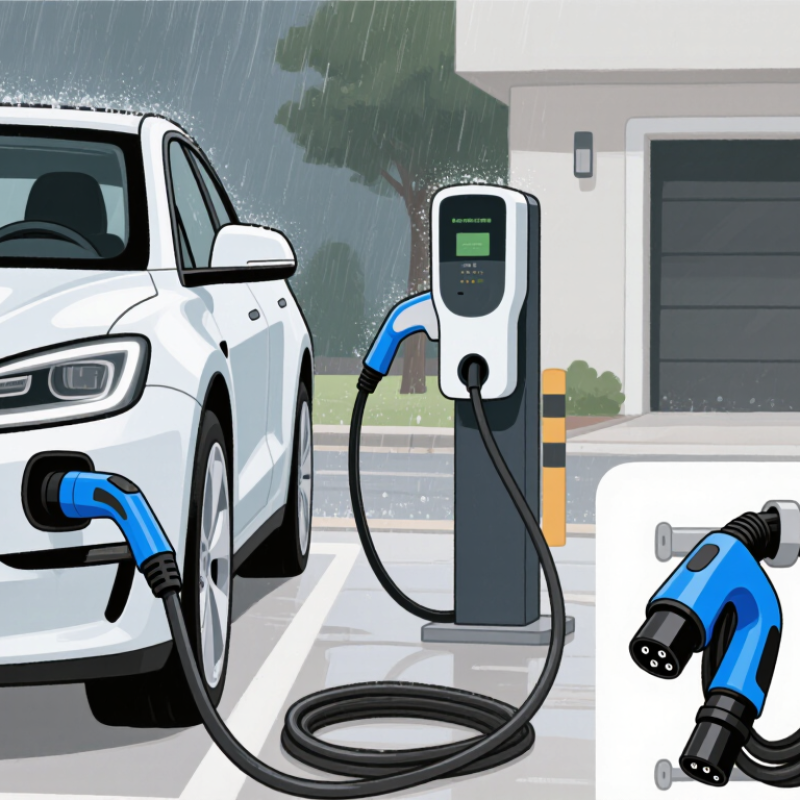
This guide shares seven practical tips for choosing the right cable. It considers real charging situations, from a home wall box beside a garage to a public charger in heavy rain. Fit comes first. A cable that connects loosely can create frustration and unnecessary wear. A cable that is too short may pull against the socket. One that is excessively long can become heavy, tangled, and difficult to store. Small details matter.

The recommendations are based on common manufacturer specifications, charging practices, and careful product comparison. Check your vehicle handbook and charger label before purchasing. Type 1 and Type 2 connectors are not interchangeable in every situation, even when a product description sounds convincing. I have seen buyers focus on price and overlook amperage compatibility. That mistake can be expensive. Certification marks, insulation quality, strain relief, and warranty support deserve equal attention. Still, no guide can replace professional advice for unusual installations or damaged equipment. These seven tips will help you ask better questions, compare products more confidently, and choose a cable suited to your vehicle, climate, and charging routine.

7 Tips for Choosing a Type 1 Type 2 Charging Cable?

Identify Your Vehicle’s Charging Connector Type

Choosing the correct charging cable starts with identifying your vehicle’s charging connector. Do not rely only on the country where the vehicle was purchased. Check the inlet shape, pin arrangement, and locking position. A Type 1 connector usually has one larger round body with five main contacts and a locking clip near the top. It is common on many vehicles designed for single-phase AC charging.

A Type 2 connector looks wider and includes seven contact positions, with two smaller contacts at the bottom. It commonly supports single-phase or three-phase AC charging, depending on the vehicle and charging equipment. Compare the connector with your vehicle manual or a clear photo of the inlet. The cable plug should fit smoothly. Never force it.

I once assumed a similar-looking socket used the same cable. That shortcut was wrong. A proper fit is not enough. Check the cable’s current rating, charging mode, and connector compatibility before buying. Some vehicles also include a separate DC charging inlet, which may sit beside the AC socket. That inlet does not automatically make every Type 1 or Type 2 cable suitable.

Keep the connector dry and inspect the pins for bending, heat marks, or dirt. A loose connection can interrupt charging and create unnecessary wear. If the inlet label is unclear, ask a qualified technician to verify it. A small inspection can prevent an expensive mistake.

Compare Cable Compatibility with Your Charging Station

Choosing a Type 1 or Type 2 charging cable starts with your charging station, not your vehicle’s advertising label. Type 1 connectors commonly use a single-phase connection, while Type 2 connectors support wider European and international station compatibility. Check the inlet shape carefully. A similar-looking plug can still be electrically unsuitable. Also confirm whether the station is tethered or requires your own cable.

Tip 1: Match both connector ends exactly. One end must fit the vehicle, and the other must fit the station socket.
Tip 2: Check the cable’s current rating against the station output. A 32-ampere cable may handle more power than a 16-ampere model, but the vehicle can still limit charging speed. Read the station label and vehicle manual together. That small detail matters.

Cable length also affects daily use. A five-metre cable may reach a side-mounted inlet, while a shorter cable can pull tightly around a parked car. Look for strong insulation, weather resistance, and secure locking marks when charging outdoors. I once underestimated cable weight; a thick lead was reliable but awkward in a narrow parking space. That experience changed my preference. Avoid assuming an adapter solves every mismatch. It may not support communication, locking, or safe current control. When uncertain, ask a qualified installer to verify the station, cable, and vehicle as one complete system.

Choose the Right Charging Speed and Power Rating

7 Tips for Choosing a Type 1 Type 2 Charging Cable

Choose the Right Charging Speed and Power Rating

The cable is not the charger. Your vehicle, wall unit, and electrical supply must support the same power level. Type 1 cables commonly support single-phase AC charging up to 7.4 kW at 32 amps. Type 2 cables may support single-phase or three-phase charging, reaching 22 kW at 32 amps when the vehicle and installation allow it. Check the vehicle manual first. A higher-rated cable cannot force a car to charge faster.

Use the charging formula: power equals voltage multiplied by current. At around 230 volts, a 32-amp single-phase connection delivers approximately 7.4 kW. A three-phase connection can deliver about 22 kW. Real charging may be lower because of battery temperature, state of charge, and onboard charger limits. It can feel disappointing. A 22 kW cable may still charge at only 3.6 kW in a compatible-looking vehicle.

The International Energy Agency reported more than 4 million public charging points worldwide at the end of 2023, with installations rising by about 40% that year. Its Global EV Outlook 2024 also highlights faster growth in high-power charging. Choose a cable with suitable current capacity, verified safety markings, and practical length. Avoid paying extra for unused power. For home charging, an electrician should confirm circuit capacity, protection, and phase availability before selecting a 7.4 kW or 22 kW cable.

Check Cable Length, Durability, and Weather Protection

Modern EV ownership makes cable quality more important. The IEA’s Global EV Outlook 2025 reports over 17 million electric cars sold in 2024. Cable choice now affects daily convenience, safety, and charging reliability.

Tip: Measure the parking space before buying. Choose enough length to reach the inlet without stretching. Extra cable adds weight and storage hassle.

Tip: Check the conductor size and rated current. A longer cable may create more resistance and heat. This trade-off is easy to underestimate.

Tip: Confirm Type 1 or Type 2 compatibility. IEC 62196 defines common connector requirements, but vehicle and station compatibility still matters.

Tip: Examine strain relief near both connectors. It should bend smoothly, not crack or loosen.

Tip: Select a flexible jacket for cold weather. Very stiff insulation becomes frustrating during winter use.

Tip: Verify the stated IP rating for outdoor conditions. IEC 60529 describes protection against dust and water, but an IP claim may apply only to specific components. Rain is not the only concern. Salt, grit, and freezing temperatures also test the cable.

Tip: Store it loosely and inspect it often. Look for flattened sections, exposed wires, or damaged seals. I would not trust a cable that feels warm repeatedly during normal charging. Small details matter.

Review Safety Features, Certifications, and Everyday Usability

Choosing a Type 1 or Type 2 charging cable is not only about plug shape. The first check is vehicle compatibility. Type 1 commonly uses a single-phase connection, while Type 2 may support broader charging arrangements. Confirm the connector at both ends before buying. Then inspect the cable’s current rating, because a cable should match the charger and vehicle limits. Higher capacity is not automatically better.

Safety details deserve careful attention. Look for recognized electrical certification marks, and verify them through an official testing database when possible. A printed symbol alone proves very little. Good cables usually include strong insulation, sealed connectors, strain relief, and temperature protection. An IP rating can help with rain and dust, but it does not make careless outdoor use safe. Keep the cable away from standing water and damaged sockets. I once underestimated connector wear because the outer jacket looked perfect. That was a useful warning.

Everyday usability can decide whether a cable remains reliable. Check its length, flexibility, weight, and storage design before choosing. A long cable reaches awkward parking spaces, but it can become a trip hazard. A stiff cable may resist damage, yet it is frustrating in cold weather. Inspect the pins and housing regularly for discoloration, looseness, or heat marks. Certification, sensible handling, and routine inspection work together. None replaces the others.

7 Tips for Choosing a Type 1 or Type 2 Charging Cable: Safety Features, Certifications, and Everyday Usability

Tip Selection Dimension Type 1 and Type 2 Reference What to Check Practical Buying Guidance
1 Connector Compatibility
Match the vehicle inlet and charging equipment.
Type 1: SAE J1772 AC connector, commonly used on vehicles designed for single-phase AC charging.

Type 2: IEC 62196-2 AC connector, widely used on vehicles and charging equipment designed for European-style AC charging.
Confirm the connector shape on the vehicle and the socket or plug on the charging point. A Type 1 vehicle inlet will not accept a Type 2 vehicle connector without a suitable, properly rated adapter or cable arrangement. Do not choose a cable based only on the charging station socket. Check both ends: vehicle side and charging-point side. For a portable cable, verify whether you need a plug-to-vehicle cable or a socket-to-vehicle cable.
2 Current and Power Rating
Select a rating that suits the vehicle and circuit.
Common AC examples include up to approximately 7.4 kW at 32 A and 230 V single-phase for Type 1 installations, and up to approximately 22 kW at 32 A and 400 V three-phase for some Type 2 installations. Check the cable's rated current, number of phases, conductor size, and the vehicle's onboard AC charger. The actual charging rate is limited by the lowest-rated component in the system. A higher-rated cable does not make a vehicle charge faster than its onboard charger allows. Never exceed the rating of the socket, circuit, protective device, or charging equipment.
3 Safety Control Features
Look for protection against incorrect or unsafe energization.
Standard AC charging systems use control-pilot communication to confirm that the vehicle is connected and to coordinate current availability before charging begins. Look for clearly documented control-pilot and proximity functions, secure locking compatibility, strain relief, insulated contacts, and a robust cable jacket. If the cable includes an in-cable control box, review its overcurrent, residual-current, temperature, and fault indications. Prefer products with complete technical documentation rather than vague claims such as “universal safety.” The charging installation should also provide the required protective devices, including suitable residual-current protection where applicable.
4 Standards and Certifications
Verify conformity for the intended market.
Relevant references may include IEC 62196-2 for vehicle couplers, SAE J1772 for Type 1 interfaces, and applicable electrical safety and EMC requirements in the destination country. Check the product label, declaration of conformity, test documentation, rated voltage and current, cable type, and the exact standard edition cited. A logo alone is not the same as traceable certification. Choose a cable legally suitable for the country where it will be used. Certification requirements differ by region, and a connector standard does not automatically prove that every cable assembly is certified.
5 Weather and Environmental Protection
Assess outdoor durability.
Connector assemblies may have an ingress-protection rating, but the rating applies only under the conditions and configuration specified by the manufacturer. Look for a published IP rating, UV-resistant cable jacket, operating-temperature range, corrosion-resistant contacts, sealed covers, and protection against water entering the connector while disconnected. Avoid leaving connectors in standing water, mud, or direct sunlight for extended periods. Do not assume that an outdoor-rated connector makes the entire charging installation weatherproof.
6 Everyday Handling
Balance reach, weight, flexibility, and storage.
Higher-current and longer cables are generally heavier. Three-phase Type 2 cables may contain more conductors and can be less flexible than shorter single-phase cables. Compare cable length, bend radius, approximate weight, connector grip, strain relief, storage bag, and resistance to repeated flexing. A cable that is too short may be inconvenient; one that is excessively long may be difficult to store. Choose the shortest length that comfortably reaches the charging point without tension. Keep the cable away from vehicle tires, door hinges, sharp edges, and areas where people can trip.
7 Inspection and Maintenance
Plan for safe long-term use.
Connector pins, seals, latches, and cable insulation can wear through repeated use, contamination, impact, or heat exposure, regardless of connector type. Before use, inspect for cracked housings, bent or discolored contacts, loose pins, damaged insulation, exposed conductors, faulty latches, or unusual heat. Stop using the cable if damage or overheating is found. Keep contacts clean and dry, store the cable loosely without tight knots, and follow the vehicle and charging-equipment instructions. Have persistent faults assessed by a qualified electrical professional.
Technical ratings and certification requirements vary by product, vehicle, installation, and country. Always confirm the exact specifications before purchase or use.