

News

Miro: A New Standard in Responsible Innovation

Miro: A New Standard in Responsible Innovation The Miro monitor arm is setting new benchmarks in sustainability. It offers a high-performance solution without compromising on environmental responsibility. Designed with careful material selection, local sourcing, and longevity in mind, Miro’s responsible approach to design and unique manoeuvrability set it apart from the competition. Sustainable Choices Miro is crafted from energy-efficient materials with a lower carbon impact....

Read more
HSE Advisor

Role Purpose Support in the development, implementation and maintenance of the company’s Health, Safety & Environmental policies, processes, operational procedures, and standards.  Ensuring best practice and championing a continually improving HSE culture within the business. Key Responsibilities Liaise with and provide support to all areas of the business to eliminate, mitigate or reduce identified HSE exposures. Partner with the production management team and team leaders,...

Read more
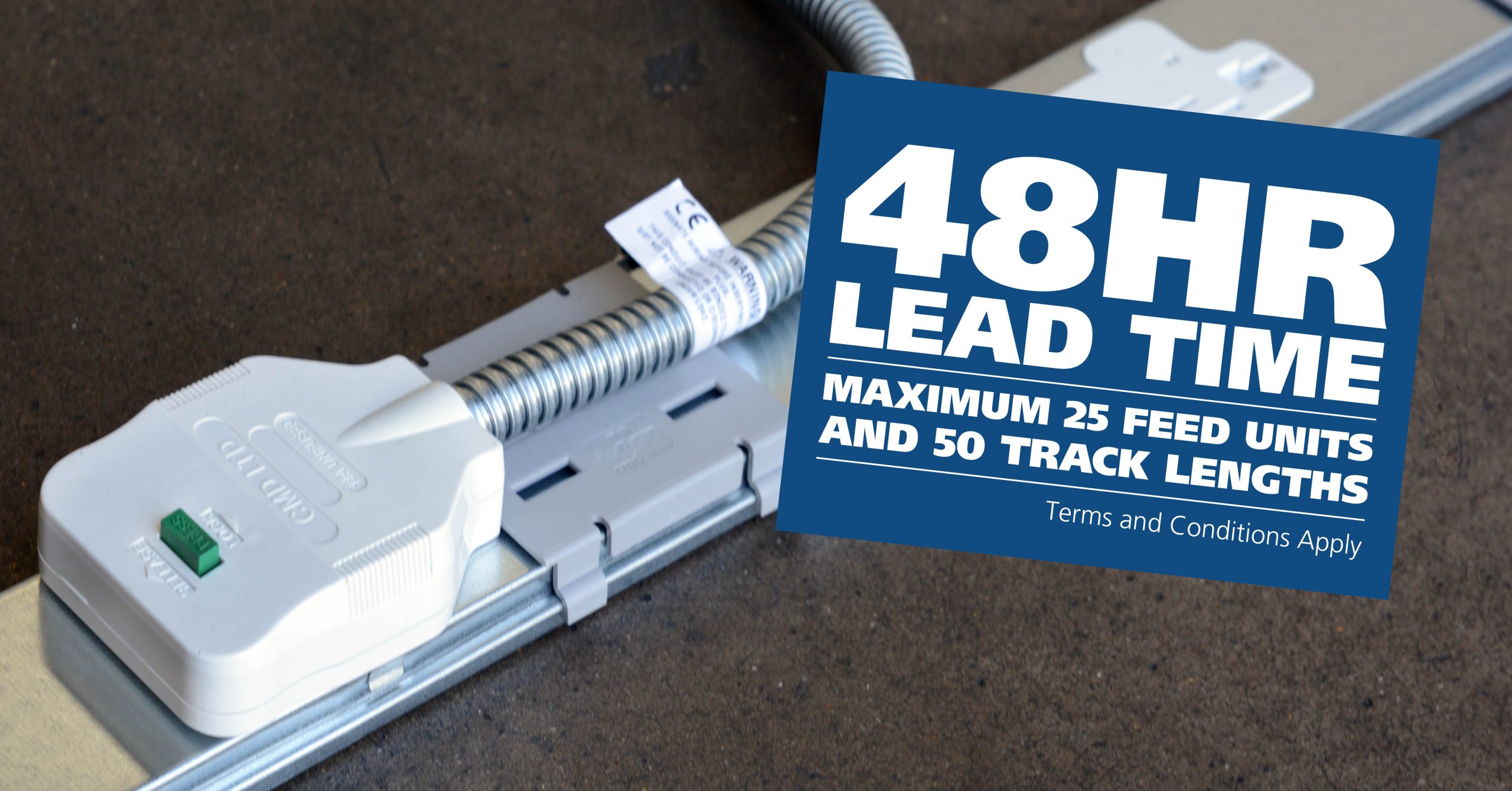
CMD Ltd LAUNCHES 48-HOUR TURNAROUND ON BETATRAK® RAPID ORDERING SERVICE

CMD Ltd, the specialist in power distribution systems, workstation power and monitor arms, has launched a rapid ordering service for its Betatrak® underfloor powertrack distribution systems and accessories, with a commitment to delivering within 48-hours of an approved purchase order*. The service enables customers to order up to 50 lengths of Standard or Clean Earth (C/E) low noise Betatrak, along with up to 25 feed...

Read more
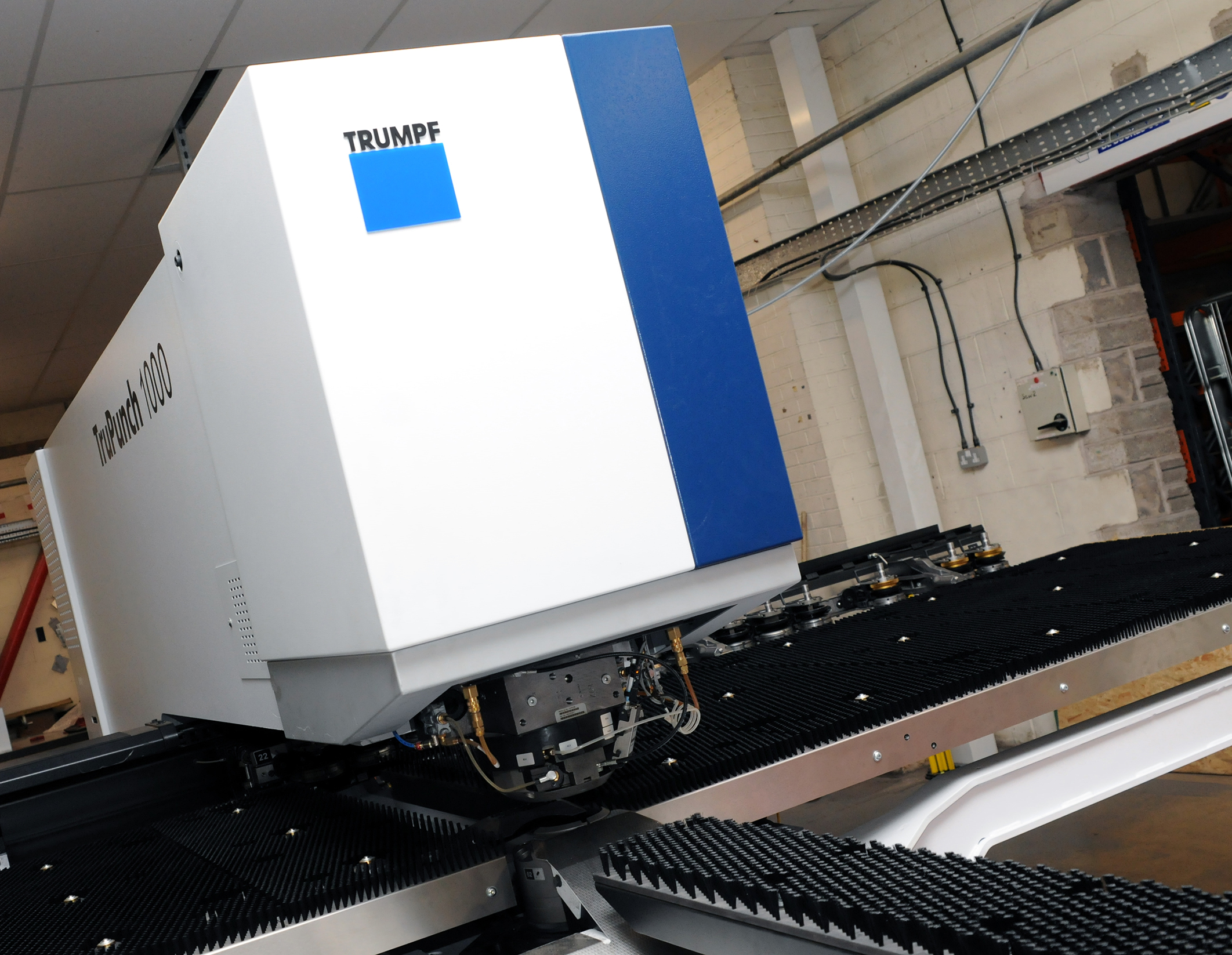
CMD INVESTS £1/4 MILLION IN NEW MACHINE AS PART OF FACTORY UPGRADE

We have invested in a new £1/4m TRUMPF CNC metal punch as part of an asset renewal strategy for our UK manufacturing capability. The new machine will be used in the production of a wide variety of our power distribution systems and workstation power products at our Rotherham factory. Suitable for handling sheet metal between 0.9mm and 3.0mm thick, the new machine will replace one...

Read more
CMD CATALOGUE PROVIDES TECHNICAL POWER DISTRIBUTION GUIDE

CMD Ltd has released a new catalogue, providing an easy to follow technical guide to our power distribution systems and plug and play desk modules. Detailing CMD’s full range of UK-manufactured power distribution systems and plug and play desk modules, the catalogue will be a helpful source of information to M&E engineers and contractors alike to understand how our power distribution systems connect together and...

Read more
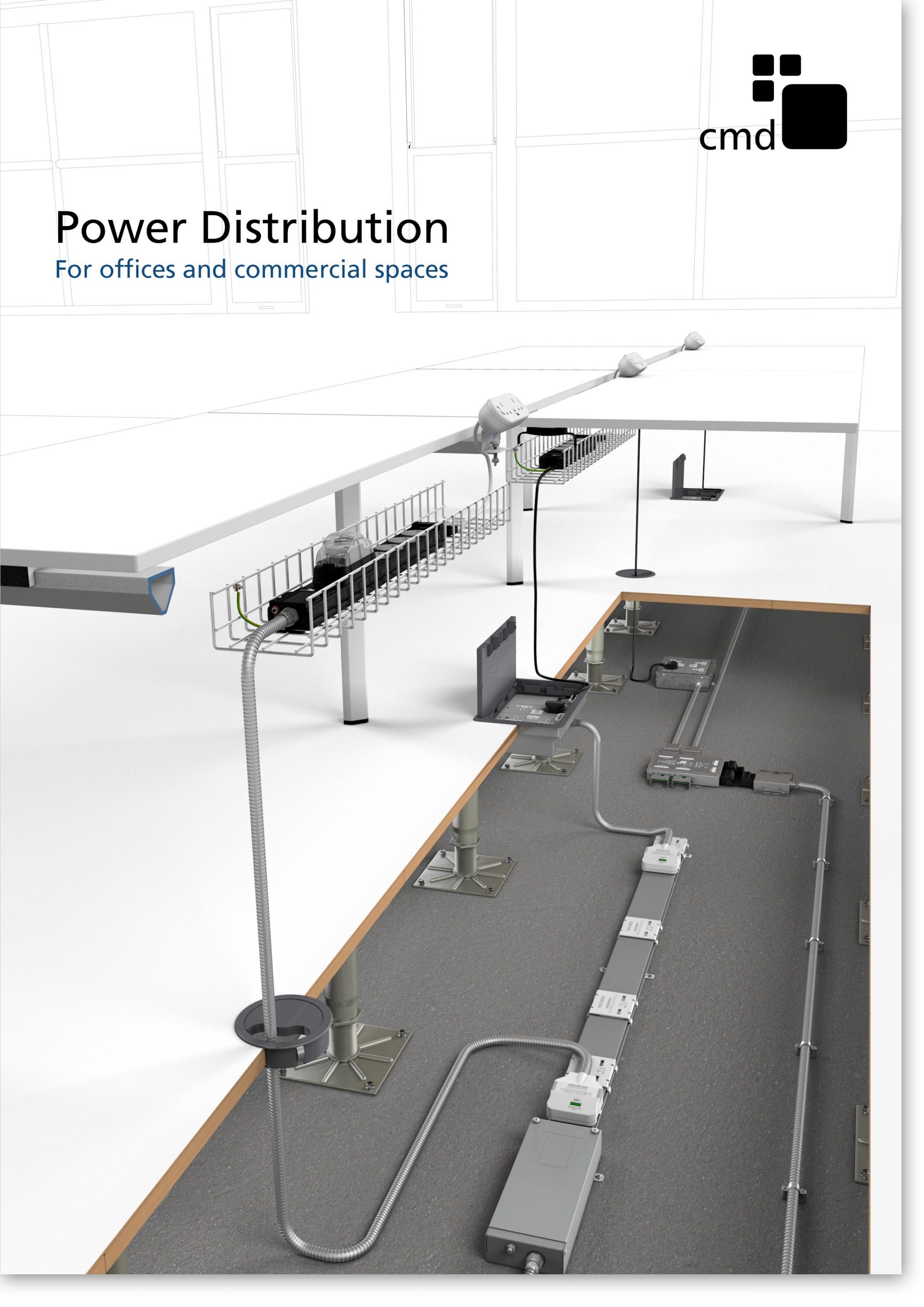
Power Distribution Catalogue
CMD Ltd PLAYS ESSENTIAL ROLE IN ELECTRICAL FIT OUT AT LONDON’S PRESTIGIOUS OFFICE DEVELOPMENT

CMD Ltd, specialist in workplace connectivity and ergonomic solutions, has provided a flexible and high-quality power distribution network for The Ray, a prestigious office development in London’s Farringdon. Well-known for being the former site of The Guardian newspaper, The Ray now stands as an 83,000ft² office development characterised by a modernised warehouse aesthetic, with level two now occupied by a global social media company. The...

Read more
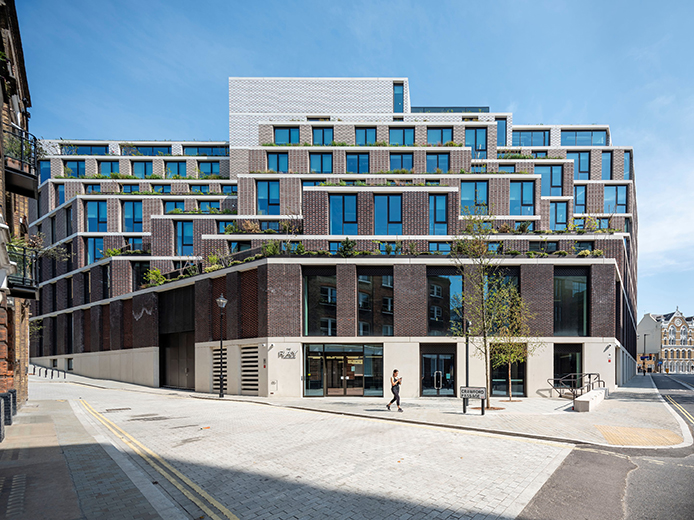
The Ray
CMD plugs in to european opportunity with Schuko Capsule unit launch

CMD Ltd, the specialist in power and connectivity solutions for commercial environments, has launched a Schuko version of its popular fixed format Capsule workstation power module for export to mainland Europe and beyond. A popular on desk power module comprising two sockets and dual USB (type A and C) chargers, CMD’s Capsule unit is already widely specified in the UK as an off-the-shelf workstation power...

Read more
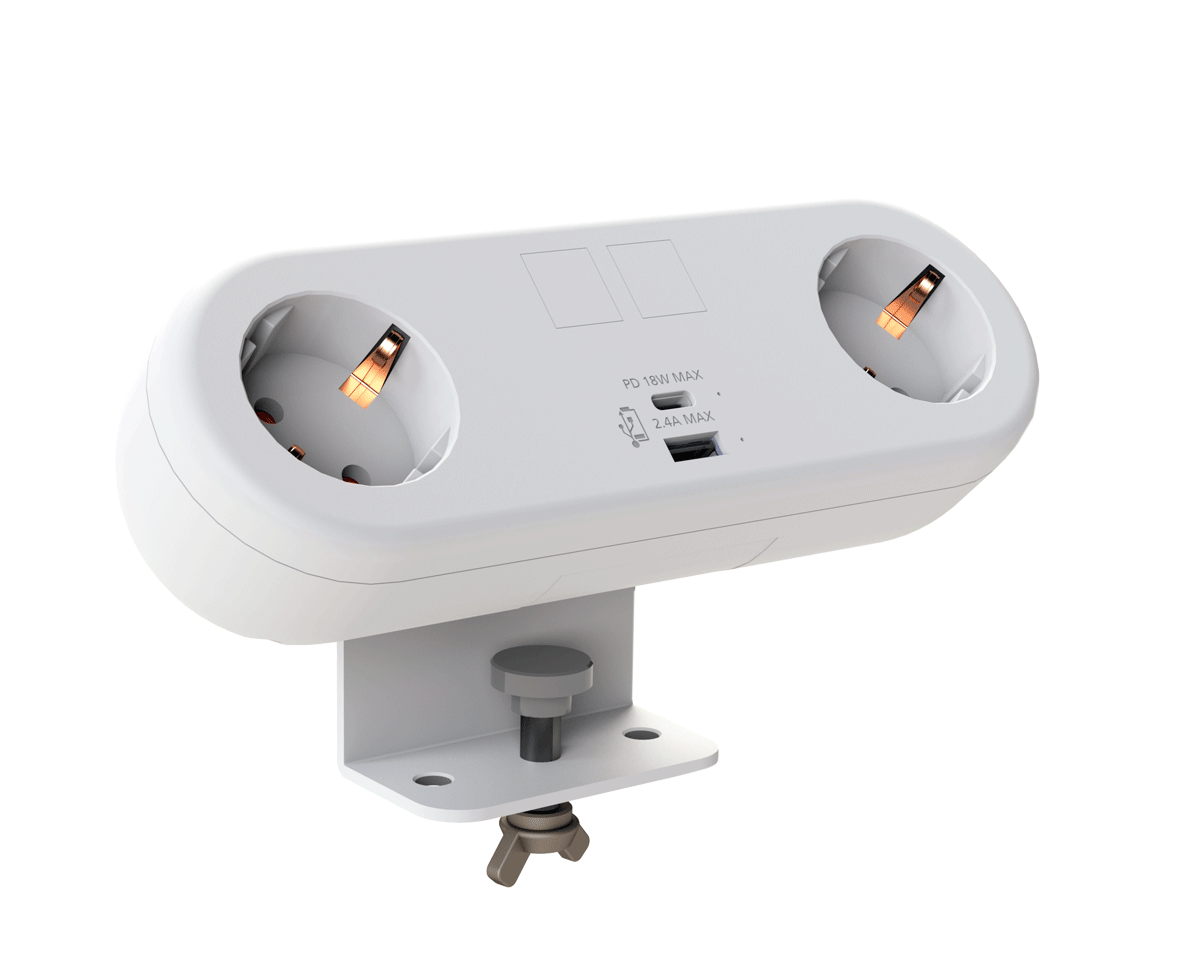
CMD White Schuko Capsule Desk Power Module
CMD LTD EXTENDS MONITOR ARM RANGE WITH THE LAUNCH OF REACH PLUS

CMD Ltd, the specialist in ergonomic and connectivity solutions for commercial interiors, has completed its Reach monitor arm range with the launch of the Reach Plus. Available in single or dual screen options, the Reach Plus has been designed to provide an ideal solution for both single and dual screen workstation configurations, or can be used with next generation of large format curved screens. Suitable...

Read more
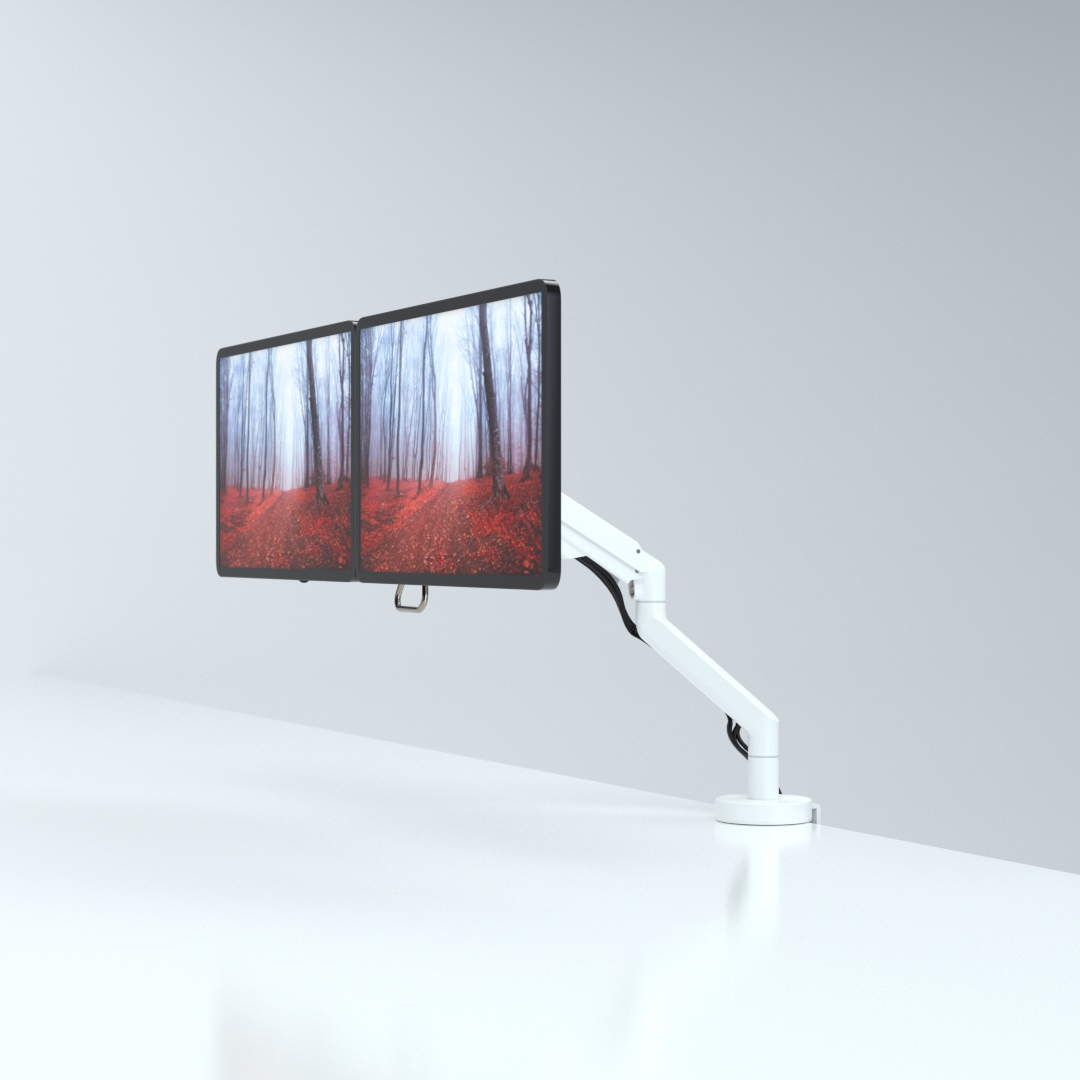
CMD Ltd DEMONSTRATES THE ART OF POWER DISTRIBUTION AT THE UNIVERSITY OF WARWICK

CMD Ltd, the specialist in workplace connectivity and ergonomic solutions, has provided Betatrak busbar power distribution and a range of electrical accessories for two major capital investment projects at the University of Warwick. Designed by Fielden Clegg Bradley Studios, the £33 million Faculty of Arts building is a showpiece development comprising four interconnected structures set around a central atrium, which will enable inter-disciplinary collaboration across...

Read more

University of Warwick
CMD BRINGS HARMONY TO COVENTRY UNIVERSITY RESEARCH FACILITIES

CMD Ltd, the specialist in power distribution solutions and workstation power and ergonomics, has provided under desk and on desk power modules for the refurbishment of three Coventry University research buildings. Located on Coventry University Technology Park, a business park designed to encourage collaboration between the university and knowledge-based businesses, the three buildings are being repurposed as office accommodation for university research teams. The refurbishment...

Read more
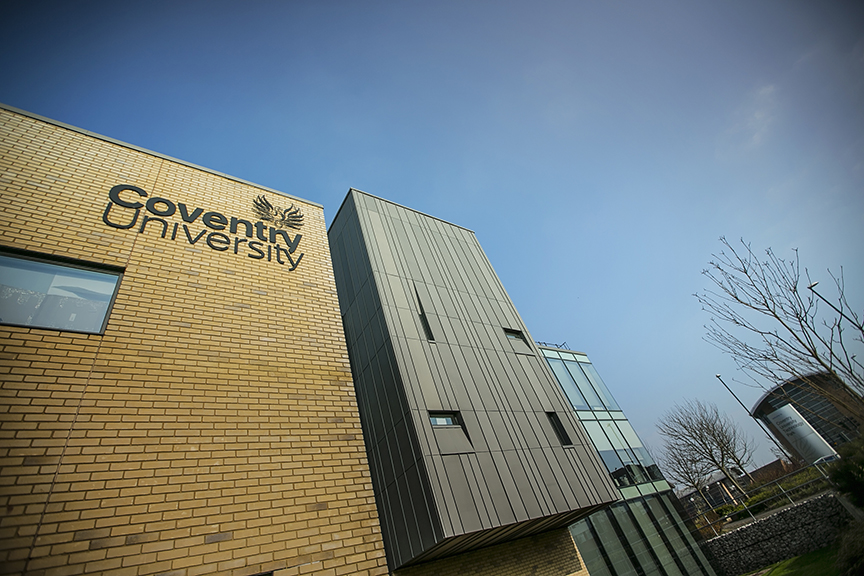
Coventry University

What Are the Top IPS LCD Display Types in 2026?

In 2026, choosing an Ips Lcd Display is less about chasing a single “best” panel and more about matching its strengths to the job. A bright outdoor kiosk, a color-critical design monitor, and a handheld device face different demands. Viewing angles matter, but so do contrast, response time, power use, touch integration, and cost. The label “IPS” alone tells only part of the story.

This guide compares the leading IPS LCD Display types by real-world use, including standard IPS, advanced high-contrast variants, wide-gamut panels, and fast-refresh options. Expect practical details: how text looks from the side, whether motion stays clear during gaming, and how a screen handles bright office light. Small differences can matter.

A source-verified expert quotation was not provided, so I won’t invent one or attribute new words to a real person. That limitation matters. Display terminology can also be inconsistent across brands, and advertised specifications do not always predict everyday performance. We’ll treat manufacturer claims as starting points, explain what to check, and flag where testing conditions may affect comparisons. The aim is useful guidance, not a perfect ranking. After all, “best” depends on the viewer, the device, and the work in front of the screen.

What Are the Top IPS LCD Display Types in 2026?

How IPS LCD Technology Produces an Image

An IPS LCD does not create light by itself. A white LED backlight shines through several thin layers behind the screen. Two polarizing filters control which light can pass. Between them, liquid-crystal molecules change orientation when electrical signals reach tiny pixel circuits.

Each pixel contains red, green, and blue subpixels. A thin-film transistor adjusts the voltage for each one, changing how much light passes through its color filter. Different brightness levels combine to form the colors you see. Millions of pixels work together. A dark scene simply means less backlight reaches your eyes through selected subpixels; it does not mean each pixel switches off completely.

IPS stands for in-plane switching. Its liquid crystals rotate mainly within the panel’s plane, helping colors stay more consistent when viewed from the side. That is useful when several people share a display. Response time and contrast still vary between panels, so IPS alone cannot predict image quality. One detail is easy to overlook: viewing angle performance does not guarantee perfect color accuracy. This explanation also simplifies a complex stack of optical films. The real layers matter.

What Are the Top IPS LCD Display Types in 2026? - How IPS LCD Technology Produces an Image

IPS (in-plane switching) is a type of LCD panel. Its liquid-crystal molecules rotate mainly within the plane of the panel to regulate how much backlight passes through each red, green, and blue subpixel. The filtered light from those subpixels combines to form the image.

IPS LCD implementation How the image is produced Typical characteristics Common uses Key consideration
Conventional IPS A backlight shines through polarizers, liquid-crystal cells, and RGB color filters. Pixel voltage changes the crystal alignment and controls light transmission. Often offers broad viewing angles and consistent color. Many general-purpose models use 60–100 Hz refresh rates and roughly 250–400 cd/m² brightness. Everyday monitors, laptops, tablets, and general-purpose displays. Black levels and contrast are generally lower than those of many VA LCD panels and emissive displays.
Fast-response IPS Uses the same IPS pixel and backlight principles, with panel design and drive methods tuned for quicker transitions between pixel shades. Gaming-oriented models commonly offer refresh rates around 144–360 Hz or higher. Advertised gray-to-gray response times vary by panel and measurement method. Gaming monitors and high-refresh-rate laptops. Overdrive can reduce visible trails, but settings that are too aggressive may create bright or dark inverse ghosting.
Wide-gamut IPS RGB subpixels use color filters selected to reproduce a broader range of visible colors; the pixel still modulates light from a backlight. Some models cover close to all of the sRGB color space, while wide-gamut options may approach or exceed 90% DCI-P3 coverage. Photo editing, video production, illustration, and color-focused workflows. Coverage does not guarantee accuracy. Color calibration and color-managed software are important.
High-brightness or local-dimming IPS Image formation remains an LCD process. A brighter backlight, sometimes divided into dimmable zones, supplies light behind the IPS layer. Brightness varies widely; some HDR-oriented products exceed 600 cd/m² for highlights. Local dimming can improve perceived contrast in suitable scenes. HDR-capable monitors, bright-room displays, and professional screens. Zone-based dimming may cause halos around bright objects on dark backgrounds. Peak brightness and HDR performance are model-dependent.
Low-power IPS Uses IPS pixels with a display and backlight system designed to reduce energy use, for example through efficient panel layers or adaptive refresh behavior. Power consumption depends on brightness, image content, refresh rate, panel size, and device settings; there is no single standard power figure for this category. Portable computers, tablets, and battery-powered devices. Lower power use may involve trade-offs in brightness, refresh rate, or other settings, depending on the design.
In-cell touch IPS Touch-sensing elements are integrated into the display cell or its layers. The underlying IPS pixels still control backlight transmission to create the image. Integration can reduce the number of separate layers and support thinner display assemblies. Touchscreen laptops, tablets, and other compact interactive devices. “In-cell” describes touch integration, not a distinct IPS color or image-forming method; touch performance depends on the complete device design.

Figures and characteristics are typical examples, not specifications for every product. Brightness, refresh rate, color coverage, response time, and power consumption vary by panel and measurement method.

Major IPS LCD Display Types Available in 2026

In 2026, “IPS LCD” covers several practical panel variations, not one uniform specification. Standard IPS suits office monitors and general-purpose screens, offering stable color when viewed from the side. High-resolution IPS packs more pixels into the same area, making small text and fine interface details look sharper. Fast IPS prioritizes quicker pixel transitions for motion-heavy use, though response times vary by panel and settings.

Wide-gamut IPS targets work involving vivid colors, such as photo editing. Check measured color coverage, not just the label. High-contrast IPS variants improve dark-scene depth, but they generally do not match the deepest blacks of self-emissive displays.

There is a catch. “Fast IPS” and similar terms are not consistent industry-wide classifications, so compare independent measurements.

Market figures show the scale, not the mix. IDC reported 123.6 million PC monitor shipments worldwide in 2023; that total includes multiple panel technologies and does not establish IPS’s share. For a real comparison, examine brightness, contrast, viewing-angle consistency, and response-time test results.

A useful test is simple: view a gray image from the side, then inspect dark text on a bright background. Some panels still shift slightly. That detail matters for shared workspaces.

How IPS Types Differ in Image Quality and Performance

IPS LCD displays share a basic strength: liquid crystals shift light while maintaining broad viewing angles. Their differences appear in contrast, color range, motion handling, and power use. Standard IPS panels suit office work and everyday viewing. Text stays clear, and colors remain fairly consistent when viewed from the side. But dark scenes can look gray in a dim room.

Fast IPS panels prioritize refresh rate and pixel response. They can make scrolling and motion look smoother, though performance varies with overdrive settings. Too much overdrive may create bright trails around moving objects. High-gamut IPS panels show more saturated colors, which helps with photo editing and vivid games. A wider color range is not automatically more accurate. Calibration still matters.

Higher-contrast IPS designs improve shadow detail, but they usually do not match the deep blacks of self-lit displays. That trade-off is easy to overlook. Specifications also need context: response times may be measured under ideal conditions, and brightness can fall at wider viewing angles. Check independent measurements for contrast, color accuracy, and real-world motion. A familiar panel label alone tells only part of the story.

Top IPS LCD Types in 2026: Typical Native Contrast

A representative comparison of common IPS LCD variants. Higher contrast can make dark areas look deeper.

Conventional, Fast, and wide-gamut IPS panels commonly have native contrast around 1,000:1; IPS Black panels are often specified around 2,000:1. These are representative figures, not guarantees. Actual contrast varies by panel and implementation. Fast IPS primarily targets quicker pixel response, while color gamut depends on the panel’s color filters and backlight.

Common Applications of Each IPS LCD Type

What Are the Top IPS LCD Display Types in 2026?

Common Applications of Each IPS LCD Type

Standard IPS panels suit office monitors, tablets, and everyday laptops. Their wide viewing angles help when coworkers gather around a screen. Color stays fairly consistent from the side. For control panels or outdoor equipment, high-brightness IPS displays are often more practical. They can remain readable near a sunlit window, though direct sunlight may still cause glare. A matte surface helps.

Touch-enabled IPS displays are common in kiosks, medical interfaces, and portable devices. Their viewing angles make shared interaction easier, while a responsive touch layer supports quick selections. Wide-gamut IPS panels work well for photo review, digital illustration, and color-focused design. High-refresh IPS types are popular in gaming monitors, where smoother motion matters. Still, refresh rate alone does not guarantee a better experience; response time and calibration matter too. It’s a trade-off.

Tips: Match the panel to its setting. Check brightness, reflections, touch behavior, and viewing distance before choosing. Specs can look convincing, but the screen should be tested under real lighting.

How to Choose the Right IPS LCD Display Type

What Are the Top IPS LCD Display Types in 2026?

How to Choose the Right IPS LCD Display Type

Choosing an IPS LCD display starts with its working environment, not the highest resolution on a spec sheet. Standard IPS panels suit indoor equipment where consistent color and broad viewing angles matter. High-brightness versions are more suitable near windows or outdoors, where reflections can wash out a dim screen. For cold storage or outdoor machinery, check the panel’s rated operating temperature. A wide-temperature model may be worth the extra cost. It is tempting to overvalue resolution, but that is an easy mistake.

Next, match the display to how people use it. A touch panel helps with direct interaction, while a non-touch surface may be easier to clean in dusty work areas. Check the diagonal size, mounting space, interface, and backlight lifetime before ordering. Ask for viewing-angle and brightness data under stated test conditions. These figures help, but they cannot fully predict performance behind your actual cover glass. Test a sample in the final housing if possible.

Tips: Compare the screen in the lighting where it will operate. Test touch response with the gloves users actually wear. Small details matter. Leave some brightness margin if sunlight may vary through the day. And check the connector position early; overlooking it can force an awkward mechanical redesign.