

News

Miro: A New Standard in Responsible Innovation

Miro: A New Standard in Responsible Innovation The Miro monitor arm is setting new benchmarks in sustainability. It offers a high-performance solution without compromising on environmental responsibility. Designed with careful material selection, local sourcing, and longevity in mind, Miro’s responsible approach to design and unique manoeuvrability set it apart from the competition. Sustainable Choices Miro is crafted from energy-efficient materials with a lower carbon impact....

Read more
HSE Advisor

Role Purpose Support in the development, implementation and maintenance of the company’s Health, Safety & Environmental policies, processes, operational procedures, and standards.  Ensuring best practice and championing a continually improving HSE culture within the business. Key Responsibilities Liaise with and provide support to all areas of the business to eliminate, mitigate or reduce identified HSE exposures. Partner with the production management team and team leaders,...

Read more
CMD Ltd LAUNCHES 48-HOUR TURNAROUND ON BETATRAK® RAPID ORDERING SERVICE

CMD Ltd, the specialist in power distribution systems, workstation power and monitor arms, has launched a rapid ordering service for its Betatrak® underfloor powertrack distribution systems and accessories, with a commitment to delivering within 48-hours of an approved purchase order*. The service enables customers to order up to 50 lengths of Standard or Clean Earth (C/E) low noise Betatrak, along with up to 25 feed...

Read more

CMD INVESTS £1/4 MILLION IN NEW MACHINE AS PART OF FACTORY UPGRADE

We have invested in a new £1/4m TRUMPF CNC metal punch as part of an asset renewal strategy for our UK manufacturing capability. The new machine will be used in the production of a wide variety of our power distribution systems and workstation power products at our Rotherham factory. Suitable for handling sheet metal between 0.9mm and 3.0mm thick, the new machine will replace one...

Read more

CMD CATALOGUE PROVIDES TECHNICAL POWER DISTRIBUTION GUIDE

CMD Ltd has released a new catalogue, providing an easy to follow technical guide to our power distribution systems and plug and play desk modules. Detailing CMD’s full range of UK-manufactured power distribution systems and plug and play desk modules, the catalogue will be a helpful source of information to M&E engineers and contractors alike to understand how our power distribution systems connect together and...

Read more

Power Distribution Catalogue
CMD Ltd PLAYS ESSENTIAL ROLE IN ELECTRICAL FIT OUT AT LONDON’S PRESTIGIOUS OFFICE DEVELOPMENT

CMD Ltd, specialist in workplace connectivity and ergonomic solutions, has provided a flexible and high-quality power distribution network for The Ray, a prestigious office development in London’s Farringdon. Well-known for being the former site of The Guardian newspaper, The Ray now stands as an 83,000ft² office development characterised by a modernised warehouse aesthetic, with level two now occupied by a global social media company. The...

Read more

The Ray
CMD plugs in to european opportunity with Schuko Capsule unit launch

CMD Ltd, the specialist in power and connectivity solutions for commercial environments, has launched a Schuko version of its popular fixed format Capsule workstation power module for export to mainland Europe and beyond. A popular on desk power module comprising two sockets and dual USB (type A and C) chargers, CMD’s Capsule unit is already widely specified in the UK as an off-the-shelf workstation power...

Read more

CMD White Schuko Capsule Desk Power Module
CMD LTD EXTENDS MONITOR ARM RANGE WITH THE LAUNCH OF REACH PLUS

CMD Ltd, the specialist in ergonomic and connectivity solutions for commercial interiors, has completed its Reach monitor arm range with the launch of the Reach Plus. Available in single or dual screen options, the Reach Plus has been designed to provide an ideal solution for both single and dual screen workstation configurations, or can be used with next generation of large format curved screens. Suitable...

Read more

CMD Ltd DEMONSTRATES THE ART OF POWER DISTRIBUTION AT THE UNIVERSITY OF WARWICK

CMD Ltd, the specialist in workplace connectivity and ergonomic solutions, has provided Betatrak busbar power distribution and a range of electrical accessories for two major capital investment projects at the University of Warwick. Designed by Fielden Clegg Bradley Studios, the £33 million Faculty of Arts building is a showpiece development comprising four interconnected structures set around a central atrium, which will enable inter-disciplinary collaboration across...

Read more

University of Warwick
CMD BRINGS HARMONY TO COVENTRY UNIVERSITY RESEARCH FACILITIES

CMD Ltd, the specialist in power distribution solutions and workstation power and ergonomics, has provided under desk and on desk power modules for the refurbishment of three Coventry University research buildings. Located on Coventry University Technology Park, a business park designed to encourage collaboration between the university and knowledge-based businesses, the three buildings are being repurposed as office accommodation for university research teams. The refurbishment...

Read more

Coventry University

Top 10 File Recovery Software for Windows Download Tips?

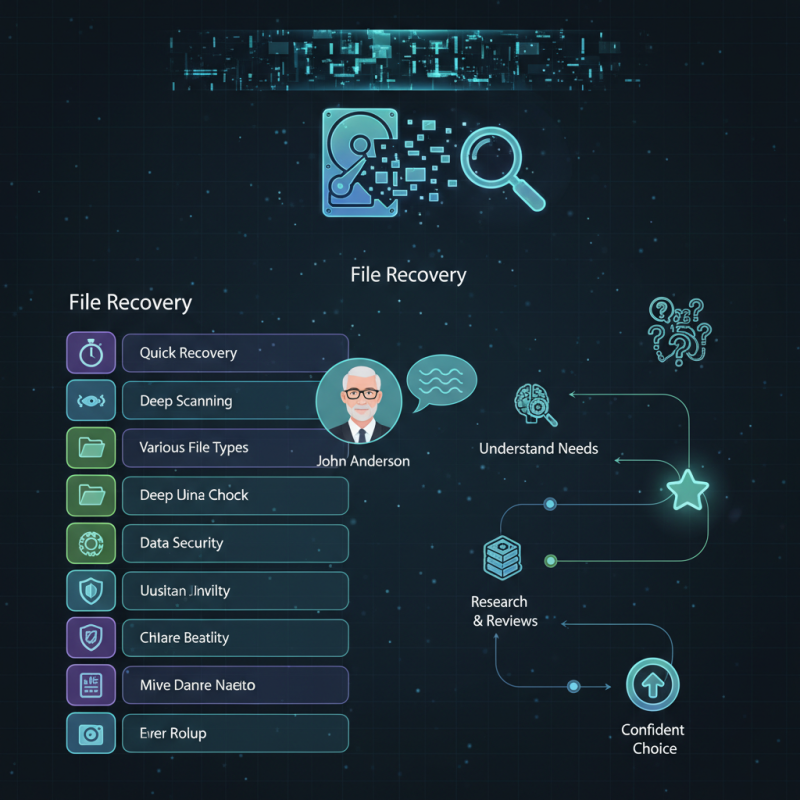
In today's digital world, data loss is a common concern for many users. Choosing the right software is crucial for recovery. John Anderson, a renowned expert in data recovery, emphasizes, "Reliable file recovery tools can turn a disaster into a minor setback."

The market offers various options for File Recovery Software for Windows Download. Users often feel overwhelmed by the choices. Each software has unique features and capabilities. It's essential to understand your specific needs. Some may require quick recovery, while others prioritize deep scanning options.

Many users have experienced frustration when selecting the right tool. They download software that promises much but delivers little. Understanding the key features of each option can save you from disappointment. By focusing on your requirements, you can confidently choose the best software for your situation. Always research and read reviews before making a decision.

Top 10 File Recovery Software for Windows Download Tips?

Understanding File Recovery Software: Importance and Use Cases

File recovery software plays a critical role in data management. According to a data recovery service report, nearly 30% of users lose important files due to accidental deletions or system failures. This highlights the need for effective recovery solutions. Understanding the significance of these tools can make a difference between data loss and successful recovery.

The importance of file recovery software extends beyond basic file retrieval. In many cases, valuable documents, images, and videos are at stake. A study by the Ponemon Institute states that the average cost of data loss for small businesses can reach $300,000. This emphasizes the financial impact of not having reliable recovery options. Users must recognize that data loss is not just a nuisance; it can lead to severe consequences.

Use cases for file recovery software vary widely. Whether recovering family photos, academic work, or business documents, these tools are essential. Yet, there are challenges. Some tools may not always be efficient. A user might face incomplete recovery or complicated interfaces. Despite these imperfections, investing time in choosing the right software pays off, ensuring a greater chance of data restoration when needed.

Top 10 File Recovery Software Features Comparison

Key Features to Look for in Windows File Recovery Software

When selecting file recovery software for Windows, it’s crucial to focus on key features that enhance the recovery process. Look for software that supports various file types, allowing versatile recovery options. An intuitive user interface makes for smoother navigation. Many users prefer a program that provides a clear step-by-step guide. This feature can significantly reduce confusion, especially for those less familiar with such tools.

Another essential aspect is the preview functionality. Before restoring files, users can inspect recoverable items. This feature helps in ensuring that the correct files are selected. It's frustrating to recover the wrong documents, which can lead to wasted time. Additionally, prioritize software that offers a deep scan option. This capability allows the software to dig deeper into storage drives, potentially retrieving files that quick scans might miss.

Lastly, consider the recovery speed and overall performance. A slow recovery process can be maddening, especially during emergencies. Some tools may promise reliability but can deliver unsatisfactory results. Users should reflect on their experiences; it’s essential to choose software that balances performance with ease of use. These elements together create a more reliable recovery experience.

Top 10 File Recovery Software for Windows: An Overview

Data loss can be a significant challenge for many Windows users. Research indicates that approximately 30% of users experience data loss at some point. File recovery software can be a lifesaver, yet not all solutions are equally effective. More than just a basic restore tool, top options provide features that cater to various scenarios, including accidental deletion, formatting errors, or software crashes.

When evaluating file recovery software, consider ease of use and functionality. User-friendly interfaces help guide individuals through the recovery process. A study found that 70% of users reported frustration with complex software. Fast scanning speeds and comprehensive recovery methods strengthen a software's credibility. Performance metrics show that top-tier recovery tools can recover up to 95% of lost files in ideal conditions.

Moreover, reliable customer support is often overlooked. Data loss can happen unexpectedly, and timely assistance can make a crucial difference. According to recent surveys, 80% of users favor software with accessible support channels. Combining expert insights, user testimonials, and third-party comparisons can help locate the best choices for your specific needs.

Best Practices for Downloading and Installing Recovery Software

When downloading and installing file recovery software, focus on several best practices. Start by seeking reliable sources. Look for official websites or well-known tech forums. Avoid shady links and advertisements that promise too much; they often lead to harmful software instead of helpful tools. It's also crucial to read user reviews, as they provide insight into real-life experiences.

Before installation, check your system requirements. Not all recovery software works on every version of Windows. Ensure compatibility to avoid performance issues. If an installation process seems overly complicated, reconsider your choice. Simple installations often lead to better results.

Keep your antivirus software enabled during the download. This step will help catch any potential threats. After installation, run a quick scan. It’s essential to confirm the software is clean. Always back up important files before starting any recovery attempts. Mistakes can lead to data loss. Caution is key in this process. Stay informed and make decisions based on careful research.

Tips for Maximizing Data Recovery Success on Windows

Data recovery on Windows can be a daunting task, but employing effective strategies can significantly enhance your chances of success. One major aspect is the urgency of recovery. Industry reports indicate that delaying recovery attempts can reduce the likelihood of complete data retrieval by up to 50%. This highlights the importance of acting quickly if data loss occurs.

Another essential tip focuses on ensuring the proper setup of your recovery software. A study published by the International Journal of Computer Applications found that configurations can directly impact recovery rates. Users should avoid using the affected drive after data loss. Whenever possible, opt for a different drive to install recovery software. This reduces the risk of overwriting lost data, which can drastically lower recovery success rates.

Lastly, be aware of potential user errors during the recovery process. Missteps such as selecting the wrong recovery mode or targeting the wrong files often hinder efforts. In fact, user errors account for up to 30% of failed recovery attempts. Engaging with online resources, tutorials, or expert forums can bridge this knowledge gap. Implementing these tips not only elevates the probability of successful recovery but also instills confidence when tackling data loss scenarios.