

News

Miro: A New Standard in Responsible Innovation

Miro: A New Standard in Responsible Innovation The Miro monitor arm is setting new benchmarks in sustainability. It offers a high-performance solution without compromising on environmental responsibility. Designed with careful material selection, local sourcing, and longevity in mind, Miro’s responsible approach to design and unique manoeuvrability set it apart from the competition. Sustainable Choices Miro is crafted from energy-efficient materials with a lower carbon impact....

Read more
HSE Advisor

Role Purpose Support in the development, implementation and maintenance of the company’s Health, Safety & Environmental policies, processes, operational procedures, and standards.  Ensuring best practice and championing a continually improving HSE culture within the business. Key Responsibilities Liaise with and provide support to all areas of the business to eliminate, mitigate or reduce identified HSE exposures. Partner with the production management team and team leaders,...

Read more
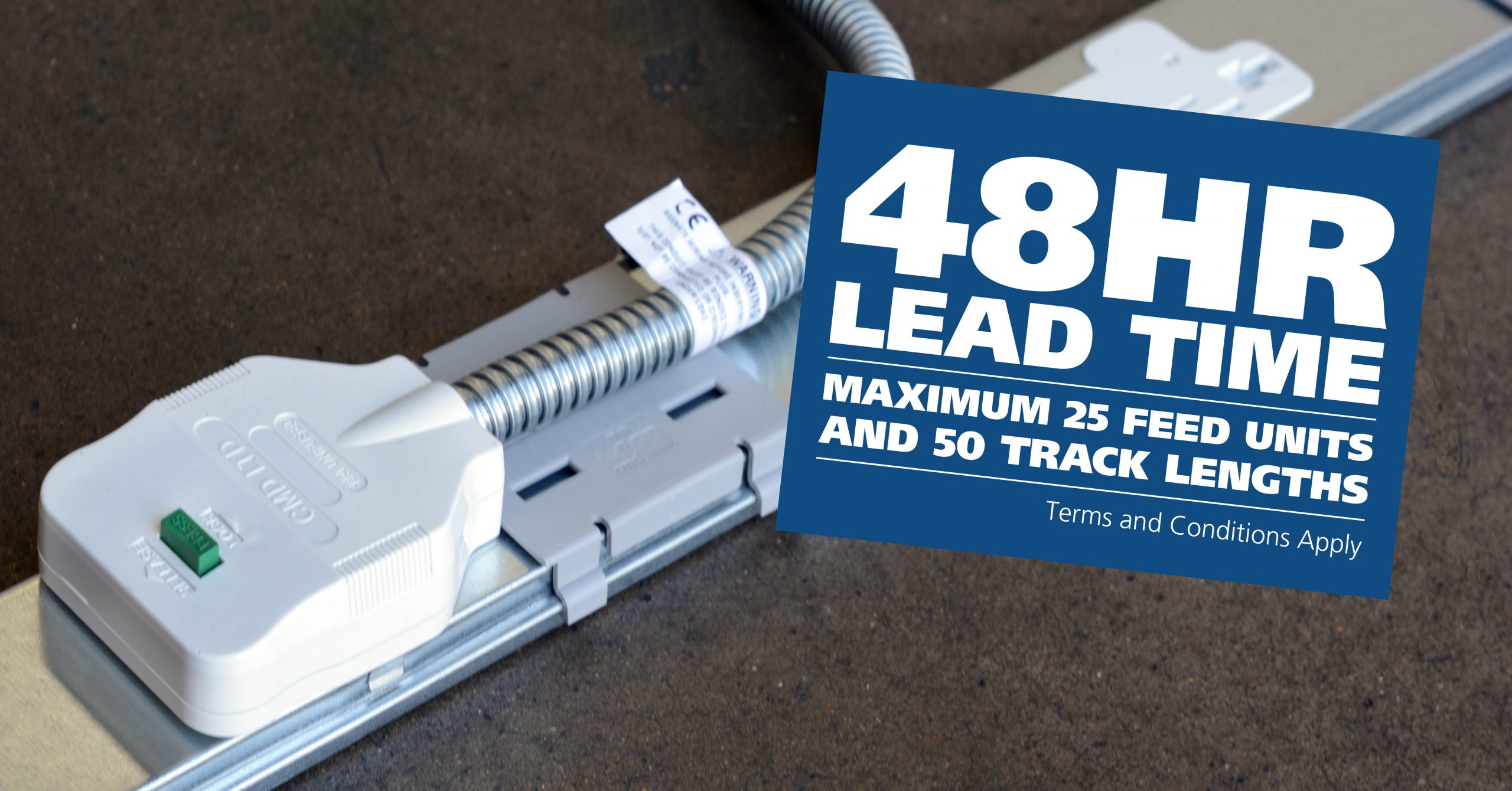
CMD Ltd LAUNCHES 48-HOUR TURNAROUND ON BETATRAK® RAPID ORDERING SERVICE

CMD Ltd, the specialist in power distribution systems, workstation power and monitor arms, has launched a rapid ordering service for its Betatrak® underfloor powertrack distribution systems and accessories, with a commitment to delivering within 48-hours of an approved purchase order*. The service enables customers to order up to 50 lengths of Standard or Clean Earth (C/E) low noise Betatrak, along with up to 25 feed...

Read more
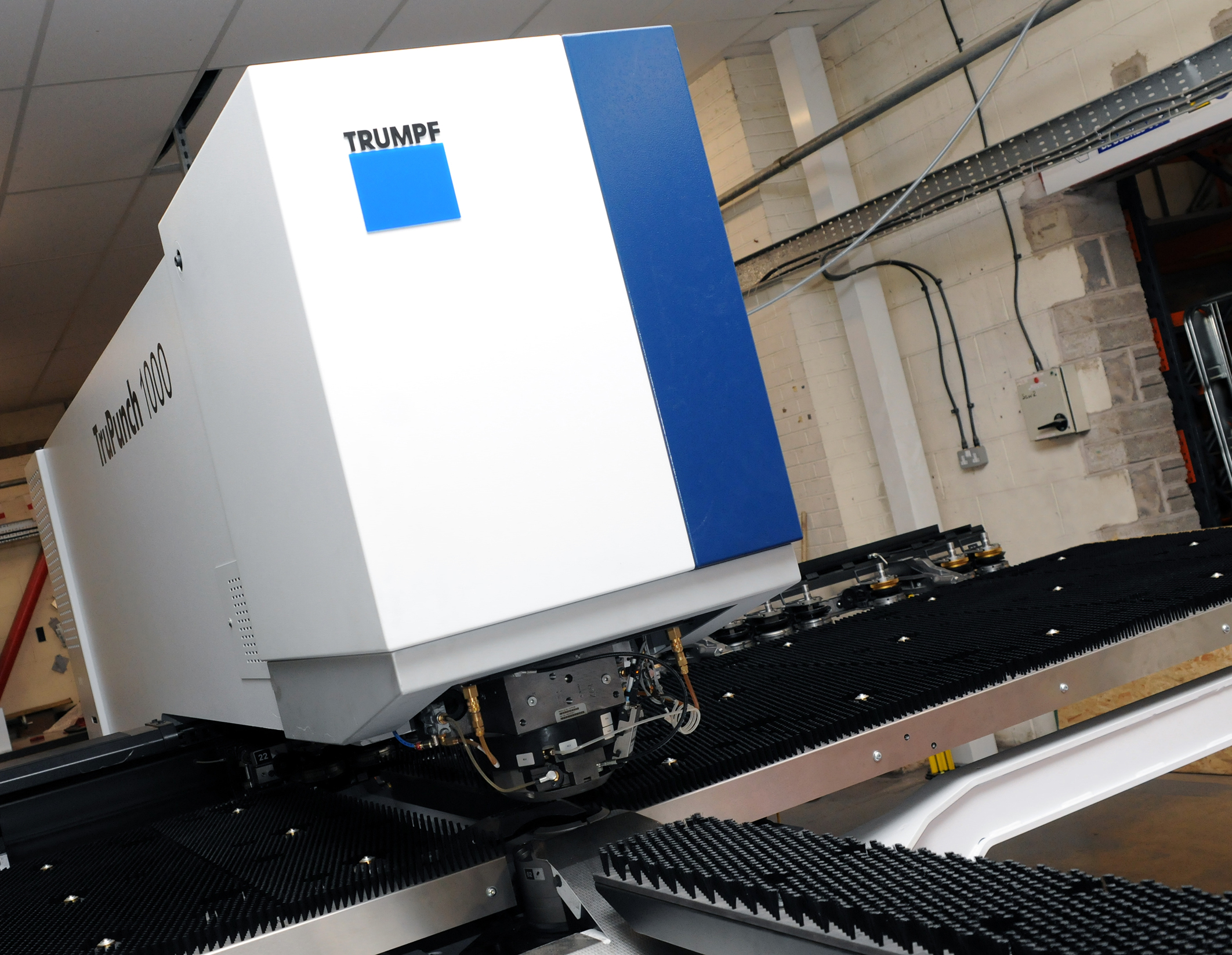
CMD INVESTS £1/4 MILLION IN NEW MACHINE AS PART OF FACTORY UPGRADE

We have invested in a new £1/4m TRUMPF CNC metal punch as part of an asset renewal strategy for our UK manufacturing capability. The new machine will be used in the production of a wide variety of our power distribution systems and workstation power products at our Rotherham factory. Suitable for handling sheet metal between 0.9mm and 3.0mm thick, the new machine will replace one...

Read more
CMD CATALOGUE PROVIDES TECHNICAL POWER DISTRIBUTION GUIDE

CMD Ltd has released a new catalogue, providing an easy to follow technical guide to our power distribution systems and plug and play desk modules. Detailing CMD’s full range of UK-manufactured power distribution systems and plug and play desk modules, the catalogue will be a helpful source of information to M&E engineers and contractors alike to understand how our power distribution systems connect together and...

Read more
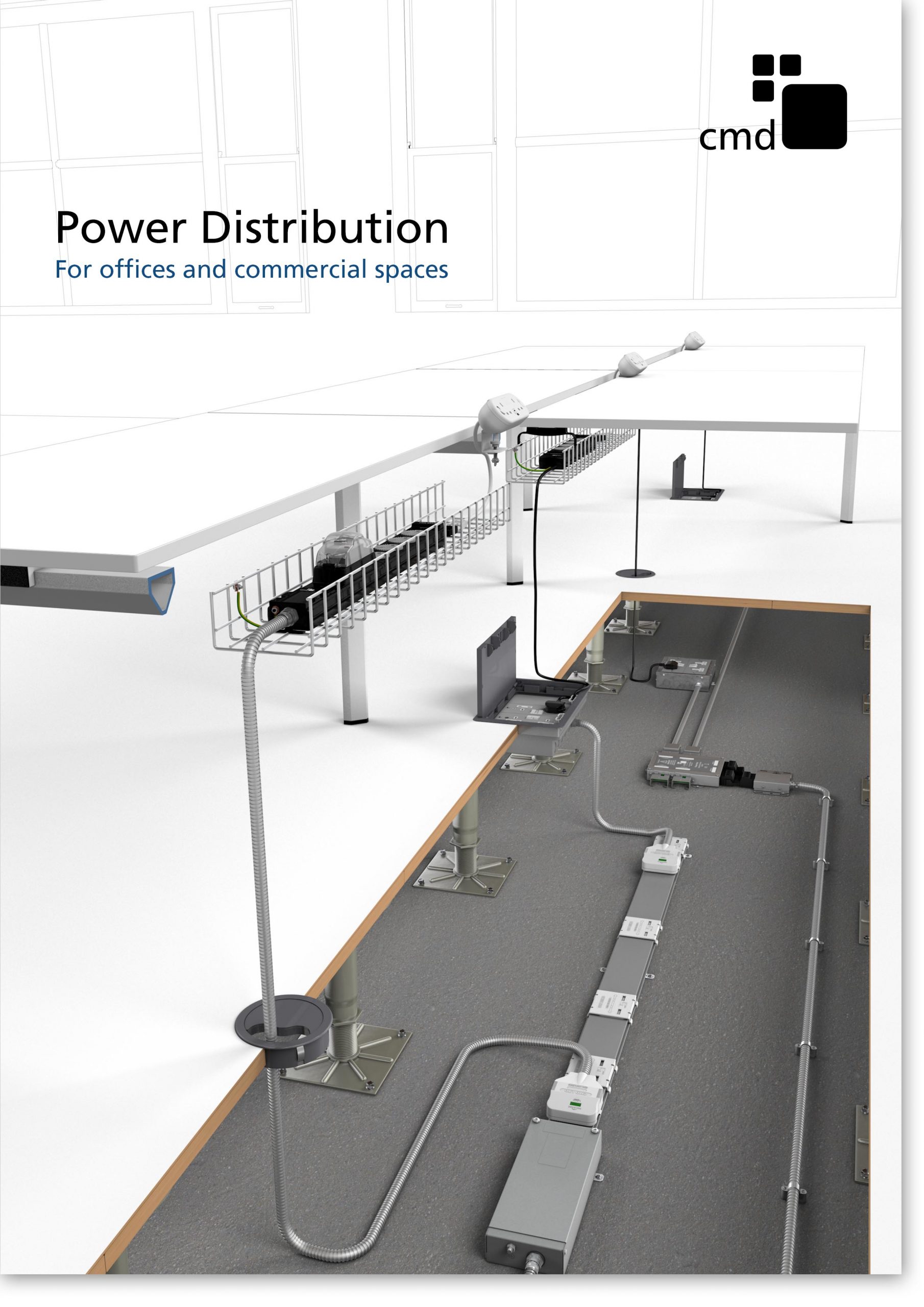
Power Distribution Catalogue
CMD Ltd PLAYS ESSENTIAL ROLE IN ELECTRICAL FIT OUT AT LONDON’S PRESTIGIOUS OFFICE DEVELOPMENT

CMD Ltd, specialist in workplace connectivity and ergonomic solutions, has provided a flexible and high-quality power distribution network for The Ray, a prestigious office development in London’s Farringdon. Well-known for being the former site of The Guardian newspaper, The Ray now stands as an 83,000ft² office development characterised by a modernised warehouse aesthetic, with level two now occupied by a global social media company. The...

Read more

The Ray
CMD plugs in to european opportunity with Schuko Capsule unit launch

CMD Ltd, the specialist in power and connectivity solutions for commercial environments, has launched a Schuko version of its popular fixed format Capsule workstation power module for export to mainland Europe and beyond. A popular on desk power module comprising two sockets and dual USB (type A and C) chargers, CMD’s Capsule unit is already widely specified in the UK as an off-the-shelf workstation power...

Read more
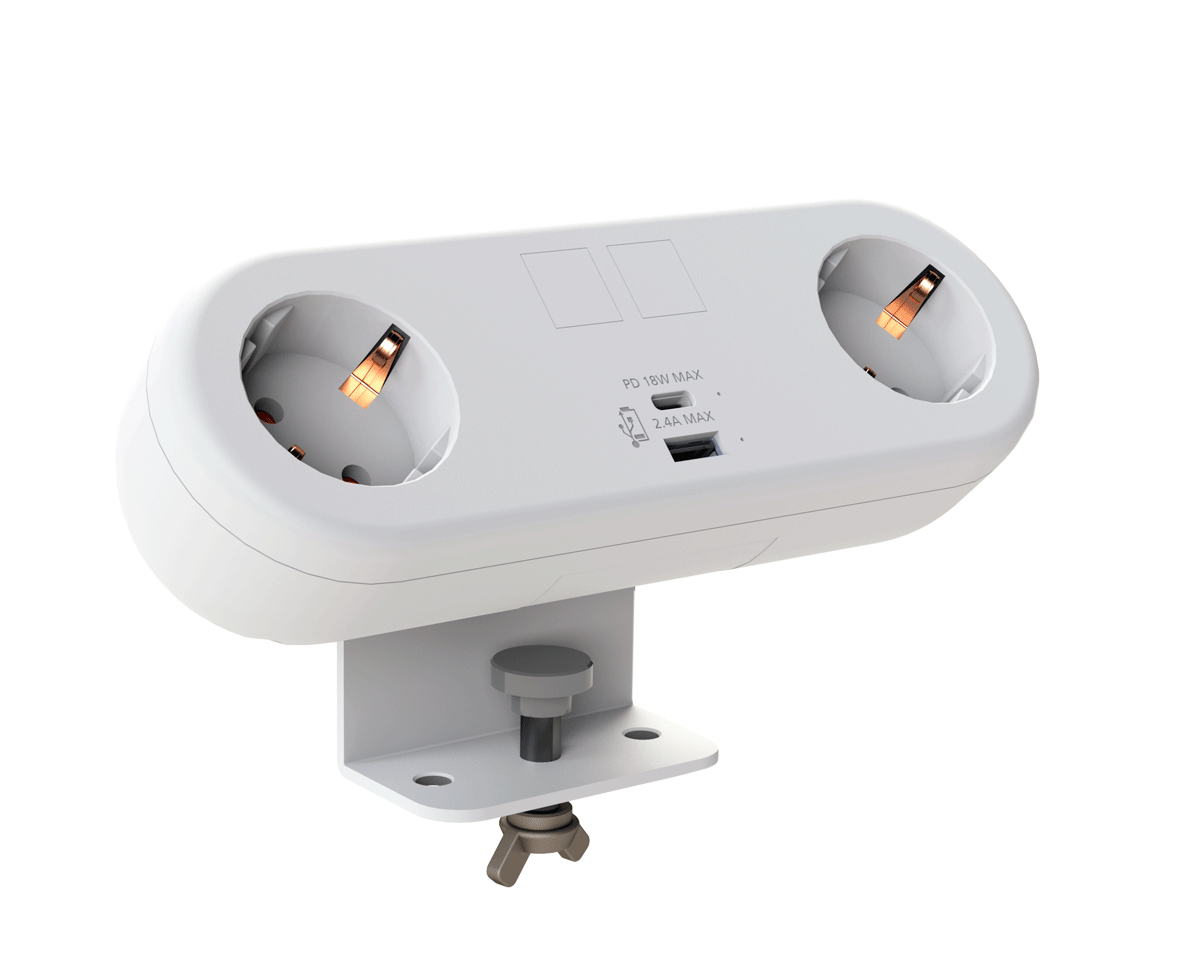
CMD White Schuko Capsule Desk Power Module
CMD LTD EXTENDS MONITOR ARM RANGE WITH THE LAUNCH OF REACH PLUS

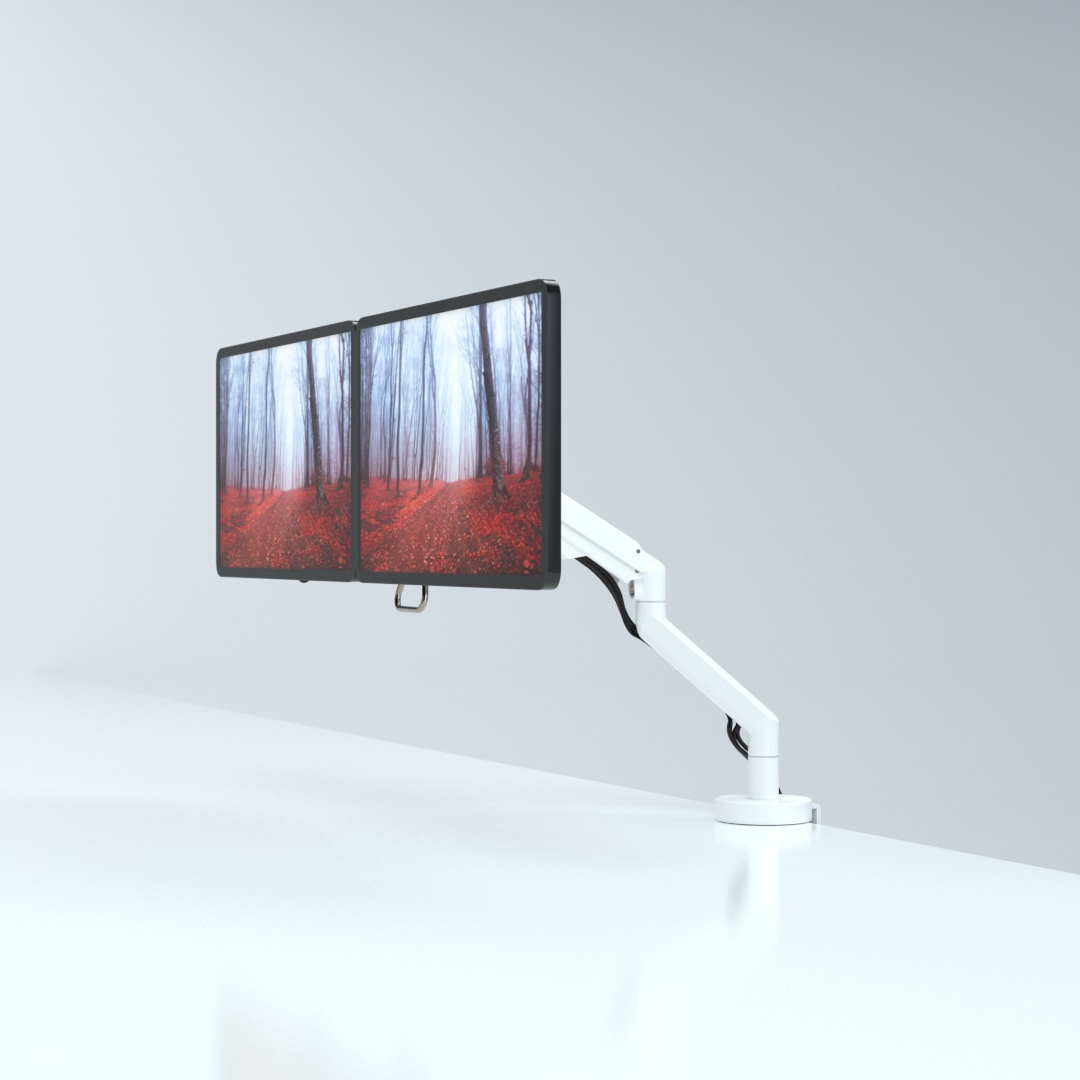
CMD Ltd, the specialist in ergonomic and connectivity solutions for commercial interiors, has completed its Reach monitor arm range with the launch of the Reach Plus. Available in single or dual screen options, the Reach Plus has been designed to provide an ideal solution for both single and dual screen workstation configurations, or can be used with next generation of large format curved screens. Suitable...

Read more
CMD Ltd DEMONSTRATES THE ART OF POWER DISTRIBUTION AT THE UNIVERSITY OF WARWICK

CMD Ltd, the specialist in workplace connectivity and ergonomic solutions, has provided Betatrak busbar power distribution and a range of electrical accessories for two major capital investment projects at the University of Warwick. Designed by Fielden Clegg Bradley Studios, the £33 million Faculty of Arts building is a showpiece development comprising four interconnected structures set around a central atrium, which will enable inter-disciplinary collaboration across...

Read more

University of Warwick
CMD BRINGS HARMONY TO COVENTRY UNIVERSITY RESEARCH FACILITIES

CMD Ltd, the specialist in power distribution solutions and workstation power and ergonomics, has provided under desk and on desk power modules for the refurbishment of three Coventry University research buildings. Located on Coventry University Technology Park, a business park designed to encourage collaboration between the university and knowledge-based businesses, the three buildings are being repurposed as office accommodation for university research teams. The refurbishment...

Read more

Coventry University

How to Install and Use Wifi Smart Switch Effectively?

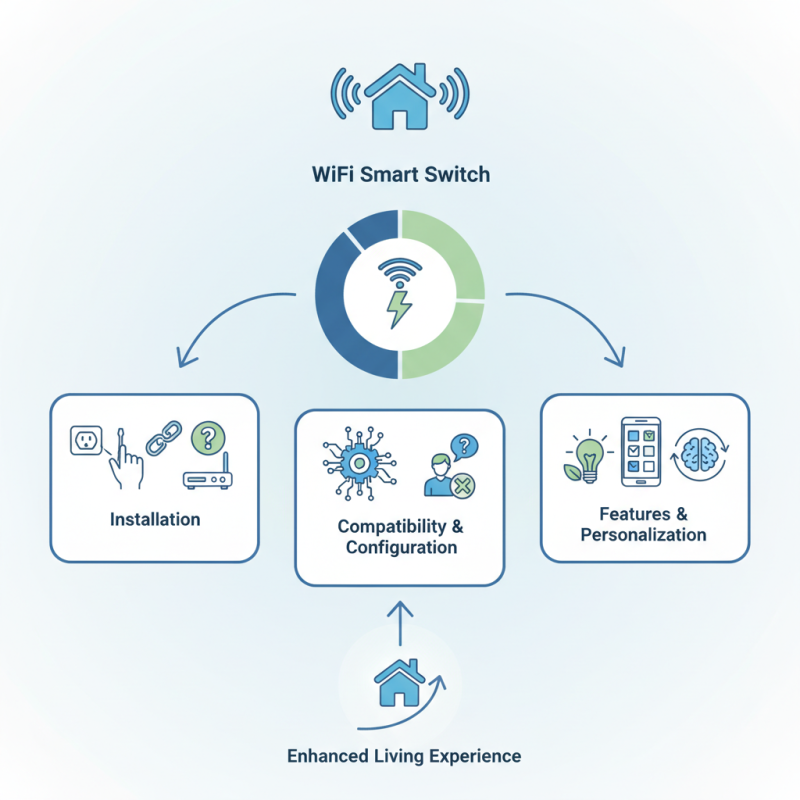
In the ever-evolving world of smart home technology, the Wifi Smart Switch stands out. Experts like David Thompson, a leading figure in home automation, emphasize its importance. He once said, "A Wifi Smart Switch transforms ordinary homes into smart spaces effortlessly." This statement resonates with many homeowners looking to enhance their living experience.

Integrating a Wifi Smart Switch into your home may sound simple. However, many encounters unexpected challenges during installation and usage. Connecting to your Wi-Fi network can be tricky. Sometimes, compatibility issues arise with existing systems. Users often forget to configure settings correctly, leading to frustration. These hurdles remind us that technology, while powerful, is not always perfect.

Navigating the features of a Wifi Smart Switch requires patience. Users need to explore app functionalities and customization options fully. In doing so, they might discover innovative ways to manage their home. Moreover, reflecting on personal experiences can unveil valuable insights. This process encourages learning and adaptation, vital in a world where technology continues to advance rapidly.

How to Install and Use Wifi Smart Switch Effectively?

Understanding the Basics of Wifi Smart Switches

WiFi smart switches are revolutionizing home automation. They allow remote control of lights and appliances using smartphones. The global market for smart home devices is projected to reach $174 billion by 2025, with smart switches accounting for a significant share.

Understanding how these devices work is crucial. WiFi smart switches connect to your home network, enabling control via an app. Many offer features like scheduling and energy monitoring. Reports indicate that smart switches can reduce energy usage by up to 15%. However, setup can be challenging. Not everyone is tech-savvy, and issues with connectivity can frustrate users.

Security is another concern to consider. Vulnerabilities may exist if the switch is not properly secured. Research shows that nearly 60% of smart device users fear hacking. This leads to hesitation in adopting such technology, despite its benefits. As users become more aware of these risks, they may seek solutions that ensure safety along with convenience.

How to Install and Use Wifi Smart Switch Effectively? - Understanding the Basics of Wifi Smart Switches

Feature Description Installation Steps Compatibility
Remote Control Control devices from anywhere via smartphone. 1. Download the app. 2. Connect to Wi-Fi. 3. Sync the switch. iOS & Android smartphones.
Voice Control Use voice commands to operate the switch. 1. Enable voice assistant. 2. Link the smart switch account. Compatibility with major voice assistants.
Scheduling Set timers for automatic operation. 1. Access app scheduling feature. 2. Set desired times. Works with any device connected to Wi-Fi.
Energy Monitoring Track energy usage of connected devices. 1. Connect the switch. 2. Monitor usage via app. Compatible with smart energy systems.

Choosing the Right Wifi Smart Switch for Your Needs

Choosing the right WiFi smart switch is crucial. Start by assessing your specific needs. Think about the devices you want to control. Consider how many switches you need for your home. Some switches can manage multiple devices. This versatility can be beneficial.


Next, pay attention to compatibility. Not all smart switches work with every system. Check if they support your home network. Some models offer greater flexibility, allowing control via different platforms. This can enhance your experience.


Look for features that matter to you. User interfaces can vary in complexity. Some are simple, while others require technical know-how. Make sure you can navigate your chosen switch easily. Installation can sometimes be tricky. Follow instructions carefully, as mistakes can lead to issues. Patience is key in this process. Consider backup options if things don’t go as planned. Taking time to choose wisely will lead to a better setup.

Step-by-Step Guide to Installing a Wifi Smart Switch

Installing a Wi-Fi smart switch can enhance your home’s convenience. An estimated 60% of homeowners are opting for smart home devices. Following a clear step-by-step guide can simplify the installation process. Begin by turning off power at the circuit breaker. This is crucial for safety. Use a voltage tester to confirm that the power is off before proceeding.

Next, remove the existing switch from the wall. Carefully note the wiring configuration. Most smart switches require a neutral wire. This is important as many older homes may not have this option installed. According to industry reports, about 30% of homes lack a neutral wire, which can complicate installation. If you're among those, considering a professional may be wise.

After ensuring proper wiring, connect the smart switch as per its instructions. Power it on once everything is in place. Many users report issues during this step. Common problems include connectivity issues or glitches with the app. Troubleshooting is often necessary. Don’t hesitate to consult user guides or online forums for help if problems arise. Proper setup can ultimately lead to energy savings and increased control over your home’s lighting.

Configuring Your Wifi Smart Switch for Optimal Performance

Configuring a Wi-Fi smart switch can significantly enhance your home automation experience. According to recent industry reports, up to 42% of users face connectivity issues due to improper setup. A clear setup ensures minimal lag and maximum efficiency. Start by ensuring your switch is within the range of your router. Walls and furniture can interfere with signals.


Another key aspect is firmware updates. Over 30% of smart devices run on outdated software, leading to bugs and vulnerabilities. Regular updates can improve performance and security. Use your smartphone or tablet to check for updates regularly. Proper configuration will maximize your device's responsiveness, preventing frustration in daily use.


User feedback often highlights common pain points during initial setups. Misconfigured settings can lead to unexpected disconnects. Addressing these concerns can require trial and error, which may be frustrating. A dedicated effort to research and apply optimal settings pays off. Don’t overlook the importance of secure passwords to keep your device safe. Ensuring that your smart switch is working optimally requires attention to detail and continued monitoring.

Troubleshooting Common Issues with Wifi Smart Switches

Wifi smart switches can enhance home automation, but they may present some challenges. One common issue is connectivity. If your switch frequently disconnects, check your WiFi signal strength. Position your router closer to the switch for better connectivity. Sometimes, interference from other devices can hinder the connection. Reducing signal interference can improve performance.

Another frequent issue is improper configuration. Many users struggle during the setup process. Ensure you follow the installation instructions closely. A simple error can lead to frustrating problems. If the switch fails to respond, perform a factory reset. This often resolves misbehavior and allows for a fresh start.

Lastly, occasional firmware updates are necessary to resolve bugs and improve functionality. Regularly check for updates within the associated app. If issues persist, consulting user forums can provide helpful solutions. Engaging with the community may lead to new insights and troubleshooting tips.