

News

Miro: A New Standard in Responsible Innovation

Miro: A New Standard in Responsible Innovation The Miro monitor arm is setting new benchmarks in sustainability. It offers a high-performance solution without compromising on environmental responsibility. Designed with careful material selection, local sourcing, and longevity in mind, Miro’s responsible approach to design and unique manoeuvrability set it apart from the competition. Sustainable Choices Miro is crafted from energy-efficient materials with a lower carbon impact....

Read more
HSE Advisor

Role Purpose Support in the development, implementation and maintenance of the company’s Health, Safety & Environmental policies, processes, operational procedures, and standards.  Ensuring best practice and championing a continually improving HSE culture within the business. Key Responsibilities Liaise with and provide support to all areas of the business to eliminate, mitigate or reduce identified HSE exposures. Partner with the production management team and team leaders,...

Read more
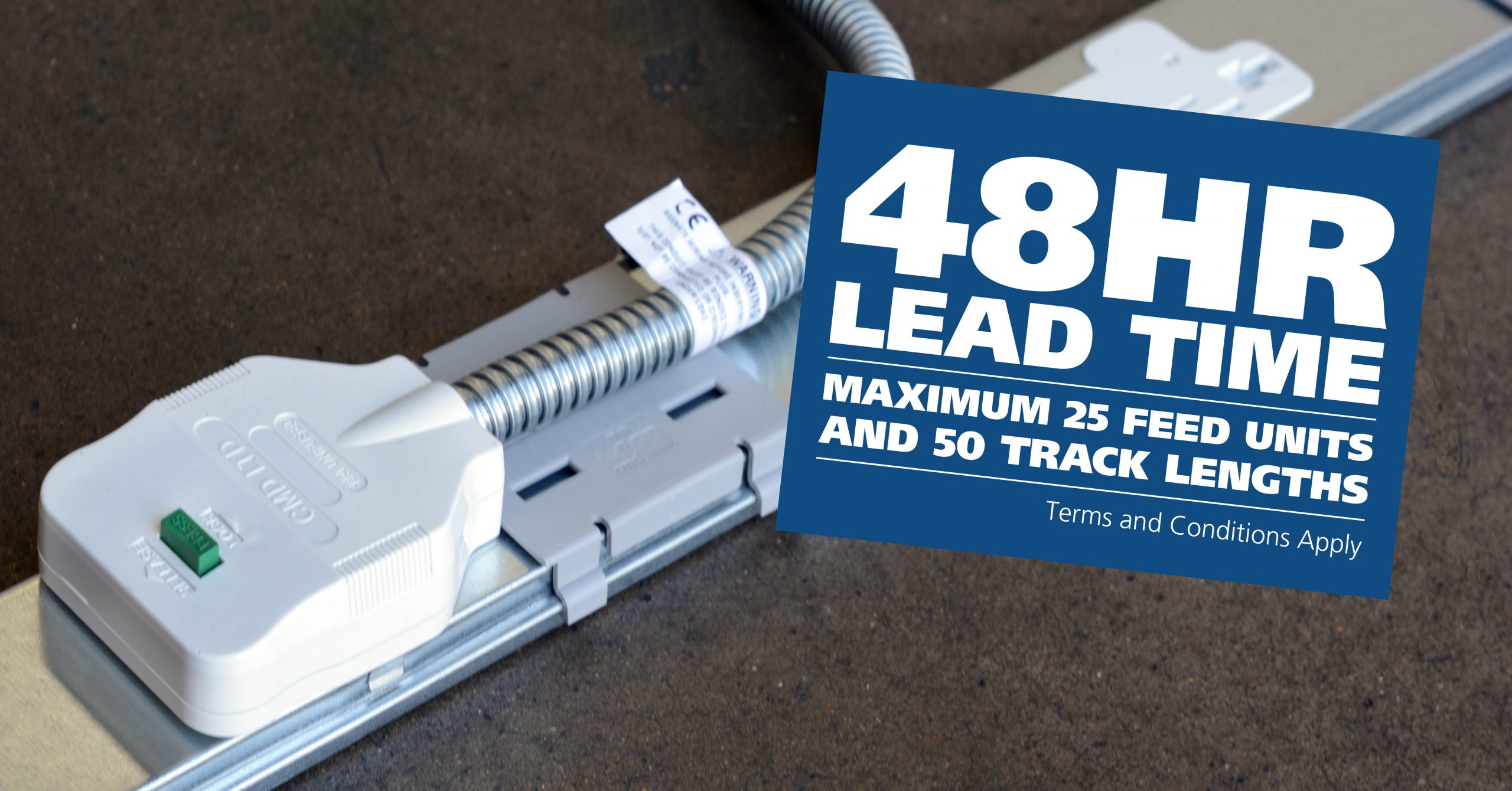
CMD Ltd LAUNCHES 48-HOUR TURNAROUND ON BETATRAK® RAPID ORDERING SERVICE

CMD Ltd, the specialist in power distribution systems, workstation power and monitor arms, has launched a rapid ordering service for its Betatrak® underfloor powertrack distribution systems and accessories, with a commitment to delivering within 48-hours of an approved purchase order*. The service enables customers to order up to 50 lengths of Standard or Clean Earth (C/E) low noise Betatrak, along with up to 25 feed...

Read more
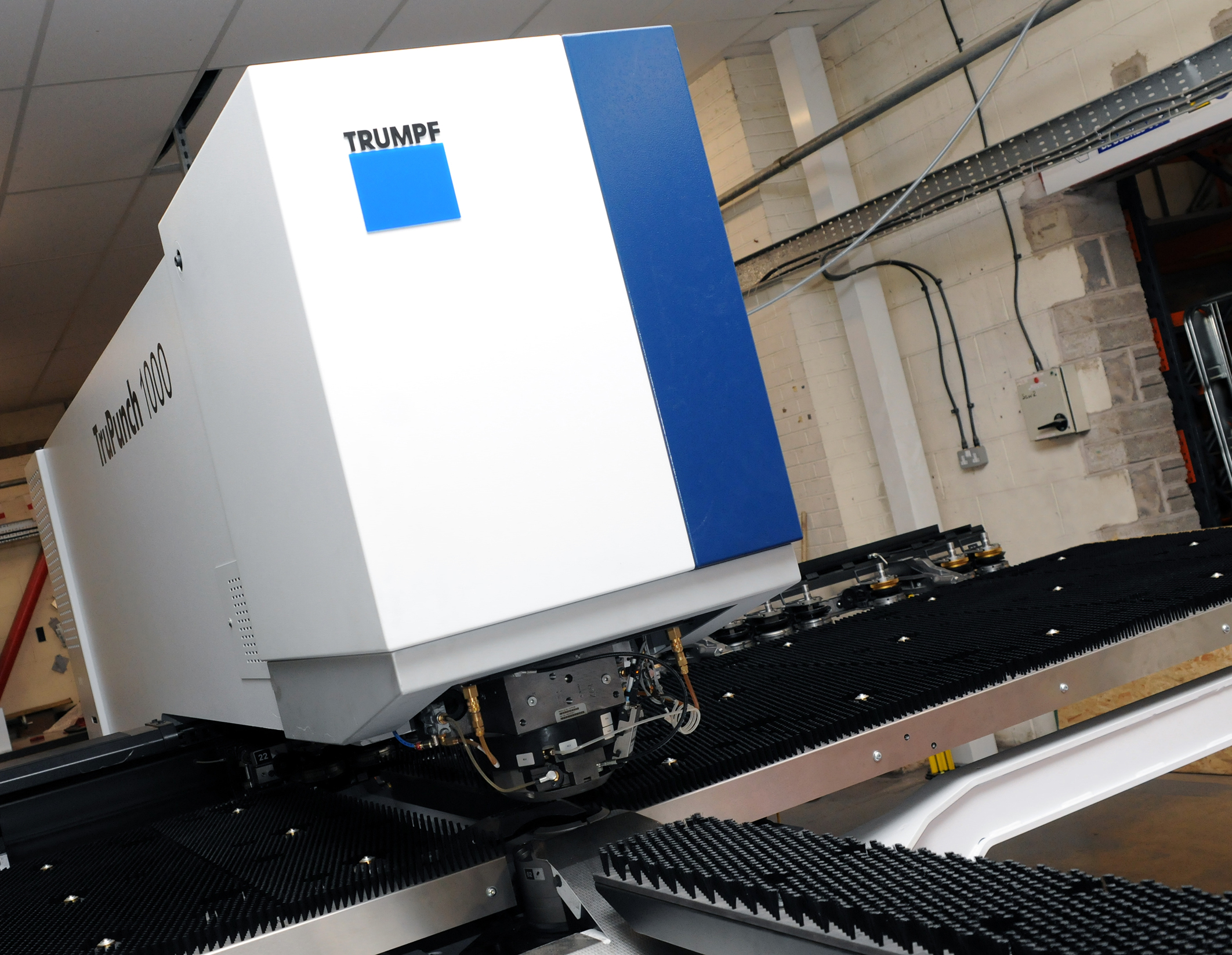
CMD INVESTS £1/4 MILLION IN NEW MACHINE AS PART OF FACTORY UPGRADE

We have invested in a new £1/4m TRUMPF CNC metal punch as part of an asset renewal strategy for our UK manufacturing capability. The new machine will be used in the production of a wide variety of our power distribution systems and workstation power products at our Rotherham factory. Suitable for handling sheet metal between 0.9mm and 3.0mm thick, the new machine will replace one...

Read more
CMD CATALOGUE PROVIDES TECHNICAL POWER DISTRIBUTION GUIDE

CMD Ltd has released a new catalogue, providing an easy to follow technical guide to our power distribution systems and plug and play desk modules. Detailing CMD’s full range of UK-manufactured power distribution systems and plug and play desk modules, the catalogue will be a helpful source of information to M&E engineers and contractors alike to understand how our power distribution systems connect together and...

Read more
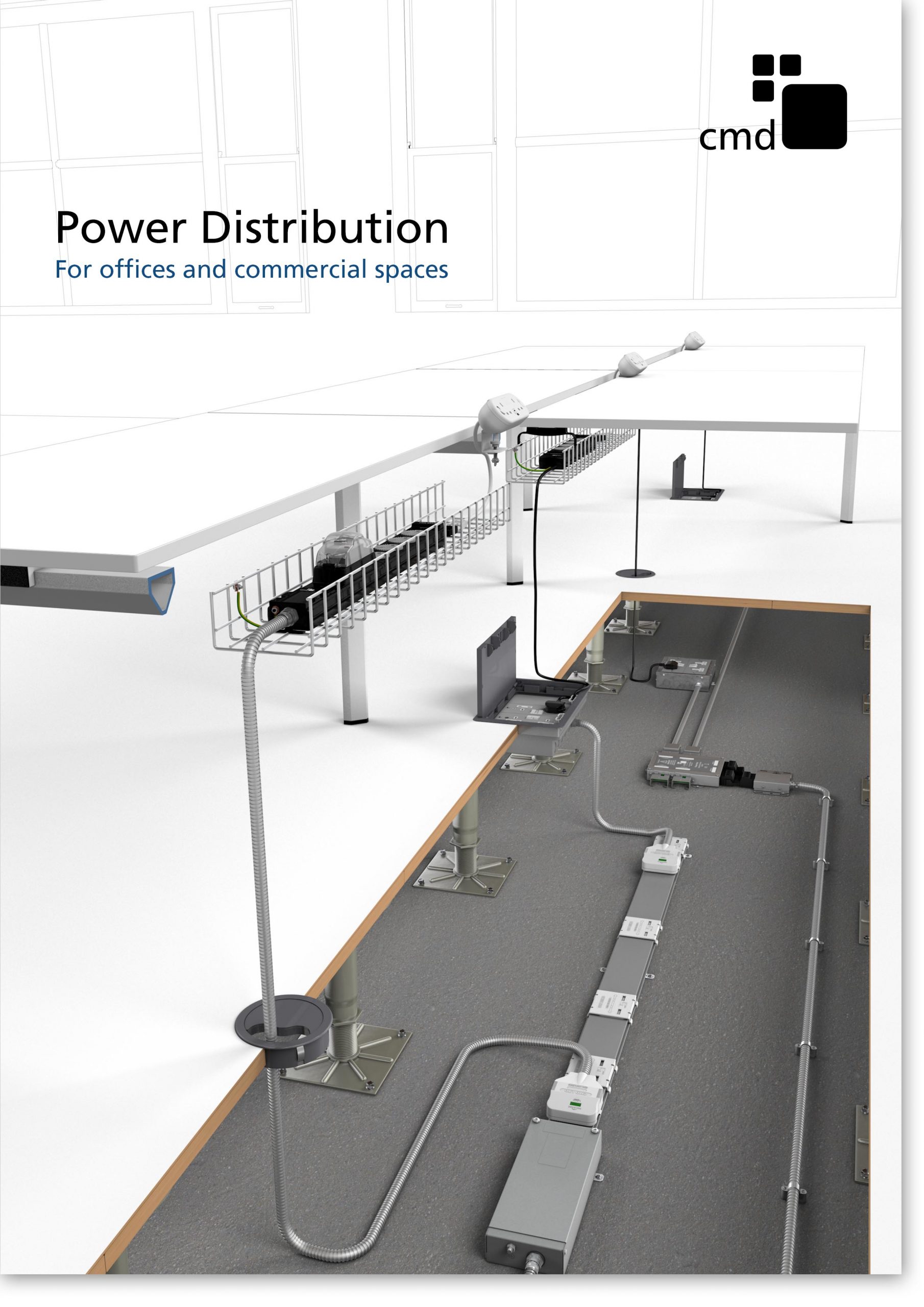
Power Distribution Catalogue
CMD Ltd PLAYS ESSENTIAL ROLE IN ELECTRICAL FIT OUT AT LONDON’S PRESTIGIOUS OFFICE DEVELOPMENT

CMD Ltd, specialist in workplace connectivity and ergonomic solutions, has provided a flexible and high-quality power distribution network for The Ray, a prestigious office development in London’s Farringdon. Well-known for being the former site of The Guardian newspaper, The Ray now stands as an 83,000ft² office development characterised by a modernised warehouse aesthetic, with level two now occupied by a global social media company. The...

Read more

The Ray
CMD plugs in to european opportunity with Schuko Capsule unit launch

CMD Ltd, the specialist in power and connectivity solutions for commercial environments, has launched a Schuko version of its popular fixed format Capsule workstation power module for export to mainland Europe and beyond. A popular on desk power module comprising two sockets and dual USB (type A and C) chargers, CMD’s Capsule unit is already widely specified in the UK as an off-the-shelf workstation power...

Read more
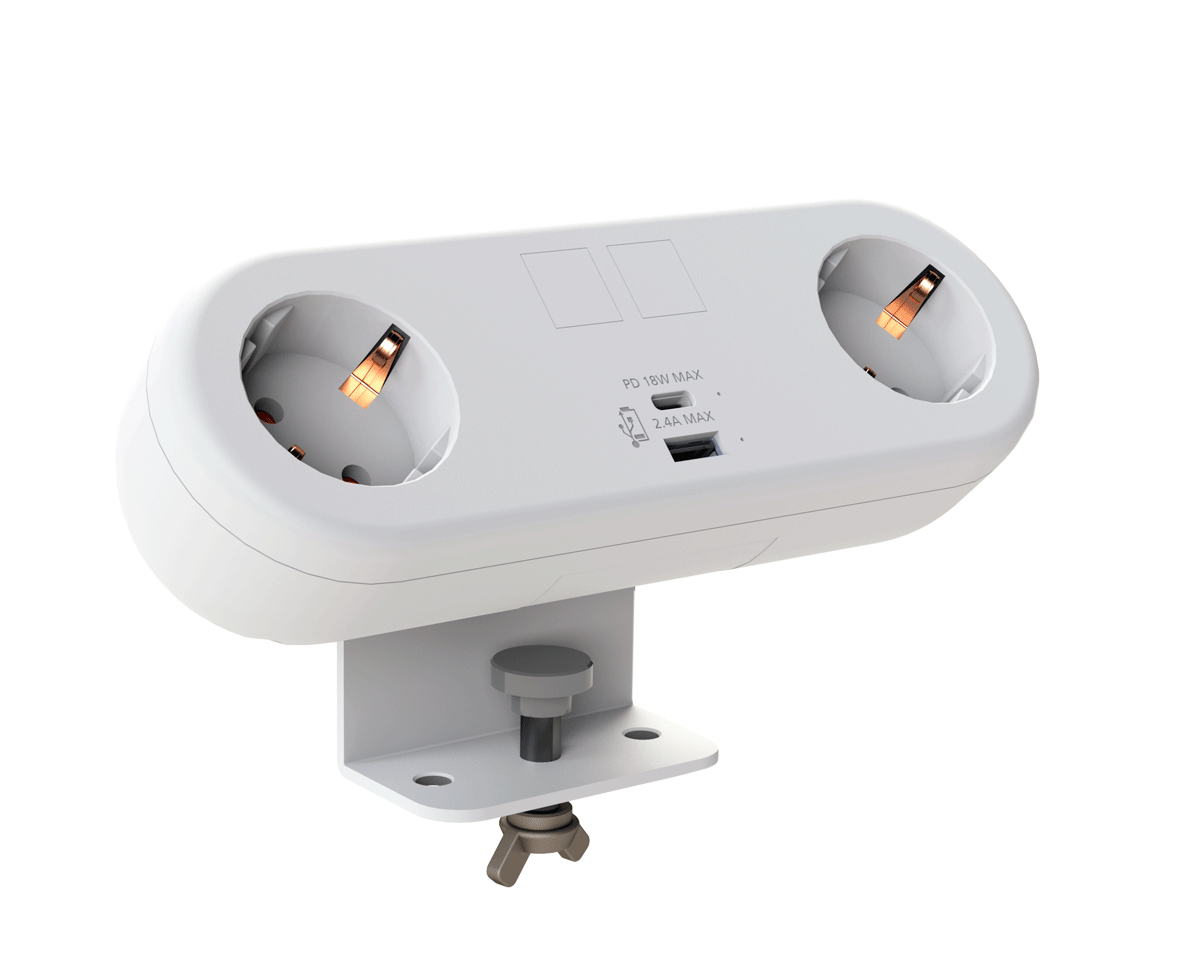
CMD White Schuko Capsule Desk Power Module
CMD LTD EXTENDS MONITOR ARM RANGE WITH THE LAUNCH OF REACH PLUS

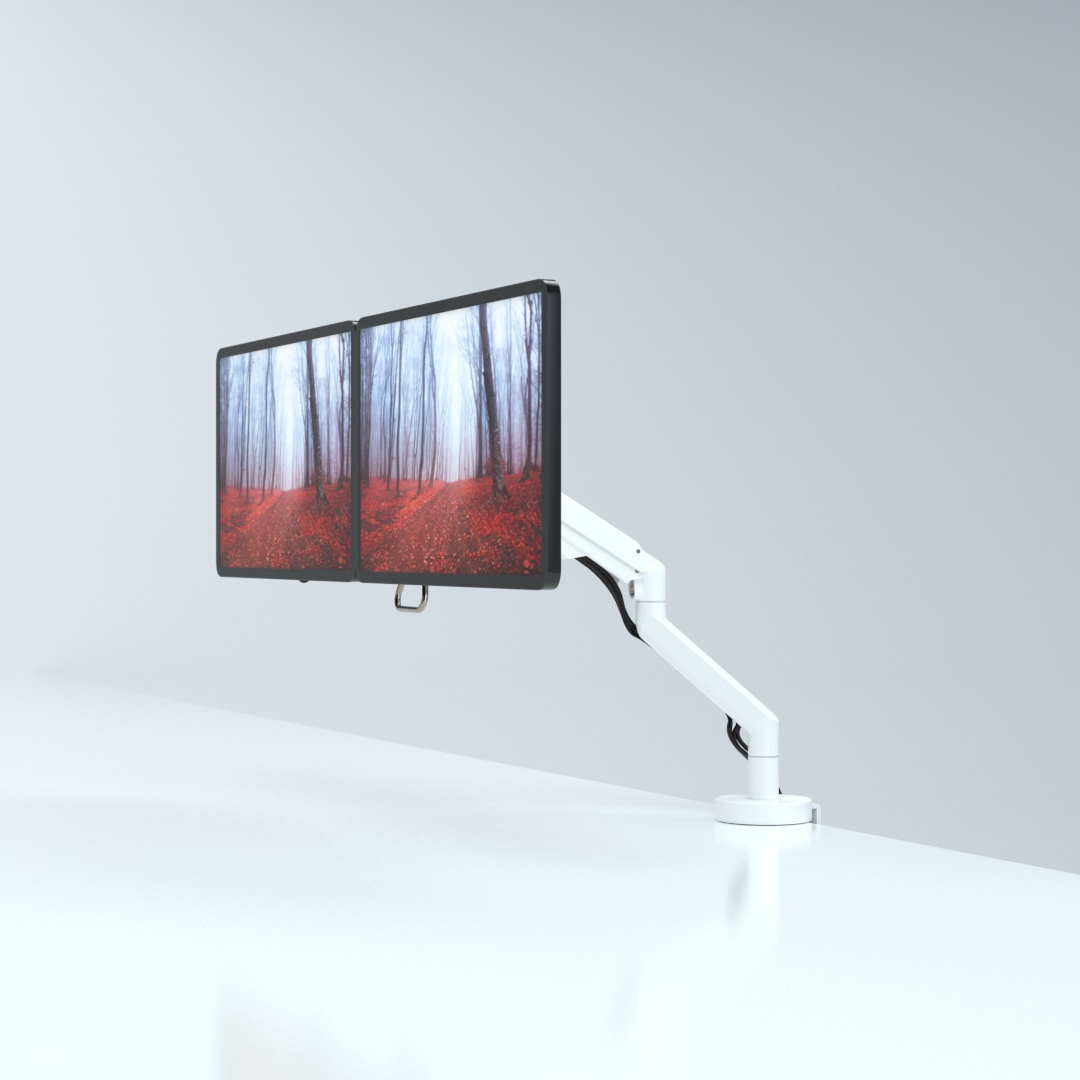
CMD Ltd, the specialist in ergonomic and connectivity solutions for commercial interiors, has completed its Reach monitor arm range with the launch of the Reach Plus. Available in single or dual screen options, the Reach Plus has been designed to provide an ideal solution for both single and dual screen workstation configurations, or can be used with next generation of large format curved screens. Suitable...

Read more
CMD Ltd DEMONSTRATES THE ART OF POWER DISTRIBUTION AT THE UNIVERSITY OF WARWICK

CMD Ltd, the specialist in workplace connectivity and ergonomic solutions, has provided Betatrak busbar power distribution and a range of electrical accessories for two major capital investment projects at the University of Warwick. Designed by Fielden Clegg Bradley Studios, the £33 million Faculty of Arts building is a showpiece development comprising four interconnected structures set around a central atrium, which will enable inter-disciplinary collaboration across...

Read more

University of Warwick
CMD BRINGS HARMONY TO COVENTRY UNIVERSITY RESEARCH FACILITIES

CMD Ltd, the specialist in power distribution solutions and workstation power and ergonomics, has provided under desk and on desk power modules for the refurbishment of three Coventry University research buildings. Located on Coventry University Technology Park, a business park designed to encourage collaboration between the university and knowledge-based businesses, the three buildings are being repurposed as office accommodation for university research teams. The refurbishment...

Read more


Coventry University

How to Use a Wallet Finder Tracking Card Effectively?

The Wallet Finder Tracking Card is an innovative solution designed to prevent loss of essential items, like wallets and keys. Recent studies indicate that nearly 1 in 3 people misplace their wallets at least once a month. This statistic underlines the growing need for reliable tracking solutions. In today’s fast-paced world, the ability to quickly locate our belongings is paramount.

The emergence of tracking technology is reshaping how we manage our personal items. For instance, according to a report by TechSavvy Analytics, the global market for tracking devices is projected to reach $10 billion by 2025. This goes to show that consumers are increasingly investing in solutions that enhance convenience and security. However, not all tracking solutions are equally effective.

To maximize the benefits of your Wallet Finder Tracking Card, understanding its features is crucial. While technology evolves, challenges persist. Users often report issues with connectivity and battery life, highlighting the need for improvement. Being aware of these factors can enhance your experience and ensure you'll never lose your valuable belongings again.

How to Use a Wallet Finder Tracking Card Effectively?

Understanding Wallet Finder Tracking Cards

Wallet finder tracking cards have become essential tools in our fast-paced world. They address a common issue: misplaced wallets. According to a recent study, nearly 30% of adults admit to losing their wallets at least once a year. This statistic highlights the potential of these tracking devices for everyday users.

Understanding how these cards work is crucial. Most utilize Bluetooth technology to connect with smartphones. This connection allows users to locate their wallets through a dedicated app. A study from the Consumer Technology Association revealed that 40% of people aged 18-34 find these devices highly effective. However, there are limitations. The tracking range is usually about 100 feet. If the wallet goes beyond this distance, the connection is lost. Users need to be aware of this constraint.

Yet, people often overlook regular maintenance. Keeping the card charged and updated is vital for optimal performance. Many users forget to check for app updates, leading to connectivity issues. This oversight can diminish the device's reliability. It's important to adjust our habits, ensuring these tools serve their purpose effectively.

Key Features to Look for in Wallet Finder Tracking Cards

When choosing a wallet finder tracking card, consider its key features. A reliable card should have a long-range connectivity option. Look for Bluetooth capabilities that can connect up to 100 feet. This ensures that you can locate your wallet even from a distance. A sound alert feature is also crucial. It should emit loud sounds when searching for your wallet, helping you find it quickly.

Battery life is another important aspect. A good tracking card should last several months on a single charge. This minimizes the need for frequent recharging and makes it convenient. Think about how often you misplace your items. A durable design is essential. It needs to withstand daily wear and tear without losing functionality.

Tips for use: Place the tracking card in a dedicated slot of your wallet. This habit helps avoid confusion with other items. Regularly check the app that connects to your card. Ensure your Bluetooth is enabled for better tracking. Lastly, evaluate your needs. Sometimes, simpler features might suit your lifestyle better than more complex options.

Step-by-Step Guide to Setting Up Your Wallet Finder

To set up your wallet finder tracking card effectively, begin by carefully reading the instructions. This step ensures you understand the basics of connectivity and setup. Your device should be fully charged to avoid any interruptions during the process.

Next, download the accompanying app. Make sure your smartphone is compatible with it. After installation, follow the app's prompts to connect your tracking card. You might experience glitches during this process, so be patient and ready to troubleshoot as needed. This moments of frustration can lead to deeper understanding.

Tips: Keep your phone's Bluetooth on and ensure location services are active. This helps maintain a stable connection. Regularly update the app for the best performance.

Once your card is linked, test its functionality. Try locating your wallet in a safe space first. This testing phase can reveal flaws in your initial setup. Evaluate whether the tracking card consistently connects and responds, as this will be crucial for future use. Being aware of any inconsistencies will save you time later on.

Usage of Wallet Finder Tracking Card Over a Week

This chart illustrates the daily usage frequencies of a Wallet Finder tracking card over a week. The data showcases how often users utilize the card to locate their wallets, indicating its effectiveness and popularity.

Best Practices for Using Your Wallet Finder Effectively

Using a wallet finder tracking card can be a game-changer for keeping your belongings safe. To use it effectively, consider these best practices.

First, ensure that you link the card to a reliable app on your smartphone. This allows for real-time tracking. Check the app regularly for updates on your card's location. If your wallet is misplaced, act quickly. Rely on the app's notification feature to locate it sooner.

Next, keep the wallet finder in an easily accessible pocket. This ensures you can reach it whenever you need. Test the functionality of your tracking card periodically. Sometimes, updates or battery issues can create problems. Make sure it’s always charged and functioning.

Reflect on your habits. Do you often forget your wallet? Changing where you carry it can help.

Lastly, educate family members on how to use the device. Having multiple users can prevent confusion. While wallet finders are not foolproof, they significantly reduce stress.

Embrace these tools but remember they are just a part of your security strategy. A backup plan is essential in case technology fails.

Troubleshooting Common Issues with Wallet Finder Tracking Cards

Wallet finder tracking cards are becoming more popular as people seek ways to safeguard their valuables. However, users often face common issues that can hinder their effectiveness. According to a survey from the Consumer Electronics Association, about 30% of individuals report connectivity problems with such devices. This often arises from low battery life or poor placement within wallets or bags.

When experiencing connectivity issues, users should first ensure that the card is properly charged. The average battery life for these devices ranges from six months to one year, depending on usage. If issues persist, signal interference can occur, particularly in crowded areas. This is due to competing wireless signals that can disrupt tracking functionality. Testing the card in various locations can help determine if interference is the culprit.

Another common issue is the app's reliability. A study from Tech Insights revealed that 40% of users face difficulties when using their tracking app. Frequent updates can solve bugs that affect usability. Regularly checking for app updates is crucial. If the app is unresponsive, uninstalling and reinstalling could resolve lingering issues. Addressing these concerns can lead to a better experience with wallet finder tracking cards.