

News

Miro: A New Standard in Responsible Innovation

Miro: A New Standard in Responsible Innovation The Miro monitor arm is setting new benchmarks in sustainability. It offers a high-performance solution without compromising on environmental responsibility. Designed with careful material selection, local sourcing, and longevity in mind, Miro’s responsible approach to design and unique manoeuvrability set it apart from the competition. Sustainable Choices Miro is crafted from energy-efficient materials with a lower carbon impact....

Read more
HSE Advisor

Role Purpose Support in the development, implementation and maintenance of the company’s Health, Safety & Environmental policies, processes, operational procedures, and standards.  Ensuring best practice and championing a continually improving HSE culture within the business. Key Responsibilities Liaise with and provide support to all areas of the business to eliminate, mitigate or reduce identified HSE exposures. Partner with the production management team and team leaders,...

Read more
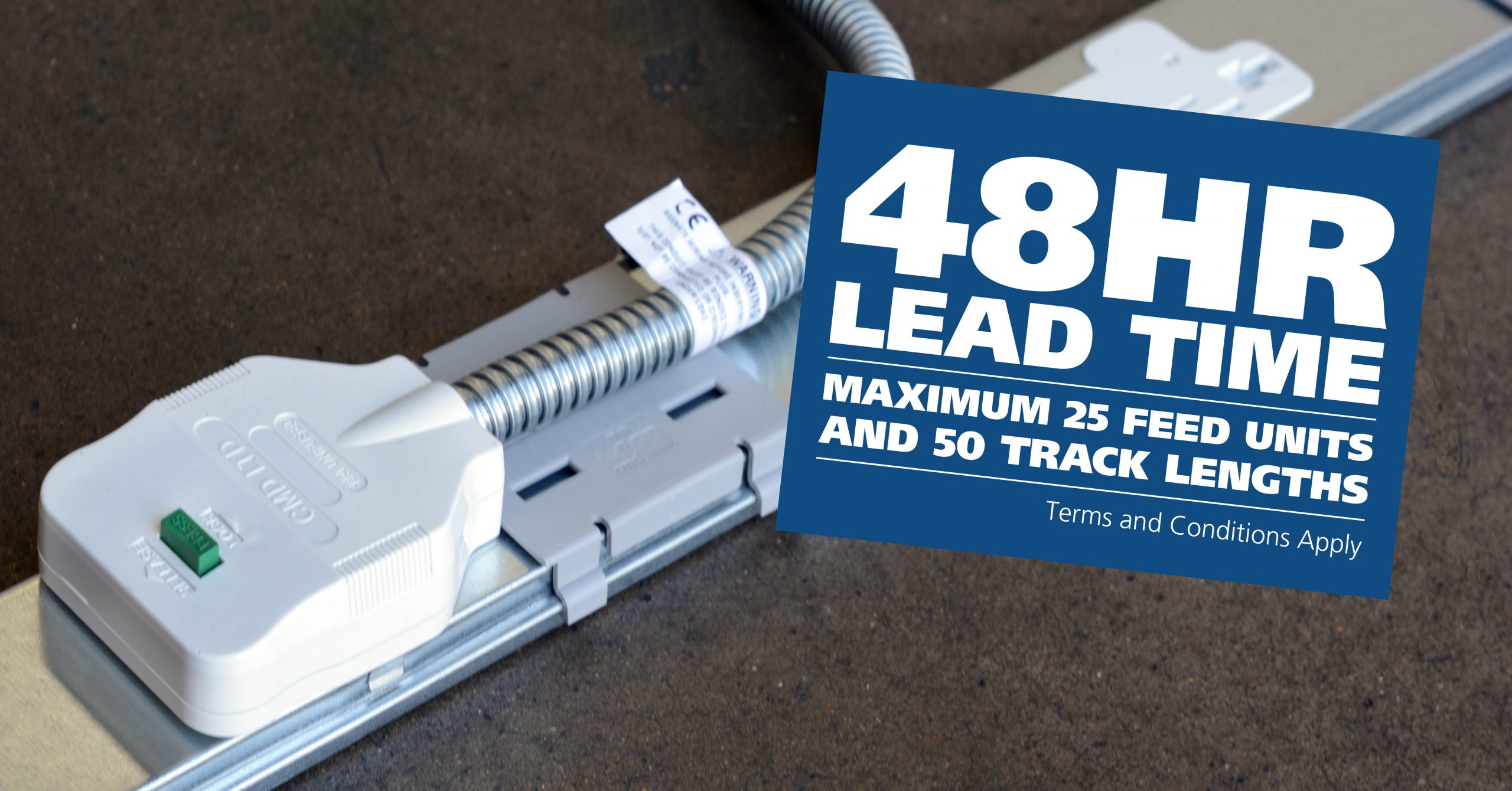
CMD Ltd LAUNCHES 48-HOUR TURNAROUND ON BETATRAK® RAPID ORDERING SERVICE

CMD Ltd, the specialist in power distribution systems, workstation power and monitor arms, has launched a rapid ordering service for its Betatrak® underfloor powertrack distribution systems and accessories, with a commitment to delivering within 48-hours of an approved purchase order*. The service enables customers to order up to 50 lengths of Standard or Clean Earth (C/E) low noise Betatrak, along with up to 25 feed...

Read more
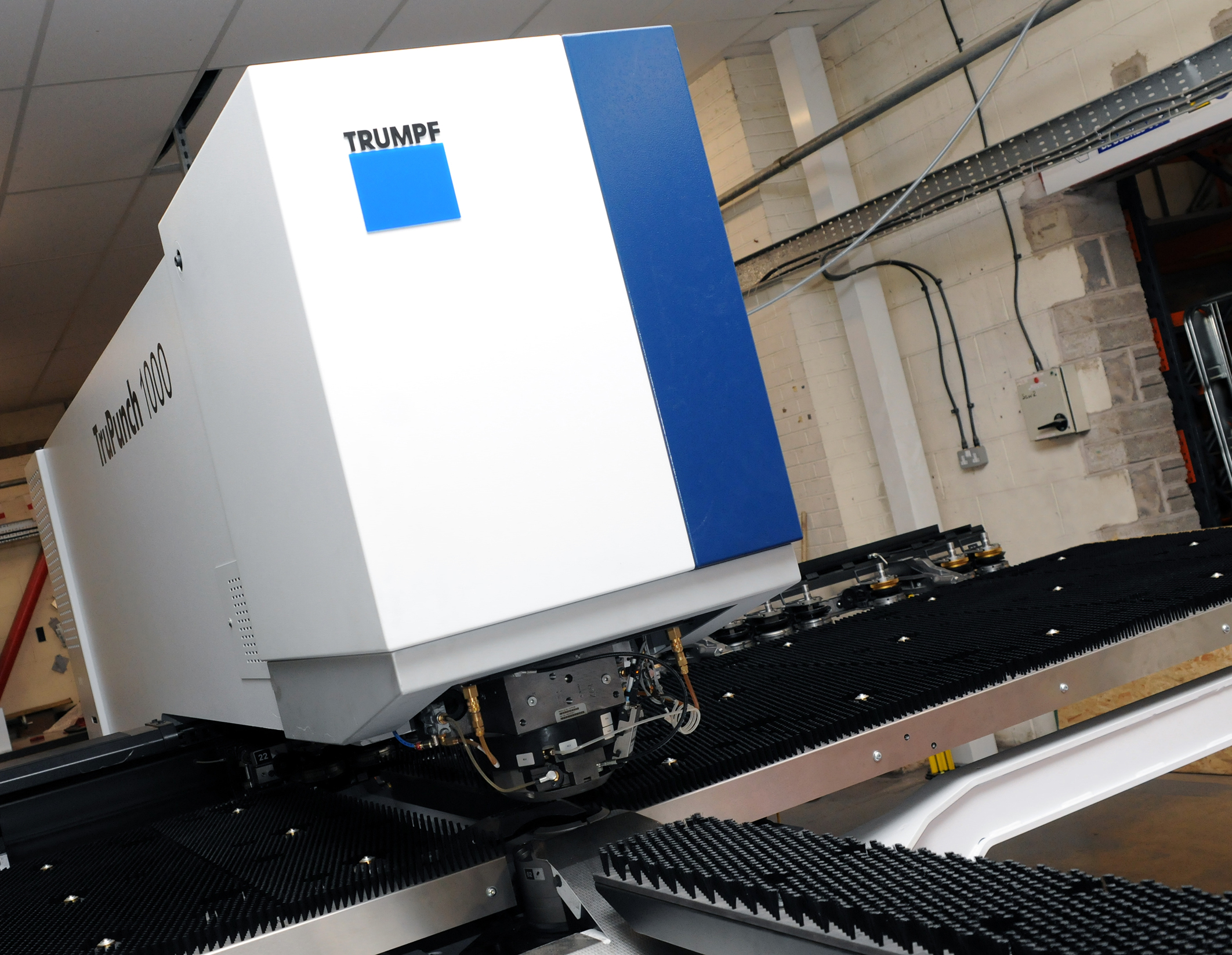
CMD INVESTS £1/4 MILLION IN NEW MACHINE AS PART OF FACTORY UPGRADE

We have invested in a new £1/4m TRUMPF CNC metal punch as part of an asset renewal strategy for our UK manufacturing capability. The new machine will be used in the production of a wide variety of our power distribution systems and workstation power products at our Rotherham factory. Suitable for handling sheet metal between 0.9mm and 3.0mm thick, the new machine will replace one...

Read more
CMD CATALOGUE PROVIDES TECHNICAL POWER DISTRIBUTION GUIDE

CMD Ltd has released a new catalogue, providing an easy to follow technical guide to our power distribution systems and plug and play desk modules. Detailing CMD’s full range of UK-manufactured power distribution systems and plug and play desk modules, the catalogue will be a helpful source of information to M&E engineers and contractors alike to understand how our power distribution systems connect together and...

Read more
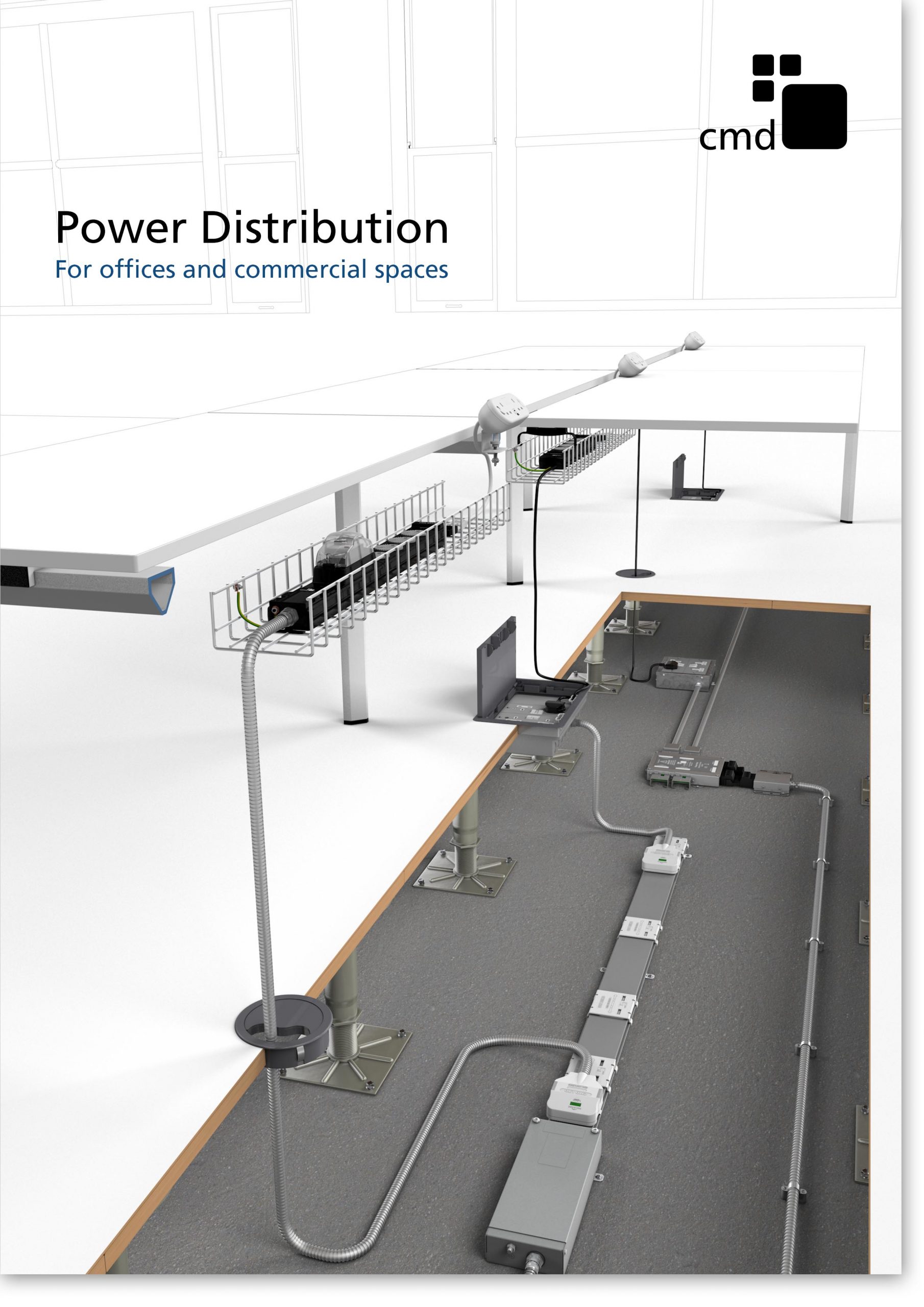
Power Distribution Catalogue
CMD Ltd PLAYS ESSENTIAL ROLE IN ELECTRICAL FIT OUT AT LONDON’S PRESTIGIOUS OFFICE DEVELOPMENT

CMD Ltd, specialist in workplace connectivity and ergonomic solutions, has provided a flexible and high-quality power distribution network for The Ray, a prestigious office development in London’s Farringdon. Well-known for being the former site of The Guardian newspaper, The Ray now stands as an 83,000ft² office development characterised by a modernised warehouse aesthetic, with level two now occupied by a global social media company. The...

Read more

The Ray
CMD plugs in to european opportunity with Schuko Capsule unit launch

CMD Ltd, the specialist in power and connectivity solutions for commercial environments, has launched a Schuko version of its popular fixed format Capsule workstation power module for export to mainland Europe and beyond. A popular on desk power module comprising two sockets and dual USB (type A and C) chargers, CMD’s Capsule unit is already widely specified in the UK as an off-the-shelf workstation power...

Read more
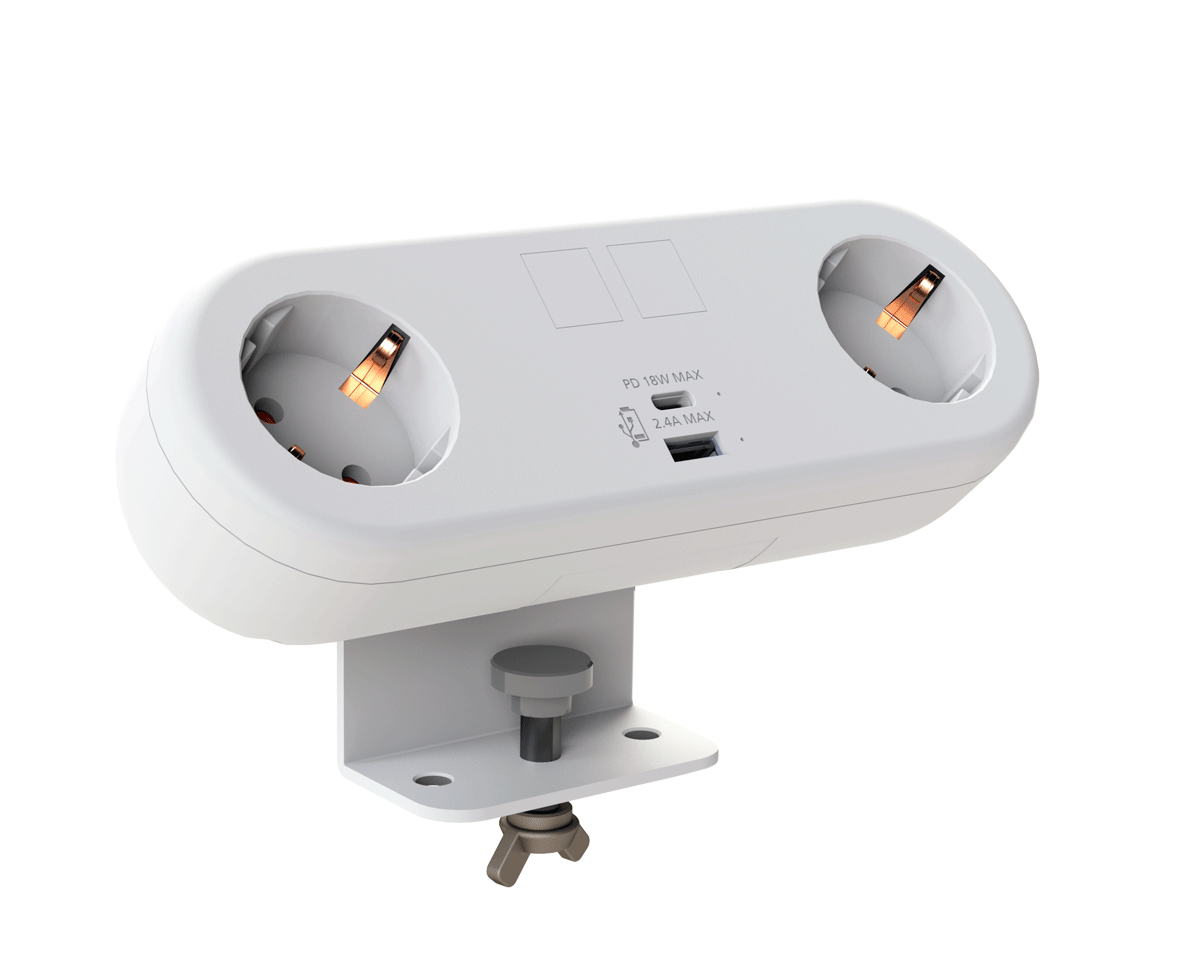
CMD White Schuko Capsule Desk Power Module
CMD LTD EXTENDS MONITOR ARM RANGE WITH THE LAUNCH OF REACH PLUS

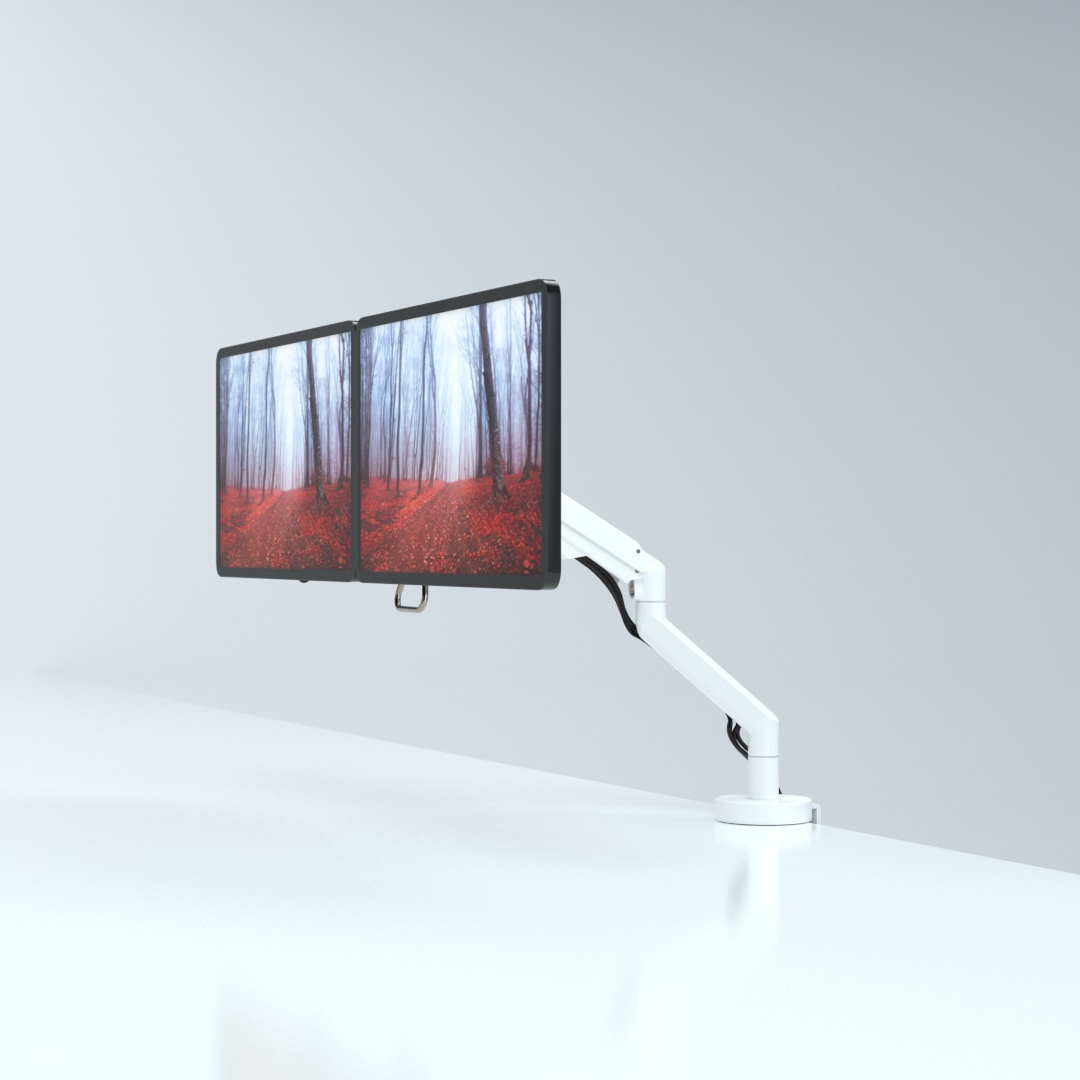
CMD Ltd, the specialist in ergonomic and connectivity solutions for commercial interiors, has completed its Reach monitor arm range with the launch of the Reach Plus. Available in single or dual screen options, the Reach Plus has been designed to provide an ideal solution for both single and dual screen workstation configurations, or can be used with next generation of large format curved screens. Suitable...

Read more
CMD Ltd DEMONSTRATES THE ART OF POWER DISTRIBUTION AT THE UNIVERSITY OF WARWICK

CMD Ltd, the specialist in workplace connectivity and ergonomic solutions, has provided Betatrak busbar power distribution and a range of electrical accessories for two major capital investment projects at the University of Warwick. Designed by Fielden Clegg Bradley Studios, the £33 million Faculty of Arts building is a showpiece development comprising four interconnected structures set around a central atrium, which will enable inter-disciplinary collaboration across...

Read more

University of Warwick
CMD BRINGS HARMONY TO COVENTRY UNIVERSITY RESEARCH FACILITIES

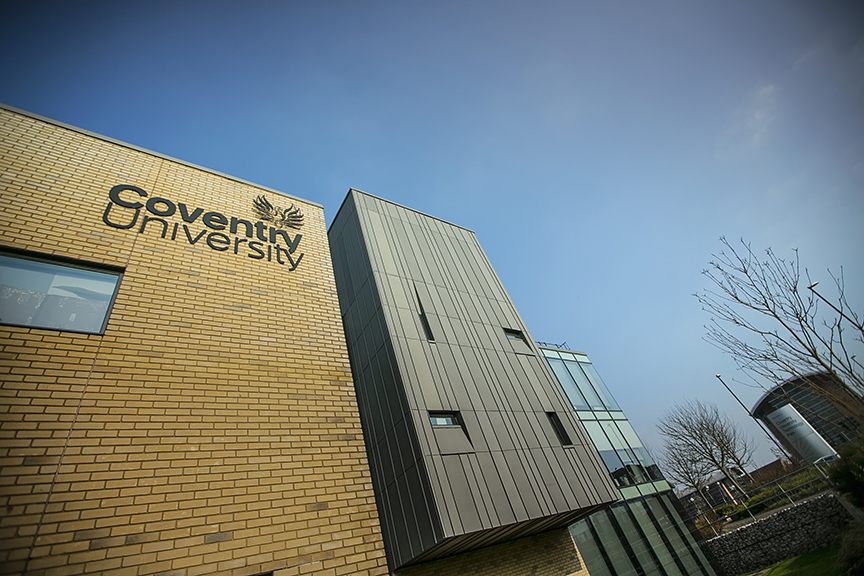
CMD Ltd, the specialist in power distribution solutions and workstation power and ergonomics, has provided under desk and on desk power modules for the refurbishment of three Coventry University research buildings. Located on Coventry University Technology Park, a business park designed to encourage collaboration between the university and knowledge-based businesses, the three buildings are being repurposed as office accommodation for university research teams. The refurbishment...

Read more
Coventry University

How to Use Claude Cowork Guide for Maximum Productivity?

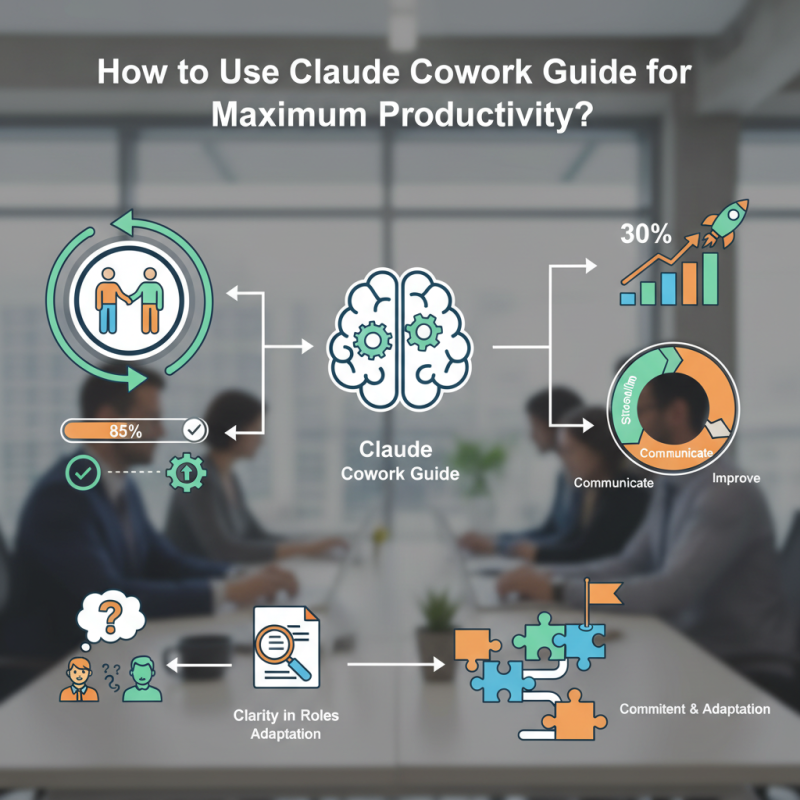
In an ever-evolving work landscape, productivity is key. Reports show that 85% of workers feel more productive in collaborative environments. The "claude cowork guide" addresses this need. It offers strategies to enhance teamwork and efficiency.

Empowered teams often report a 30% increase in output when using structured guides. Effective use of the "claude cowork guide" can streamline processes and improve communication. Yet, challenges remain. Many teams struggle to apply these strategies fully. It’s crucial to reflect on what's working and what isn’t.

The guide encourages collaboration but success depends on individual efforts. In a study, 60% of employees admitted they needed more clarity in their roles. The "claude cowork guide" provides a path to clarity, but teams must engage with it actively. The journey to maximum productivity requires commitment and adaptation.

How to Use Claude Cowork Guide for Maximum Productivity?

Understanding the Claude Cowork Guide: An Overview of Its Features

The Claude Cowork Guide offers various features aimed at enhancing productivity for teams and individuals. One key aspect is its user-friendly interface. This interface makes it simple for anyone to navigate through various tools. Users can easily access task lists, calendars, and communication features. The design is minimalistic, reducing distractions and focusing on the task at hand.

Another compelling feature is the collaboration tools. Teams can share documents and ideas in real time. However, reliance on these tools can sometimes hinder direct communication. People may miss nuances that a simple conversation could resolve. Notifications can also feel overwhelming, creating unnecessary stress.

Task tracking is another powerful element of the guide. Users can set deadlines and monitor progress. Yet, it can lead to micromanagement if not used wisely. Teams might become too focused on deadlines rather than creative solutions. To fully harness this guide, users should reflect on their own work habits and adjust accordingly. Balancing these tools with personal insights could lead to more meaningful productivity.

Setting Up Your Workspace for Optimal Use of Claude Cowork

Creating an effective workspace is crucial for using shared coworking tools. Start with a tidy desk. Clutter can be distracting. Keep essential items within reach. Use organizers for documents and gadgets. Having a clean workspace can positively influence your focus. It’s easy to overlook the details, but they matter.

Lighting plays a significant role too. Natural light boosts mood and energy. Position your desk near a window if possible. If that's not an option, consider a good desk lamp. Some people work better with soft light, while others prefer brightness. Experiment and find what suits you best.

Don't forget about ergonomics. A comfortable chair and desk height can prevent strain. Spend a few minutes adjusting your setup. It makes a difference over long hours. Take breaks to stretch and move around. It's easy to get absorbed in tasks and forget about your body. Reflect on what works and what doesn’t. Your workspace should inspire productivity, not hinder it.

Key Strategies to Enhance Collaboration Using Claude Cowork

Collaboration is key to maximizing productivity. Using tools like Claude Cowork can enhance teamwork effectively. Studies show that effective collaboration can boost productivity by up to 25%. Yet, many teams struggle with communication. Open channels can reduce misunderstandings and streamline workflows.

**Tip: Set clear objectives** for each collaboration session. This keeps everyone on the same page. A shared understanding can prevent confusion. Use visual aids to illustrate tasks. These can clarify complex concepts.

Another challenge is managing remote team dynamics. Virtual interactions often lead to isolation. According to a report by Global Workplace Analytics, remote workers may feel disconnected, leading to lower morale. Creating a virtual social space can bridge this gap.

**Tip: Schedule regular check-ins** to foster connections. These moments can humanize interactions. Leaders should encourage informal chats, not just work discussions. Remind team members that they’re not alone in their tasks.

Maximize Productivity with Claude Cowork: Collaboration Effectiveness

Utilizing Claude Cowork Analytics to Monitor Productivity Metrics

Monitoring productivity is critical for success in a collaborative environment. With the right analytics tools, teams can track their progress and identify areas for improvement. Utilizing activity data can reveal trends. For instance, frequent breaks may show a lack of focus. This data highlights potential burnout.


Some metrics to consider include task completion rates and deadlines. Assessing these metrics helps teams recognize their strengths and weaknesses. A low completion rate could indicate issues with time management. It’s important to reflect on how tasks are prioritized. Are team members overloaded?


Engaging with analytics provides a clearer understanding of productivity levels. Visual reports can simplify complex data. However, not all data tells a complete story. Sometimes, personal factors impact performance. Acknowledging these nuances is essential for growth. Embrace the journey of improving productivity with both successes and setbacks.

Best Practices for Integrating Claude Cowork into Your Daily Routine

Integrating collaboration tools into your daily routine can enhance productivity significantly. Start by allocating specific time slots for focused work. This helps to minimize distractions. For instance, set a timer for 25 minutes of uninterrupted work. After that, take a 5-minute break. This simple technique keeps your mind fresh and focused.

Many users struggle with organizing tasks effectively. One approach is to create a daily priority list. Write down the three most important tasks each morning. This allows you to concentrate on what matters most. However, there might be days when unexpected issues arise, disrupting your plans. It’s essential to remain flexible and adjust your priorities as needed.

Reflection is crucial for improvement. Take time at the end of each day to ask yourself what worked and what didn’t. Did you stick to your schedule? Were there distractions that could be eliminated? By analyzing your routine regularly, you’ll find new ways to integrate collaboration tools better, fostering a more productive environment.

How to Use Claude Cowork Guide for Maximum Productivity? - Best Practices for Integrating Claude Cowork into Your Daily Routine

Best Practice Description Expected Outcome
Set Clear Goals Define specific and measurable objectives for each work session. Enhanced focus and direction during tasks.
Time Blocking Allocate fixed time periods for different activities and stick to them. Improved time management and reduced procrastination.
Daily Check-ins Hold brief meetings at the start and end of the day to discuss progress and obstacles. Increased team coordination and accountability.
Use Collaborative Tools Integrate task management and communication platforms to streamline workflow. Enhanced collaboration and clarity among team members.
Monitor Progress Regularly review accomplishments against set goals to identify improvement areas. Identified strengths and weaknesses leading to optimized performance.