

News

Miro: A New Standard in Responsible Innovation

Miro: A New Standard in Responsible Innovation The Miro monitor arm is setting new benchmarks in sustainability. It offers a high-performance solution without compromising on environmental responsibility. Designed with careful material selection, local sourcing, and longevity in mind, Miro’s responsible approach to design and unique manoeuvrability set it apart from the competition. Sustainable Choices Miro is crafted from energy-efficient materials with a lower carbon impact....

Read more
HSE Advisor

Role Purpose Support in the development, implementation and maintenance of the company’s Health, Safety & Environmental policies, processes, operational procedures, and standards.  Ensuring best practice and championing a continually improving HSE culture within the business. Key Responsibilities Liaise with and provide support to all areas of the business to eliminate, mitigate or reduce identified HSE exposures. Partner with the production management team and team leaders,...

Read more
CMD Ltd LAUNCHES 48-HOUR TURNAROUND ON BETATRAK® RAPID ORDERING SERVICE

CMD Ltd, the specialist in power distribution systems, workstation power and monitor arms, has launched a rapid ordering service for its Betatrak® underfloor powertrack distribution systems and accessories, with a commitment to delivering within 48-hours of an approved purchase order*. The service enables customers to order up to 50 lengths of Standard or Clean Earth (C/E) low noise Betatrak, along with up to 25 feed...

Read more

CMD INVESTS £1/4 MILLION IN NEW MACHINE AS PART OF FACTORY UPGRADE

We have invested in a new £1/4m TRUMPF CNC metal punch as part of an asset renewal strategy for our UK manufacturing capability. The new machine will be used in the production of a wide variety of our power distribution systems and workstation power products at our Rotherham factory. Suitable for handling sheet metal between 0.9mm and 3.0mm thick, the new machine will replace one...

Read more

CMD CATALOGUE PROVIDES TECHNICAL POWER DISTRIBUTION GUIDE

CMD Ltd has released a new catalogue, providing an easy to follow technical guide to our power distribution systems and plug and play desk modules. Detailing CMD’s full range of UK-manufactured power distribution systems and plug and play desk modules, the catalogue will be a helpful source of information to M&E engineers and contractors alike to understand how our power distribution systems connect together and...

Read more

Power Distribution Catalogue
CMD Ltd PLAYS ESSENTIAL ROLE IN ELECTRICAL FIT OUT AT LONDON’S PRESTIGIOUS OFFICE DEVELOPMENT

CMD Ltd, specialist in workplace connectivity and ergonomic solutions, has provided a flexible and high-quality power distribution network for The Ray, a prestigious office development in London’s Farringdon. Well-known for being the former site of The Guardian newspaper, The Ray now stands as an 83,000ft² office development characterised by a modernised warehouse aesthetic, with level two now occupied by a global social media company. The...

Read more

The Ray
CMD plugs in to european opportunity with Schuko Capsule unit launch

CMD Ltd, the specialist in power and connectivity solutions for commercial environments, has launched a Schuko version of its popular fixed format Capsule workstation power module for export to mainland Europe and beyond. A popular on desk power module comprising two sockets and dual USB (type A and C) chargers, CMD’s Capsule unit is already widely specified in the UK as an off-the-shelf workstation power...

Read more

CMD White Schuko Capsule Desk Power Module
CMD LTD EXTENDS MONITOR ARM RANGE WITH THE LAUNCH OF REACH PLUS

CMD Ltd, the specialist in ergonomic and connectivity solutions for commercial interiors, has completed its Reach monitor arm range with the launch of the Reach Plus. Available in single or dual screen options, the Reach Plus has been designed to provide an ideal solution for both single and dual screen workstation configurations, or can be used with next generation of large format curved screens. Suitable...

Read more

CMD Ltd DEMONSTRATES THE ART OF POWER DISTRIBUTION AT THE UNIVERSITY OF WARWICK

CMD Ltd, the specialist in workplace connectivity and ergonomic solutions, has provided Betatrak busbar power distribution and a range of electrical accessories for two major capital investment projects at the University of Warwick. Designed by Fielden Clegg Bradley Studios, the £33 million Faculty of Arts building is a showpiece development comprising four interconnected structures set around a central atrium, which will enable inter-disciplinary collaboration across...

Read more

University of Warwick
CMD BRINGS HARMONY TO COVENTRY UNIVERSITY RESEARCH FACILITIES

CMD Ltd, the specialist in power distribution solutions and workstation power and ergonomics, has provided under desk and on desk power modules for the refurbishment of three Coventry University research buildings. Located on Coventry University Technology Park, a business park designed to encourage collaboration between the university and knowledge-based businesses, the three buildings are being repurposed as office accommodation for university research teams. The refurbishment...

Read more

Coventry University

7 Tips for Choosing the Right HDMI Extender TX?

Choosing the right Hdmi Extender Tx can determine whether a video system feels professional or frustrating. A transmitter must move stable signals across the required distance. It must also match the display, source, cable, and receiver.

Jeff Boccaccio, founder of DPL Labs and a respected HDMI testing specialist, offers a practical warning: “A system is only as good as its weakest link.” His point matters in real installations. A powerful transmitter cannot repair poor cabling, incompatible EDID settings, or insufficient bandwidth. Small details often decide the result.

This guide presents seven practical tips for selecting an Hdmi Extender Tx with greater confidence. It examines signal resolution, refresh rate, HDCP support, transmission distance, and cable construction. It also considers copper and fiber options, installation environments, latency, and future equipment upgrades. A transmitter rated for 4K may not support every 4K format. That distinction is easy to miss.

Look closely at the specifications.

A conference room may need reliable switching between several laptops. A home theater may require smooth HDR playback over a longer route. Digital signage may prioritize uptime over advanced gaming features. These situations need different solutions. Even experienced installers can choose too quickly when product descriptions sound similar. Testing the complete signal path remains wise. Marketing claims alone are not enough.

The following tips help connect technical specifications with practical performance. They also encourage a more careful question: will this Hdmi Extender Tx still meet the system’s needs after installation?

7 Tips for Choosing the Right HDMI Extender TX?

Understand the Role of an HDMI Extender TX

7 Tips for Choosing the Right HDMI Extender TX

Understand the Role of an HDMI Extender TX

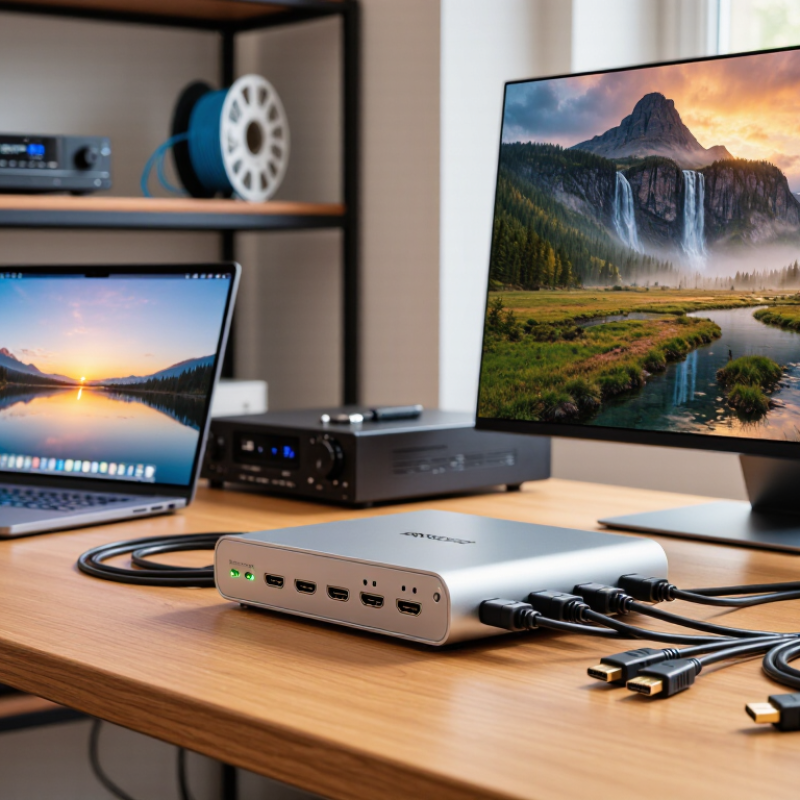
An HDMI extender TX is the transmitter unit placed near the video source. It converts and sends HDMI signals across longer copper or fiber links. The receiver then restores the signal near the display. This role is easy to misunderstand. The TX does not improve weak content quality. It mainly preserves signal integrity across distance.

Check resolution, refresh rate, color depth, and audio formats before purchasing. The HDMI Forum’s HDMI 2.1 specification supports bandwidth up to 48 Gbps, but every device in the chain must support the required data rate. A 4K signal at 120 Hz demands far more capacity than 4K at 30 Hz. Cisco’s Annual Internet Report projected video would represent 82% of internet traffic by 2022, showing why stable video transport matters in modern installations. Yet online video data does not automatically equal HDMI compatibility.

Look for EDID management, HDCP support, reliable power delivery, and low processing latency. Also inspect the cable category, maximum tested distance, and connector strain relief.

I once trusted a clean specification sheet too quickly. The system passed a short test, then failed after a 30-meter installation. That mistake taught me to test the complete chain. Include the source, TX, cable, receiver, display, and audio equipment. Small details matter. A TX with loop-through output can simplify monitoring, while status indicators can expose power or link faults before the screen turns black.

Match Signal Distance With the Required Transmission Range

7 Tips for Choosing the Right HDMI Extender TX?

Match Signal Distance With the Required Transmission Range

Distance should guide your HDMI extender TX choice, not marketing speed alone. Measure the complete route from source to display. Include wall plates, patch cables, and ceiling drops. A 20-meter installation may become 27 meters after practical routing. The HDMI Forum’s published HDMI 2.1 specification supports data rates up to 48 Gbps. However, maximum bandwidth does not guarantee maximum distance. Resolution, refresh rate, color depth, cable quality, and electromagnetic interference all affect stability. A transmitter rated for 30 meters may struggle with 4K at 120 Hz.

Industry guidance for HDBaseT-class systems commonly identifies transmission distances up to 100 meters over suitable structured cabling. That figure usually depends on the signal format and installation conditions. Do not treat it as a universal promise. Leave at least 20 percent distance headroom when selecting the TX. For a measured 40-meter route, a 50-meter-rated solution offers a safer margin. I have seen installers overlook the final patch cable. That small mistake caused intermittent black screens.

Check whether the published range applies to uncompressed video, compressed video, or a specific category of cable. Review EDID and HDCP compatibility before installation. Test the system at the intended resolution and refresh rate for several hours. This is less exciting than reading a specification sheet, but more reliable. My own preference is cautious: a shorter, properly matched link often performs better than an overstretched “maximum-distance” system.

Check HDMI Resolution, Refresh Rate, and Compatibility

7 Tips for Choosing the Right HDMI Extender TX

Tip 1

Check the required HDMI resolution before buying an extender TX. A 4K display needs a transmitter that supports 4K at the desired refresh rate. Some models handle 4K at 30Hz, but not 60Hz. That difference is noticeable during gaming or fast presentations. Read both the input and output specifications carefully.

Tip 2

Match the refresh rate with your actual equipment. A source, transmitter, receiver, and display must support the same signal path. For smooth motion, check whether the system supports 60Hz, 120Hz, or higher. Do not trust resolution alone. A sharp image can still look rough. I once overlooked a receiver’s refresh-rate limit, creating unnecessary troubleshooting.

Tip 3

Test compatibility beyond basic HDMI versions. Check support for HDR, color depth, audio formats, and copy-protection requirements. Cable length also matters, especially with high-bandwidth signals. Use certified cables where possible, and test the complete setup before mounting equipment. Small details often cause black screens.

Tip 4

Confirm compatibility with your installation environment. Some TX units work through network cables, while others require different transmission methods. Check the supported cable category, maximum distance, and connector type. Leave room for ventilation and future upgrades. Specifications are useful, but real-world testing remains essential. When uncertain, choose a model with modest headroom rather than the cheapest match.

Evaluate Connectivity, Installation, and Power Requirements

7 Tips for Choosing the Right HDMI Extender TX?

Evaluate Connectivity, Installation, and Power Requirements

Check the source and display standards before choosing an HDMI extender TX. Confirm the required resolution, refresh rate, audio format, and content protection support. A unit rated for high resolution may still fail with a demanding refresh rate. Verify bandwidth, too. Tip one: match performance to the entire signal chain. Tip two: measure the cable distance accurately. Walls, adapters, and patch panels can reduce reliability.

Inspect the available ports and control features. Some installations need Ethernet cabling, infrared control, USB, or serial communication. Tip three: confirm connector compatibility and signal direction. Tip four: check whether the extender manages display identification data correctly. Poor compatibility can cause a blank screen or unstable image. During field testing, I found that a short, certified cable fixed problems blamed on the extender. My first assumption was wrong.

Plan the installation before mounting anything. Tip five: keep the transmitter and receiver accessible, ventilated, and away from strong electrical interference. Tip six: label both ends of every cable. This saves time when troubleshooting behind a cabinet. Tip seven: examine the power design carefully. Check voltage, current, adapter placement, and whether power travels through the network cable. Avoid sharing a weak power strip with motors or heaters. Test the complete system for several hours, not just five minutes. A setup can appear perfect and still fail after warming up. Recheck it.

Compare Reliability, Features, and Total Cost Before Choosing

7 Tips for Choosing the Right HDMI Extender TX

Compare reliability, features, and total cost before choosing an HDMI extender TX. In real installations, stable signal performance matters more than impressive specifications. Check whether the transmitter supports your source resolution, refresh rate, and audio format. Confirm compatibility with the receiver and display before purchase. A short test with a five-meter cable can reveal problems that a product sheet misses. Test it longer.

Look for reliable EDID management, HDCP support, low signal delay, and strong heat control. An extender placed inside a warm cabinet may behave differently after several hours. Metal housing and secure connectors can reduce failures in busy equipment rooms. Ask about operating temperature, firmware updates, warranty coverage, and technical support. These details show how seriously the manufacturer treats long-term use. Still, no feature guarantees perfect performance in every building.

Calculate the full cost, not only the TX price. Include the receiver, compatible cables, power supplies, mounting hardware, installation labor, and possible replacements. A cheaper unit may require extra troubleshooting or shorter cable runs. That hidden expense can exceed the original saving. I have also seen reliable systems fail because installers ignored power quality or ventilation. My own judgment is not always right, so document the test results before approving a larger deployment. A simple checklist helps compare two models honestly.