How to Choose the Right AC DC Power Adapter
Choosing the right Ac Dc Power Adapter is not simply a matter of matching a plug. The adapter must deliver the correct voltage, current, polarity, connector size, and stable performance. A small mismatch can cause overheating, unexpected shutdowns, or permanent device damage. Check the device label first. It may list “12V DC, 2A” beside a center-positive symbol. That information matters more than an attractive product description.
Safety comes before convenience. Select an adapter with an output voltage that matches the equipment exactly. Its current rating should meet or exceed the device requirement. Never guess the polarity. A barrel connector may look correct while carrying reversed polarity. Measure carefully. During practical checks, inspect the cable for cuts, loose insulation, or unusual warmth after extended use. Look for recognized safety testing and clear manufacturer details, although certification marks should still be verified through reliable sources. A reputable supplier should publish technical drawings, efficiency information, operating temperatures, and protection features.
Small details often decide reliability.
Consider where the adapter will operate. A crowded desk, a dusty workshop, and a travel bag create different demands. Compact models may save space, but some become noticeably warm under continuous load. That observation deserves attention, not dismissal. Noise can also matter near microphones, sensors, or audio equipment. Reading independent reviews and comparing the original adapter with a replacement can reveal practical weaknesses. The best Ac Dc Power Adapter is not always the cheapest or smallest option. It is the one that fits the device safely, supports its real workload, and remains dependable over time. Yet specifications alone cannot predict every failure. Careful testing and periodic inspection remain necessary.
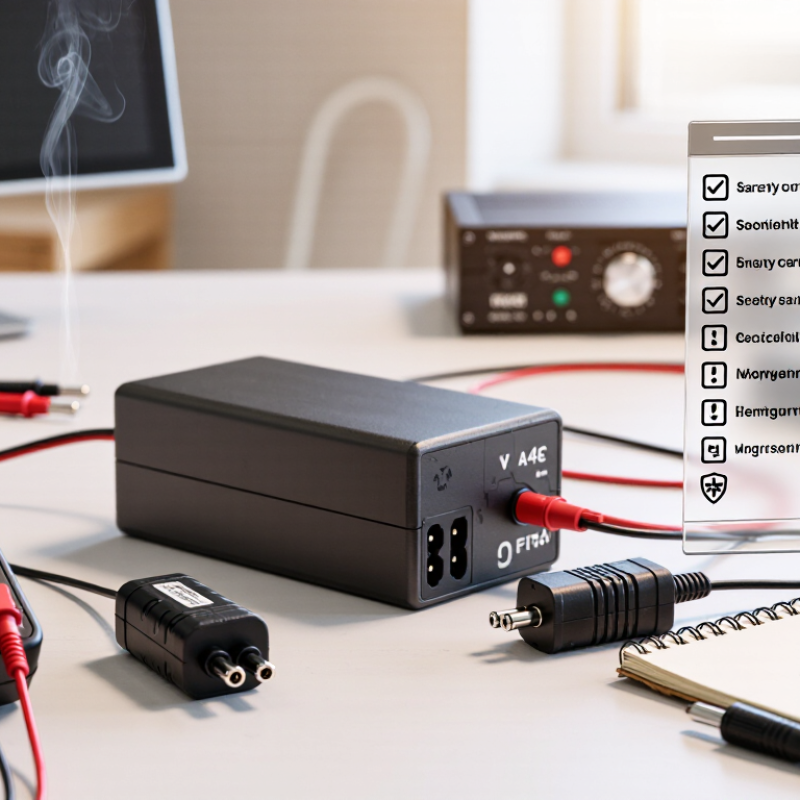
Understanding AC/DC Power Adapter Functions and Applications
An AC/DC power adapter converts alternating current from a wall outlet into direct current for electronic devices. Its main functions include voltage conversion, current delivery, regulation, and electrical isolation. A stable adapter helps prevent flickering, overheating, and unexpected shutdowns during operation.
The output voltage must match the device rating. The adapter’s current rating can usually be equal to or higher than the required value. Polarity also matters, especially with barrel connectors. A reversed connection may damage sensitive circuits. Check the label carefully. Do not rely on connector size alone.
In practical use, small adapters power routers, monitors, test instruments, and portable equipment. Industrial applications may require stronger insulation, protected enclosures, or continuous-duty operation. For travel equipment, input compatibility and plug configuration deserve attention. Efficiency affects heat, energy use, and long-term reliability. A regulated output is preferable for devices with precise electronic controls.
I have seen adapters become warm during normal operation, but excessive heat indicates a problem worth investigating. Loose plugs, crushed cables, and dusty vents can also reduce safety. Choose an adapter with suitable protection against overcurrent, overvoltage, and short circuits. Independent safety testing adds useful confidence, although certification labels should still be verified. Specifications can be confusing. Comparing the original requirements with the adapter label remains the most dependable approach. If the device gives no clear information, asking a qualified technician is safer than guessing.
How to Choose the Right AC/DC Power Adapter
Understanding AC/DC power adapter functions and applications starts with matching the adapter’s output voltage, current capacity, connector, polarity, and safety requirements to the equipment.
Chart guide: The chart shows representative nominal DC output voltages commonly used in everyday applications. Always verify the equipment label before selecting an adapter. The replacement adapter should provide the same voltage and polarity, while its current rating should meet or exceed the equipment’s requirement.
Matching Voltage, Current, and Polarity Requirements
How to Choose the Right AC DC Power Adapter
Choosing the right AC DC power adapter starts with three details: voltage, current, and polarity. Do not rely on the connector shape alone. Check the device label, manual, or original adapter for its required input. The adapter’s output voltage should match the device’s voltage exactly. A higher voltage can overheat sensitive circuits. A lower voltage may cause unstable operation or repeated restarts. For example, a device marked 12V DC needs a 12V DC output, not 9V or 15V.
Current requirements need careful attention. An adapter rated for 2A can usually supply a device requiring 1A. The device draws the current it needs. An adapter rated below the device’s requirement may become hot or fail under load. Polarity is equally important. Many barrel connectors use center-positive polarity, but this is not universal. A reversed connection can damage the device immediately. I still recheck this symbol before connecting an unfamiliar adapter.
Tips: Compare every specification, not just the voltage. Inspect the polarity symbol near the connector. Confirm the plug’s outer and inner dimensions. If available, test the adapter with a multimeter before use. A quick measurement can reveal an incorrect output or damaged cable. Keep the device disconnected during testing, and never assume two plugs are compatible because they look identical.
Selecting the Correct Connector Size and Adapter Type
How to Choose the Right AC DC Power Adapter
Selecting the correct connector size is more important than it appears. A plug may slide into the socket and still create a poor electrical connection. Measure the old connector’s outer diameter, inner diameter, and length with a caliper. If you do not have one, compare it with a precise measurement chart, but treat visual guesses cautiously.
Check the device label before choosing an adapter type. The output voltage must match the required voltage. The current rating should meet or exceed the device’s demand. Polarity matters too, especially with barrel connectors. A center-positive plug is common, but never assume it. Confirm the polarity symbol on the equipment or its original documentation.
I once focused on the plug size and overlooked the adapter’s output type. That mistake showed me why every specification needs checking. AC-output and DC-output adapters are not interchangeable. Some devices require regulated power for stable operation, while others accept a wider input range. USB-C connectors also need suitable power profiles, not only a matching shape. Check the plug’s fit, then test for looseness, heat, or unusual noise during operation. A certified, undamaged adapter is the safer choice. Measure twice. Replace doubt with evidence.
Evaluating Safety Standards, Efficiency, and Build Quality
Choosing an AC DC power adapter requires more than matching voltage and current. Safety should come first. IEC 62368-1 evaluates hazards such as electric shock, fire, and excessive heat. Check the adapter’s input range, output polarity, insulation, and protection against overcurrent. A certification mark alone is not enough. Verify its testing record when possible. The U.S. Department of Energy’s external power supply standards also address abnormal operation and electrical efficiency. That detail matters when an adapter runs continuously.
Efficiency affects energy costs and surface temperature. The International Energy Agency has reported that standby power can represent 5–10% of household electricity use. For many external supplies rated up to 49 watts, European ecodesign rules limit no-load consumption to 0.10 watt. Small savings add up. Use a plug-in power meter to compare idle consumption and performance near the adapter’s normal load. Marketing claims can mislead.
Build quality appears in ordinary details. Look for flexible, well-secured cables, firm strain relief, clean molding, and ventilation without loose gaps. A heavy case is not automatically better; poor thermal design can still shorten component life. I inspect the connector after repeated bending and check for unusual heat during a two-hour load test. I still find inexpensive units that pass basic checks but feel fragile. That is a reminder to review test evidence, not just the label.
Checking Compatibility, Reliability, and Long-Term Value
Choosing an AC DC power adapter starts with exact compatibility, not a similar-looking plug. Read the device label carefully before buying. Match the output voltage exactly. The current rating may be equal or higher than the device requirement. Polarity must also match. Measure the connector barrel, including its inner and outer diameters. Small differences matter. An adapter can fit physically but still damage equipment.
Reliability appears in details that product photos rarely show. Look for clear electrical specifications, durable insulation, strain relief, and documented safety testing. Overcurrent, overvoltage, short-circuit, and thermal protection add meaningful security. During use, touch the adapter after several hours. Warm is normal. Excessive heat is a warning. Check for buzzing, a burning smell, flickering output, or a loose cable. Stop using it if these signs appear.
Long-term value includes energy use, cable durability, and replacement availability. An inexpensive adapter may become costly when it overheats or fails early. I once focused too much on price and overlooked cable strain. That shortcut cost more later. Choose a model with firm connectors, a flexible but sturdy cable, and a warranty with readable terms. Keep the adapter ventilated, rather than covering it with clothing or paper. Even careful buyers can miss one detail. Recheck the label before connecting power.









