

News

Miro: A New Standard in Responsible Innovation

Miro: A New Standard in Responsible Innovation The Miro monitor arm is setting new benchmarks in sustainability. It offers a high-performance solution without compromising on environmental responsibility. Designed with careful material selection, local sourcing, and longevity in mind, Miro’s responsible approach to design and unique manoeuvrability set it apart from the competition. Sustainable Choices Miro is crafted from energy-efficient materials with a lower carbon impact....

Read more
HSE Advisor

Role Purpose Support in the development, implementation and maintenance of the company’s Health, Safety & Environmental policies, processes, operational procedures, and standards.  Ensuring best practice and championing a continually improving HSE culture within the business. Key Responsibilities Liaise with and provide support to all areas of the business to eliminate, mitigate or reduce identified HSE exposures. Partner with the production management team and team leaders,...

Read more
CMD Ltd LAUNCHES 48-HOUR TURNAROUND ON BETATRAK® RAPID ORDERING SERVICE

CMD Ltd, the specialist in power distribution systems, workstation power and monitor arms, has launched a rapid ordering service for its Betatrak® underfloor powertrack distribution systems and accessories, with a commitment to delivering within 48-hours of an approved purchase order*. The service enables customers to order up to 50 lengths of Standard or Clean Earth (C/E) low noise Betatrak, along with up to 25 feed...

Read more

CMD INVESTS £1/4 MILLION IN NEW MACHINE AS PART OF FACTORY UPGRADE

We have invested in a new £1/4m TRUMPF CNC metal punch as part of an asset renewal strategy for our UK manufacturing capability. The new machine will be used in the production of a wide variety of our power distribution systems and workstation power products at our Rotherham factory. Suitable for handling sheet metal between 0.9mm and 3.0mm thick, the new machine will replace one...

Read more

CMD CATALOGUE PROVIDES TECHNICAL POWER DISTRIBUTION GUIDE

CMD Ltd has released a new catalogue, providing an easy to follow technical guide to our power distribution systems and plug and play desk modules. Detailing CMD’s full range of UK-manufactured power distribution systems and plug and play desk modules, the catalogue will be a helpful source of information to M&E engineers and contractors alike to understand how our power distribution systems connect together and...

Read more

Power Distribution Catalogue
CMD Ltd PLAYS ESSENTIAL ROLE IN ELECTRICAL FIT OUT AT LONDON’S PRESTIGIOUS OFFICE DEVELOPMENT

CMD Ltd, specialist in workplace connectivity and ergonomic solutions, has provided a flexible and high-quality power distribution network for The Ray, a prestigious office development in London’s Farringdon. Well-known for being the former site of The Guardian newspaper, The Ray now stands as an 83,000ft² office development characterised by a modernised warehouse aesthetic, with level two now occupied by a global social media company. The...

Read more

The Ray
CMD plugs in to european opportunity with Schuko Capsule unit launch

CMD Ltd, the specialist in power and connectivity solutions for commercial environments, has launched a Schuko version of its popular fixed format Capsule workstation power module for export to mainland Europe and beyond. A popular on desk power module comprising two sockets and dual USB (type A and C) chargers, CMD’s Capsule unit is already widely specified in the UK as an off-the-shelf workstation power...

Read more

CMD White Schuko Capsule Desk Power Module
CMD LTD EXTENDS MONITOR ARM RANGE WITH THE LAUNCH OF REACH PLUS

CMD Ltd, the specialist in ergonomic and connectivity solutions for commercial interiors, has completed its Reach monitor arm range with the launch of the Reach Plus. Available in single or dual screen options, the Reach Plus has been designed to provide an ideal solution for both single and dual screen workstation configurations, or can be used with next generation of large format curved screens. Suitable...

Read more

CMD Ltd DEMONSTRATES THE ART OF POWER DISTRIBUTION AT THE UNIVERSITY OF WARWICK

CMD Ltd, the specialist in workplace connectivity and ergonomic solutions, has provided Betatrak busbar power distribution and a range of electrical accessories for two major capital investment projects at the University of Warwick. Designed by Fielden Clegg Bradley Studios, the £33 million Faculty of Arts building is a showpiece development comprising four interconnected structures set around a central atrium, which will enable inter-disciplinary collaboration across...

Read more

University of Warwick
CMD BRINGS HARMONY TO COVENTRY UNIVERSITY RESEARCH FACILITIES

CMD Ltd, the specialist in power distribution solutions and workstation power and ergonomics, has provided under desk and on desk power modules for the refurbishment of three Coventry University research buildings. Located on Coventry University Technology Park, a business park designed to encourage collaboration between the university and knowledge-based businesses, the three buildings are being repurposed as office accommodation for university research teams. The refurbishment...

Read more

Coventry University

How to Choose the Best Battery Study Lamp?

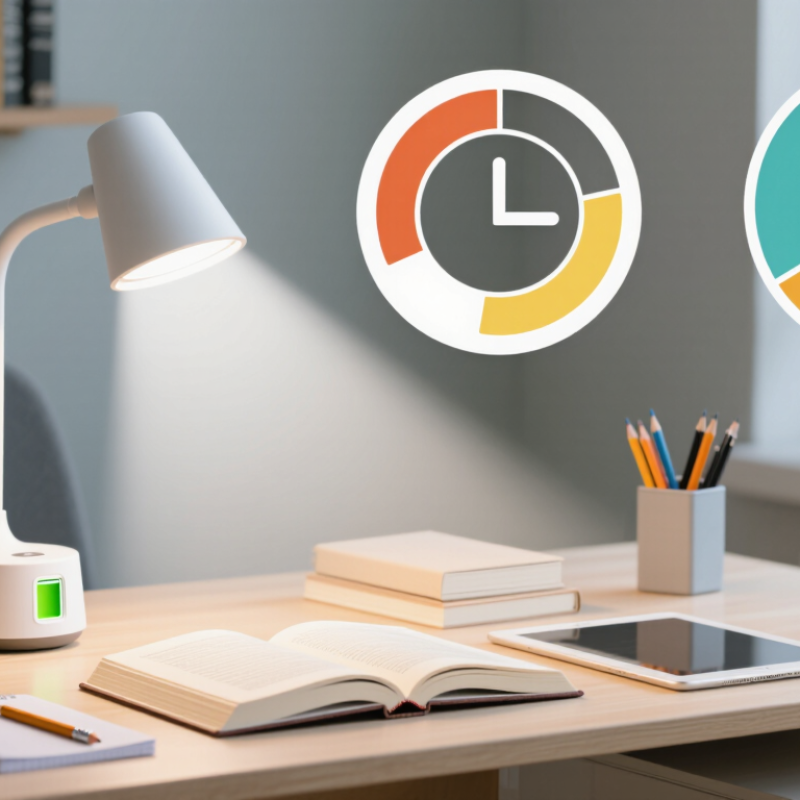
Choosing the right Battery Study Lamp starts with the way you study, not the number of features on its box. A student reading printed pages needs a different beam from someone sketching or typing at a desk. Notice where the lamp will sit, how much space it has, and whether its light reaches the whole work area. Small details matter.

Battery life deserves a careful look. Advertised runtime can change with brightness, battery age, and usage, so compare the conditions behind each estimate. Check whether the lamp shows its charge level and how long a full recharge takes. A dimming control is useful, but it should feel easy to adjust without interrupting your work. Test it, if possible.

Light quality matters too. Choose a brightness that lets you read comfortably without harsh glare, and look for an adjustable head that directs light onto the page rather than into your eyes. Color temperature is a personal preference; warmer light may feel softer, while cooler light can make white pages appear clearer. Neither setting guarantees better concentration. That part is easy to overstate.

This guide considers brightness, runtime, charging, portability, build quality, and everyday comfort. It also makes room for a practical truth: no single lamp suits every desk or routine. A lightweight model may be convenient to move, yet feel less steady on a crowded table. Compare verified product specifications, then consider your own habits. The best choice is the one that works reliably in your actual study space, even if it is not the most impressive-looking option.

How to Choose the Best Battery Study Lamp?

Understanding the Main Features of a Battery Study Lamp

How to Choose the Best Battery Study Lamp?

Understanding the Main Features of a Battery Study Lamp

A useful battery study lamp should balance brightness, battery life, and comfortable light. Check brightness in lumens, then consider how it reaches the desk: a narrow beam can leave the page bright but the surrounding area dim. EN 12464-1 specifies 500 lux for many office reading and writing tasks, measured on the work surface. That matters. A dimmer helps adjust light for notes, textbooks, or late-night reading.

Battery capacity and lamp power affect runtime. A simple estimate is usable battery watt-hours divided by lamp wattage, though real results vary with brightness and battery age. The U.S. Department of Energy says LED bulbs use at least 75% less energy and can last up to 25 times longer than incandescent bulbs. For a rechargeable lamp, also check charging time, battery replacement options, and whether it remembers your brightness setting. A runtime claim can be optimistic; it may assume the lowest setting.

Tips: Look for adjustable brightness and a stable base that will not wobble when you turn a page. Choose a shade or diffuser that reduces glare, and compare color rendering if you often work with colored charts. A warm light can feel easier at night, but personal comfort varies. I would test the lamp at your actual desk if possible.

Assessing Brightness, Color Temperature, and Light Quality

A battery study lamp needs to light the page evenly, not just look bright from across the room. Compare brightness in lumens, but remember that the beam shape and distance affect how much light reaches your desk. If the lamp lists illuminance in lux, check whether the figure was measured at a stated distance. A narrow beam can leave the edges of an open textbook dim. Check the real task.

Choose a lamp with adjustable brightness. A lower setting may suit evening reading, while detailed writing often needs stronger, steady light. Test it on a page: look for glare, sharp shadows from your writing hand, and distracting bright spots. If possible, assess the lamp at the height you will actually use. Product specifications help, but they cannot show how the light feels in your room.

Color temperature, measured in kelvins, describes whether light appears warmer or cooler. A warm tone can feel gentle at night; a neutral or cooler tone may make printed text look crisp. Neither is best for everyone, so adjustable color temperature is useful. Also check the color rendering index, or CRI, if accurate-looking colors matter for diagrams or notes. A high CRI can help, though it does not guarantee comfortable light. Battery runtime deserves a real-world check, too: maximum brightness may drain power faster than the advertised estimate suggests.

Comparing Battery Life, Charging Options, and Portability

How to Choose the Best Battery Study Lamp?

Battery life is easier to compare in watt-hours than in milliamp-hours alone. Multiply voltage by amp-hours: a 3.7-volt, 4,000-mAh battery stores about 14.8 Wh. At a steady 2-watt setting, that suggests roughly 7.4 hours before losses. Real use may be shorter, especially at full brightness. Numbers mislead. The U.S. Department of Energy reports that LEDs use at least 75% less energy than incandescent lighting, but that comparison cannot predict a lamp’s exact runtime. Check whether the maker specifies hours at each brightness level, not just a best-case maximum.

Charging convenience matters on a crowded desk. USB-C is widely useful, while USB Power Delivery 3.1 supports power levels up to 240 W; a small lamp needs far less. Confirm the lamp’s required input and whether its cable is included. A long recharge can interrupt evening study. For portability, compare weight, folded dimensions, and whether the lamp works while charging. A lighter body travels well, but a tiny base may wobble beside a stack of books. I’d also leave room for uncertainty: battery capacity fades with use, and published runtime tests may not match your brightness habits. DOE efficiency data: Energy Saver, “LED Lighting.” USB-C charging data: USB Implementers Forum, USB Power Delivery 3.1 specification.

Checking Adjustability, Stability, and Build Quality

How to Choose the Best Battery Study Lamp?

A useful study lamp should move easily without feeling loose. Adjust the head and arm over an open book, then aim the beam at a page without lighting your eyes. Check that the joints hold their position after several adjustments. A stiff hinge can be frustrating; a floppy one is worse. Try it at your actual desk height.

Stability matters most when the lamp is extended. Place it near the desk edge and gently tap the surface. Does the base rock, slide, or tip? Look for a broad, grippy base and a neck that stays steady.

The U.S. Department of Energy reports that LED lighting uses at least 75% less energy than incandescent lighting and can last up to 25 times longer (Energy Saver: LED Lighting). That efficiency can help a battery-powered lamp run longer, though brightness settings and battery capacity still matter.

Inspect the build closely. Turn each joint, press the controls, and check whether the charging port feels secure. Look for smooth edges and a shade that does not wobble when repositioned. Then test the lamp at the brightness you actually use, not only its lowest setting. A maker’s runtime estimate may not match your routine. I would leave some margin for long study nights. A neat finish can hide weak joints; check twice.

Matching Lamp Features to Your Study Space and Budget

A study lamp should fit the desk, not just look bright in a product photo. For reading and writing, EN 12464-1, a European workplace-lighting standard, sets 500 lux as the maintained illuminance benchmark for these tasks. At home, a dimmable lamp helps you adapt: use a focused pool of light for notes, then lower it when the room is already bright. Check that the arm reaches your book without casting a hard shadow from your writing hand. Small detail. Big difference.

Battery life depends on both capacity and brightness. Compare the stated runtime at the brightness level you actually plan to use; maximum-output figures can be misleading. The U.S. Department of Energy’s Energy Saver guidance says LEDs use at least 75% less energy and last up to 25 times longer than incandescent lighting. That supports choosing an efficient LED, though battery quality and charging habits still affect real-world use. A USB-rechargeable model may suit a shared desk, while replaceable batteries can be easier to swap during outages.

Budget for the whole setup, not only the lamp. A low-cost model may lack a stable base, useful dimming, or a clear battery indicator. In a cramped dorm room, prioritize a compact footprint and a clamp that fits the desk edge. For longer evening sessions, look for a shade that controls glare and a warm-to-neutral color setting. I’d still test the switch placement in person if possible; tiny controls can become annoying fast.

Article Source: