

News

Miro: A New Standard in Responsible Innovation

Miro: A New Standard in Responsible Innovation The Miro monitor arm is setting new benchmarks in sustainability. It offers a high-performance solution without compromising on environmental responsibility. Designed with careful material selection, local sourcing, and longevity in mind, Miro’s responsible approach to design and unique manoeuvrability set it apart from the competition. Sustainable Choices Miro is crafted from energy-efficient materials with a lower carbon impact....

Read more
HSE Advisor

Role Purpose Support in the development, implementation and maintenance of the company’s Health, Safety & Environmental policies, processes, operational procedures, and standards.  Ensuring best practice and championing a continually improving HSE culture within the business. Key Responsibilities Liaise with and provide support to all areas of the business to eliminate, mitigate or reduce identified HSE exposures. Partner with the production management team and team leaders,...

Read more
CMD Ltd LAUNCHES 48-HOUR TURNAROUND ON BETATRAK® RAPID ORDERING SERVICE

CMD Ltd, the specialist in power distribution systems, workstation power and monitor arms, has launched a rapid ordering service for its Betatrak® underfloor powertrack distribution systems and accessories, with a commitment to delivering within 48-hours of an approved purchase order*. The service enables customers to order up to 50 lengths of Standard or Clean Earth (C/E) low noise Betatrak, along with up to 25 feed...

Read more

CMD INVESTS £1/4 MILLION IN NEW MACHINE AS PART OF FACTORY UPGRADE

We have invested in a new £1/4m TRUMPF CNC metal punch as part of an asset renewal strategy for our UK manufacturing capability. The new machine will be used in the production of a wide variety of our power distribution systems and workstation power products at our Rotherham factory. Suitable for handling sheet metal between 0.9mm and 3.0mm thick, the new machine will replace one...

Read more

CMD CATALOGUE PROVIDES TECHNICAL POWER DISTRIBUTION GUIDE

CMD Ltd has released a new catalogue, providing an easy to follow technical guide to our power distribution systems and plug and play desk modules. Detailing CMD’s full range of UK-manufactured power distribution systems and plug and play desk modules, the catalogue will be a helpful source of information to M&E engineers and contractors alike to understand how our power distribution systems connect together and...

Read more

Power Distribution Catalogue
CMD Ltd PLAYS ESSENTIAL ROLE IN ELECTRICAL FIT OUT AT LONDON’S PRESTIGIOUS OFFICE DEVELOPMENT

CMD Ltd, specialist in workplace connectivity and ergonomic solutions, has provided a flexible and high-quality power distribution network for The Ray, a prestigious office development in London’s Farringdon. Well-known for being the former site of The Guardian newspaper, The Ray now stands as an 83,000ft² office development characterised by a modernised warehouse aesthetic, with level two now occupied by a global social media company. The...

Read more

The Ray
CMD plugs in to european opportunity with Schuko Capsule unit launch

CMD Ltd, the specialist in power and connectivity solutions for commercial environments, has launched a Schuko version of its popular fixed format Capsule workstation power module for export to mainland Europe and beyond. A popular on desk power module comprising two sockets and dual USB (type A and C) chargers, CMD’s Capsule unit is already widely specified in the UK as an off-the-shelf workstation power...

Read more

CMD White Schuko Capsule Desk Power Module
CMD LTD EXTENDS MONITOR ARM RANGE WITH THE LAUNCH OF REACH PLUS

CMD Ltd, the specialist in ergonomic and connectivity solutions for commercial interiors, has completed its Reach monitor arm range with the launch of the Reach Plus. Available in single or dual screen options, the Reach Plus has been designed to provide an ideal solution for both single and dual screen workstation configurations, or can be used with next generation of large format curved screens. Suitable...

Read more

CMD Ltd DEMONSTRATES THE ART OF POWER DISTRIBUTION AT THE UNIVERSITY OF WARWICK

CMD Ltd, the specialist in workplace connectivity and ergonomic solutions, has provided Betatrak busbar power distribution and a range of electrical accessories for two major capital investment projects at the University of Warwick. Designed by Fielden Clegg Bradley Studios, the £33 million Faculty of Arts building is a showpiece development comprising four interconnected structures set around a central atrium, which will enable inter-disciplinary collaboration across...

Read more

University of Warwick
CMD BRINGS HARMONY TO COVENTRY UNIVERSITY RESEARCH FACILITIES

CMD Ltd, the specialist in power distribution solutions and workstation power and ergonomics, has provided under desk and on desk power modules for the refurbishment of three Coventry University research buildings. Located on Coventry University Technology Park, a business park designed to encourage collaboration between the university and knowledge-based businesses, the three buildings are being repurposed as office accommodation for university research teams. The refurbishment...

Read more

Coventry University

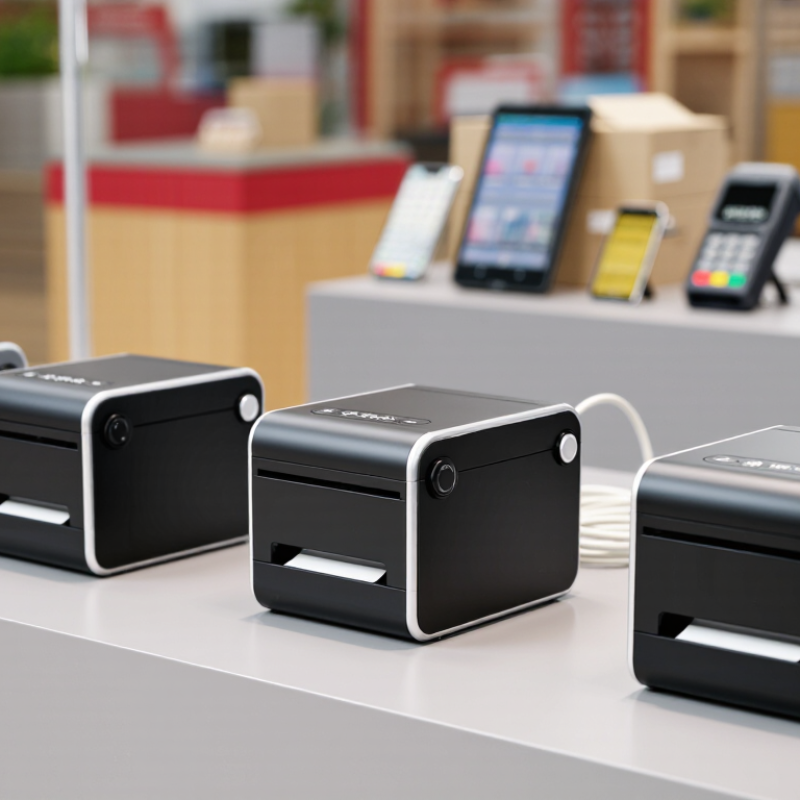
How to Choose the Best 58mm Thermal Printer in 2026?

Choosing among 58mm thermal printers in 2026 is not just about finding the lowest price. The right model should match your daily workload, device setup, and receipt format. A compact printer may suit a market stall, delivery counter, or mobile service desk. But a small body does not guarantee reliable performance.

Start by checking the paper width and printable area. They are not always identical. Consider print speed, resolution, battery life, and how often the printer will run during a busy shift. A crisp logo matters less if the battery fades before closing. Check connection options, too: USB, Bluetooth, and Wi-Fi support vary by model. Confirm that the printer works with your operating system and point-of-sale software, including any required command language or driver. This step is easy to overlook.

There is no single best choice for every buyer. A shop printing short receipts has different needs from a courier carrying a printer all day. Look for clear specifications, practical warranty terms, and support that can answer setup questions. Reviews can help, but they may describe different devices, paper, or workloads. Treat them as clues, not proof. I would compare the printer against a real task before deciding, even if that makes the choice less tidy. The sections ahead explain which features deserve attention, what trade-offs to expect, and how to judge whether a model will fit your work in 2026.

How to Choose the Best 58mm Thermal Printer in 2026?

Identify Your Printing Needs and Use Cases

How to Choose the Best 58mm Thermal Printer in 2026?

Identify Your Printing Needs and Use Cases

Start with the job, not the printer specifications. A café may print short receipts beside a busy counter, while a market vendor needs a battery-powered unit that travels between stalls. For each use case, note daily print volume, receipt length, working hours, and available connections. Small detail. A 58mm roll saves space, but narrow paper leaves less room for item descriptions, return instructions, and QR codes.

Online orders create a different workload. The U.S. Census Bureau reported that U.S. e-commerce sales reached an estimated $352.9 billion in the fourth quarter of 2024, or 16.1% of total retail sales. That figure does not predict your shop’s demand, but it highlights why some retailers need dependable order receipts at pickup points. Check whether the printer works smoothly with your checkout software and whether Bluetooth, USB, or a network connection suits the actual setup.

Returns matter, too. The National Retail Federation’s 2024 Retail Returns Landscape estimated $890 billion in retail returns, equal to 16.9% of annual sales. A return desk may need clear, repeatable receipts; a kitchen may care more about quick ticket printing and easy paper loading. Test the printer during a realistic rush, not just with one sample receipt. I would not choose on speed alone: noise, battery life, paper-roll availability, and cramped text can become daily annoyances. A specification sheet rarely shows that.

Compare Print Quality, Speed, and Paper Compatibility

How to Choose the Best 58mm Thermal Printer in 2026?

Compare Print Quality, Speed, and Paper Compatibility

A sharp receipt is more useful than a fast, faint one. Check small text, logos, and barcode edges on an actual sample. ISO/IEC 15416:2016 measures barcode print quality on a 0–4 scale, giving buyers a recognized benchmark beyond visual judgment. For speed, compare the printer’s rated millimeters per second, then time the same receipt on each model. Include startup and cutting time. Numbers on spec sheets can flatter.

Paper fit is easy to overlook. A “58mm” roll may be listed as 57mm wide, and roll diameter, core size, and paper thickness can vary. Check the printer’s manual for all three limits before ordering stock. Coated paper also affects contrast and how long receipts remain legible; ask suppliers for a sample and test it under your storage conditions.

A brief test helps. I would also print several receipts in a row: heat buildup or a slightly skewed feed may not appear on the first page. ISO’s measurement method is a useful reference, but it cannot replace checking your own paper, layout, and daily workload.

Check Connectivity and Device Compatibility

How to Choose the Best 58mm Thermal Printer in 2026?
Check Connectivity and Device Compatibility

Before choosing a 58mm thermal printer, check how it connects to the devices you actually use. USB suits a fixed counter, while Bluetooth can work well for a phone or tablet used nearby. Wi-Fi may help when several devices share a printer, but setup depends on your network and software. Don’t assume a connection option guarantees compatibility. That matters.

Check the printer’s supported operating systems, available drivers, and command language. Your checkout app must recognize the printer and send receipts in a format it can print. Also confirm the usable print width: 58mm describes the paper roll, not necessarily the full printable area. A product specification can look clear, yet leave out details your app needs. Test with your own device if possible. Print a sample receipt and check that text, prices, and QR codes are legible.

Tips: Pair it before a busy shift. Check whether the connection stays stable after your device sleeps. If setup takes longer than expected, review the app’s printer settings and support documentation before buying extra hardware. A quick test can save time, though compatibility lists are not always perfectly clear.

Evaluate Size, Battery Life, and Ease of Use

A 58mm thermal printer should fit the way you actually work, not just look compact in a product photo. Check its width, weight, and shape with the paper roll installed. A printer carried in a coat pocket needs different proportions from one kept beside a register. Measure it. Also consider where the paper exits; a tight counter space can make loading and tearing receipts awkward. The smallest option is not always the easiest to handle.

Battery life depends on more than the number printed on a specification sheet. Frequent printing, Bluetooth use, and long standby periods can change how often you need to recharge. Think through a typical workday: how many receipts might you print, and where can the printer be charged? Compare battery capacity and charging time, then look for clear test conditions in the product details. Numbers without context can mislead. A spare cable may help, but carrying one is still a small inconvenience.

Ease of use shows up in routine moments. Can you load a roll without hunting for instructions? Do the buttons make sense, and does the printer reconnect reliably after a phone sleeps? Try these steps before choosing, if a store or sample unit is available. It is easy to focus on print speed and overlook setup. I would give real handling more weight than a polished feature list, though personal preferences vary. A slightly larger model may be less tiring to use all day.

How to Choose the Best 58mm Thermal Printer in 2026? – Evaluate Size, Battery Life, and Ease of Use

Evaluation factor Typical 58mm printer reference What to look for Practical check before buying
Paper width 58mm nominal roll width Confirm the printer accepts the roll width you need. The printable area is usually narrower than the paper itself. Check supported roll width, maximum roll diameter, and whether your receipt layout fits.
Print resolution 203 dpi is common in compact receipt printers This is generally suitable for receipts, simple logos, and basic barcodes. Fine details depend on printhead quality and software settings. Print a sample containing small text and the barcode types used in your workflow.
Body size and portability Dimensions vary by design; portable units are made for handheld or bag carry A smaller body is easier to carry, while a larger roll compartment can reduce how often you reload paper. Compare the published dimensions with your belt pouch, counter space, or storage compartment.
Weight Depends on the enclosure, battery, and roll capacity Lower weight can be more comfortable for frequent handheld use; include the battery when comparing specifications. Check whether the listed weight includes the battery and paper roll.
Battery capacity and runtime Capacity and runtime differ substantially between models and usage conditions A larger battery may extend use between charges, but print volume, wireless connection, battery age, and standby time also affect runtime. Look for a stated test method or a realistic estimate of receipts per charge; confirm charging time and battery replacement options.
Print speed Varies by printhead and model; published speeds are usually maximum rates Higher speed can help at busy checkout points, but actual output may be slower with dense graphics or long receipts. Compare a typical receipt print, not only the headline maximum speed.
Connectivity Common options include Bluetooth and USB; availability varies Choose a connection supported by the phone, tablet, or computer used for printing. Verify operating-system compatibility, pairing steps, and whether a required app or driver is available.
Paper loading and controls Designs range from simple drop-in loading to more involved roll installation A clear cover, accessible feed button, and status indicators make routine use easier. Check whether paper can be loaded quickly and whether the device clearly signals low battery or an open cover.
Thermal paper and operating conditions Direct thermal printing uses heat-sensitive paper and does not require ink or toner Printed output can fade with heat, sunlight, friction, or prolonged storage; paper quality affects readability. Confirm compatible paper and follow the manufacturer’s storage and temperature guidance.
Best-fit use case Portable models suit mobile receipts; larger units may be more convenient for frequent counter use Balance portability, paper capacity, connection type, and expected print volume rather than choosing by size alone. Test the printer with your device, app, receipt format, and a full work shift’s expected usage where possible.

Reference note: Figures and features vary by model. Check the manufacturer’s current specifications and compatibility information before purchase.

Compare Total Costs, Warranty, and Long-Term Reliability

For a 58mm thermal printer, compare the purchase price with the cost of keeping it working. A cheaper unit may need frequent paper-path cleaning, replacement adapters, or early service. Add paper rolls, shipping, setup time, and downtime to your estimate. Small costs accumulate. If the printer supports common roll sizes and has accessible parts, routine maintenance may be simpler.

Check warranty carefully. Look for coverage length, exclusions, return-shipping responsibility, and whether labor is included. A one-year promise sounds reassuring, but its value depends on clear claim steps and responsive support. Keep the invoice and note the serial number; this can make a claim less stressful. Warranty terms differ by seller and service channel.

Reliability is more than a printed speed figure. Ask how the unit performs during repeated receipt runs, warm-up cycles, and ordinary dust exposure. If possible, test it with your actual POS software and the paper width you plan to buy. Listen for inconsistent feeding, faded lines, or frequent pauses. A short shop trial cannot predict years of use, and reviews may reflect very different workloads. Track jams and print quality during the first weeks, even if the device seems fine. A simple log can reveal trouble early.