How to Choose Hot Swappable Switches for Your Keyboard?
Choosing Hot Swappable Switches is not simply a matter of chasing the newest product. It is a practical decision involving typing feel, sound, durability, compatibility, and future maintenance. A hot-swappable keyboard allows users to replace switches without soldering. That makes experimentation easier, especially when one desk setup serves work, gaming, and writing. A linear switch may feel smooth and quiet, while a tactile switch provides a noticeable bump. Clicky switches create stronger feedback, but their sound may disturb nearby colleagues. Small details matter. A switch can feel different after several hours of use.
Industry data supports the growing importance of customization. Grand View Research’s Computer Keyboard Market report identifies personalization and product differentiation as important market trends. Mordor Intelligence also reports continued growth in the mechanical keyboard segment, driven by enthusiasts, gamers, and office users. These reports describe broad market movement, not individual comfort. That distinction matters.
This guide will examine how to choose Hot Swappable Switches through measurable and practical criteria. Key factors include actuation force, travel distance, operating lifespan, socket compatibility, and switch-pin design. Three-pin switches usually fit standard plate-mounted sockets, while five-pin switches can offer greater stability on compatible PCBs. However, a five-pin switch is not automatically better. Fit matters more than marketing language. Manufacturer specifications should be checked carefully, because force curves and sound descriptions are not always measured consistently. Independent testing can reveal spring noise, stem wobble, or inconsistent lubrication. Personal testing remains valuable. Reports provide direction, but your fingers make the final decision.
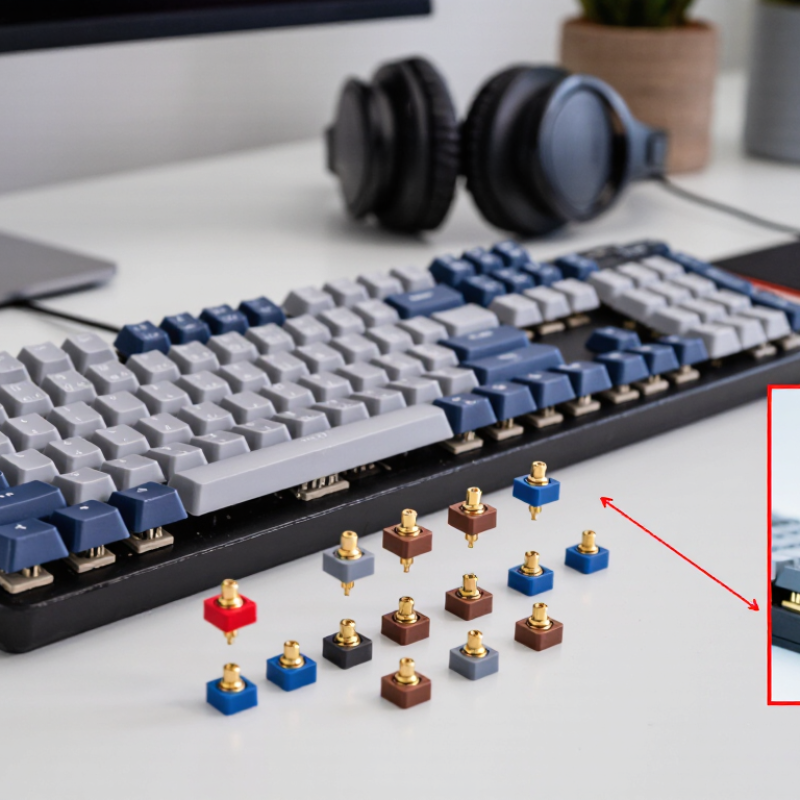
Define Hot-Swappable Switches and Their Compatibility Requirements
Hot-swappable switches are mechanical switches that plug into sockets on a keyboard PCB. Soldering is not required. This makes testing easier, especially when comparing a smooth linear switch with a sharper tactile switch. However, “hot-swappable” does not mean universally compatible. The socket, PCB layout, switch pins, and plate must match. A careless purchase can leave bent pins or dead keys.
Most traditional hot-swap boards accept three-pin or five-pin mechanical switches. Five-pin switches add plastic stability legs, while three-pin versions rely more heavily on the plate. Check the PCB listing before ordering. Also verify the switch’s operating system: optical and Hall-effect switches need different sensing hardware. They cannot normally replace contact-based mechanical switches. Keycap fit matters too. MX-style stems are common, but unusual stems may create poor alignment or loose keycaps. It is a small detail with a large effect.
Industry data supports this growing interest. Grand View Research reported that the global gaming peripherals market was valued at about USD 5.5 billion in 2023, with strong projected growth through 2030. More users are therefore customizing keyboards, but market growth does not remove compatibility risks. Measure the socket type first. Then check pin count, switch height, actuation force, and LED clearance. In my testing, one slightly bent pin caused intermittent input, even though the switch looked perfect. That experience was frustrating, and it changed my process: test one switch before installing a full set. Availability is useful, but compatibility still wins.
Compare Switch Types by Feel, Sound, and Actuation Characteristics
Choosing hot-swappable switches starts with the feeling you want under each key. Linear switches move smoothly, without a bump, and suit rapid gaming or quiet office work. Tactile switches provide a noticeable resistance before actuation. That bump can improve typing accuracy, although it may feel tiring during long sessions. Clicky switches add a sharp sound and tactile response. Their sound can become distracting in shared spaces.
Actuation characteristics deserve careful attention. A lighter spring may register a keypress quickly, but accidental presses become more likely. Heavier springs feel controlled and can reduce mistakes, though your fingers may tire sooner. Check the actuation force, pre-travel, and total travel rather than judging a switch by one specification. In my experience, sound also changes with the keyboard case, keycaps, and typing technique. My first lightweight choice felt fast, but I often pressed keys unintentionally. That result made me reconsider my preference.
Tips: Test a small sample before buying a full set. Compare the switch at slow typing speed, then during a normal paragraph. Listen for both the top-out and bottom-out sounds. Confirm that the switch fits your hot-swap sockets, especially its pin layout. Lubrication can smooth movement, but too much may weaken the intended tactile character. Keep notes on force, sound, and fatigue. Personal impressions can be inconsistent, and that is worth acknowledging.
Match Switch Specifications to Your Keyboard and Typing Preferences
Choosing hot-swappable switches starts with compatibility, not sound. A 2024 IMARC Group report estimated the global mechanical keyboard market at about US$1.3 billion in 2023, reflecting wider interest in customization. Yet market growth does not guarantee a perfect fit. Check your keyboard’s socket type, plate design, and firmware support before ordering. Three-pin switches usually fit PCB-mounted layouts, while five-pin switches add plastic legs for stability. Some plates accept both; others do not.
Match the switch specifications to your hands and routine. Linear switches suit smooth, uninterrupted presses, while tactile switches provide a noticeable bump for typing feedback. Clicky switches add an audible response, which may disturb nearby coworkers. A force curve matters more than a simple “light” or “heavy” label. Around 35–45 gf can feel quick, while 55–65 gf may reduce accidental presses. Total travel near 3.5–4.0 mm often feels familiar, but personal preference wins. The ISO 9241-410 standard emphasizes suitability for the user, task, and environment, not one universal switch design.
Test a small sample if possible. My own preference changed after a week of office typing. I expected heavier switches to improve accuracy; they increased fatigue instead. Sound tests also mislead because keycaps, case foam, and desk surfaces alter the result. Record your typing errors, finger fatigue, and noise over several days. Then adjust carefully. Human hands are inconsistent.
Evaluate Installation, Replacement, and Long-Term Maintenance Factors
Choosing hot-swappable switches means evaluating more than typing feel. Confirm the PCB supports the switch’s pin layout, polarity, and housing size. A three-pin switch may fit a five-pin board, but stability can suffer. Installation should feel controlled, never forced. Misaligned pins can bend inside the socket.
Replacement is easier when the plate has enough clearance for a switch puller. Published socket ratings range from hundreds to several thousand insertions, depending on design and manufacturing quality. Check the technical datasheet before planning frequent experiments. The Global E-waste Monitor 2024 reports 62 million tonnes of electronic waste generated in 2022. Longer component life matters. The European Commission estimated that premature disposal creates 35 million tonnes of waste annually. Still, hot-swap systems are not maintenance-free. Dust, loose sockets, and repeated rough removal can create intermittent keys. I have found that a gentle pull, straight upward, prevents more damage than extra force. My first assumption was wrong.
Tips:
Keep spare switches in a labeled box.
Test every key after replacement.
Use a flashlight to inspect bent pins.
Avoid flooding sockets with cleaning liquid.
A soft brush and compressed air are safer starting points.
Replace unstable sockets only after checking the switch, PCB contact, and firmware mapping.
Keep a simple maintenance log.
It sounds excessive, but it reveals recurring faults.
References: The Global E-waste Monitor 2024; European Commission, Right to Repair proposal, 2023.
Select Switches Based on Quality, Budget, and Intended Keyboard Use
How to Choose Hot-Swappable Switches for Your Keyboard?
Choose switches by quality, budget, and intended use, not by sound clips alone. Grand View Research valued the global mechanical keyboard market at about US$1.2 billion in 2022. It also forecast an 11.8% annual growth rate through 2030. That growth brings more switch choices, but inconsistent specifications remain common.
Check compatibility before buying. Most hot-swappable boards accept MX-style three-pin or five-pin switches. Some sockets require plate-mounted switches, while others need PCB-mounted support. Inspect the socket, pin layout, and operating force. Quality switches should have straight pins, stable housings, and consistent actuation. Factory lubrication can reduce scratchiness, but it is not always uniform. Test a few switches first.
For office typing, tactile switches can provide feedback without requiring bottom-out pressure. Linear switches suit gaming and fast repeated inputs, especially with moderate spring weights. Clicky switches offer clear sound, but shared rooms may not welcome them. A 2024 mechanical keyboard market analysis from Mordor Intelligence identifies gaming and professional use as major demand segments, supporting this split in user priorities. Budget buyers should compare total cost, including spare switches and tools. I once chose a switch for its sound alone. That was a mistake. The spring felt tiring after long sessions. Personal testing still matters.
How to Choose Hot-Swappable Switches for Your Keyboard?
Select switches based on quality, budget, and intended keyboard use.
The chart uses representative specifications commonly found in MX-compatible mechanical switches. Lighter switches are generally suitable for fast typing and gaming, while heavier tactile or clicky switches provide stronger feedback. Silent designs are better for shared workspaces but may cost more. Before buying, confirm that your hot-swap PCB supports the switch pin layout and check the manufacturer’s rated lifespan and warranty.









