

News

Miro: A New Standard in Responsible Innovation

Miro: A New Standard in Responsible Innovation The Miro monitor arm is setting new benchmarks in sustainability. It offers a high-performance solution without compromising on environmental responsibility. Designed with careful material selection, local sourcing, and longevity in mind, Miro’s responsible approach to design and unique manoeuvrability set it apart from the competition. Sustainable Choices Miro is crafted from energy-efficient materials with a lower carbon impact....

Read more
HSE Advisor

Role Purpose Support in the development, implementation and maintenance of the company’s Health, Safety & Environmental policies, processes, operational procedures, and standards.  Ensuring best practice and championing a continually improving HSE culture within the business. Key Responsibilities Liaise with and provide support to all areas of the business to eliminate, mitigate or reduce identified HSE exposures. Partner with the production management team and team leaders,...

Read more
CMD Ltd LAUNCHES 48-HOUR TURNAROUND ON BETATRAK® RAPID ORDERING SERVICE

CMD Ltd, the specialist in power distribution systems, workstation power and monitor arms, has launched a rapid ordering service for its Betatrak® underfloor powertrack distribution systems and accessories, with a commitment to delivering within 48-hours of an approved purchase order*. The service enables customers to order up to 50 lengths of Standard or Clean Earth (C/E) low noise Betatrak, along with up to 25 feed...

Read more

CMD INVESTS £1/4 MILLION IN NEW MACHINE AS PART OF FACTORY UPGRADE

We have invested in a new £1/4m TRUMPF CNC metal punch as part of an asset renewal strategy for our UK manufacturing capability. The new machine will be used in the production of a wide variety of our power distribution systems and workstation power products at our Rotherham factory. Suitable for handling sheet metal between 0.9mm and 3.0mm thick, the new machine will replace one...

Read more

CMD CATALOGUE PROVIDES TECHNICAL POWER DISTRIBUTION GUIDE

CMD Ltd has released a new catalogue, providing an easy to follow technical guide to our power distribution systems and plug and play desk modules. Detailing CMD’s full range of UK-manufactured power distribution systems and plug and play desk modules, the catalogue will be a helpful source of information to M&E engineers and contractors alike to understand how our power distribution systems connect together and...

Read more

Power Distribution Catalogue
CMD Ltd PLAYS ESSENTIAL ROLE IN ELECTRICAL FIT OUT AT LONDON’S PRESTIGIOUS OFFICE DEVELOPMENT

CMD Ltd, specialist in workplace connectivity and ergonomic solutions, has provided a flexible and high-quality power distribution network for The Ray, a prestigious office development in London’s Farringdon. Well-known for being the former site of The Guardian newspaper, The Ray now stands as an 83,000ft² office development characterised by a modernised warehouse aesthetic, with level two now occupied by a global social media company. The...

Read more

The Ray
CMD plugs in to european opportunity with Schuko Capsule unit launch

CMD Ltd, the specialist in power and connectivity solutions for commercial environments, has launched a Schuko version of its popular fixed format Capsule workstation power module for export to mainland Europe and beyond. A popular on desk power module comprising two sockets and dual USB (type A and C) chargers, CMD’s Capsule unit is already widely specified in the UK as an off-the-shelf workstation power...

Read more

CMD White Schuko Capsule Desk Power Module
CMD LTD EXTENDS MONITOR ARM RANGE WITH THE LAUNCH OF REACH PLUS

CMD Ltd, the specialist in ergonomic and connectivity solutions for commercial interiors, has completed its Reach monitor arm range with the launch of the Reach Plus. Available in single or dual screen options, the Reach Plus has been designed to provide an ideal solution for both single and dual screen workstation configurations, or can be used with next generation of large format curved screens. Suitable...

Read more

CMD Ltd DEMONSTRATES THE ART OF POWER DISTRIBUTION AT THE UNIVERSITY OF WARWICK

CMD Ltd, the specialist in workplace connectivity and ergonomic solutions, has provided Betatrak busbar power distribution and a range of electrical accessories for two major capital investment projects at the University of Warwick. Designed by Fielden Clegg Bradley Studios, the £33 million Faculty of Arts building is a showpiece development comprising four interconnected structures set around a central atrium, which will enable inter-disciplinary collaboration across...

Read more

University of Warwick
CMD BRINGS HARMONY TO COVENTRY UNIVERSITY RESEARCH FACILITIES

CMD Ltd, the specialist in power distribution solutions and workstation power and ergonomics, has provided under desk and on desk power modules for the refurbishment of three Coventry University research buildings. Located on Coventry University Technology Park, a business park designed to encourage collaboration between the university and knowledge-based businesses, the three buildings are being repurposed as office accommodation for university research teams. The refurbishment...

Read more

Coventry University

How to Choose the Best Rackmount PCs for Your Business Needs?

In the fast-paced world of technology, choosing the right Rackmount Pcs is crucial for business efficiency. According to industry expert John Smith, “A well-selected Rackmount PC can streamline operations and enhance performance.” Businesses face unique challenges that require tailored solutions. The variety of options can be overwhelming. Choosing the right system involves understanding both current and future needs.

Rackmount PCs offer versatility and power. They can host applications, manage workloads, and conserve space. However, experts note the importance of careful evaluation. Not all Rackmount PCs suit every business model. An inappropriate choice can lead to performance bottlenecks and unnecessary expenses. Reflection upon specific business goals is essential before making a decision.

Also, consider scalability and support. Your business may expand, and your technology must keep pace. Choosing the right vendor for Rackmount PCs can provide long-term benefits. Prioritizing reliable brands ensures that you have support when needed. Balancing needs, budget, and quality will lead to a more informed decision in your Rackmount PC selection process.

How to Choose the Best Rackmount PCs for Your Business Needs?

Understanding Rackmount PCs: Definition and Features

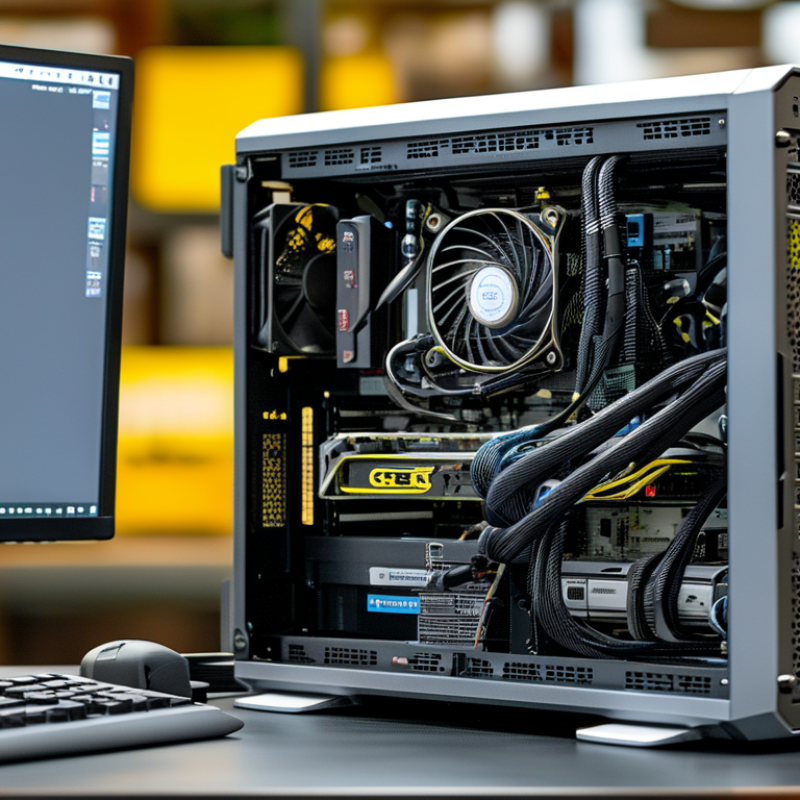
Rackmount PCs are essential for many businesses. They are designed to fit into standard server racks, optimizing space and performance. Understanding their features helps in making informed decisions. Rackmount systems often include powerful processors, scalable configuration options, and efficient cooling systems.

A study from the International Data Corporation (IDC) shows that 70% of businesses report improved performance with rackmount solutions compared to traditional desktops. These PCs can also house multiple components, allowing for enhanced storage and processing power. The compact design is key for data centers. However, not all businesses might need the power and scalability offered. Smaller operations might find them overwhelming.

It is crucial to evaluate specific business needs. Over-specifying a rackmount PC can lead to wasted resources. On the other hand, under-specifying can create performance bottlenecks. Balancing power, size, and cost is vital. A report from Gartner highlights that companies must assess their data requirements carefully to maximize investment. Thus, understanding the true potential of rackmount PCs can drive better business outcomes.

Assessing Your Business Requirements for Rackmount PCs

Assessing your business requirements for rackmount PCs is crucial. These machines often serve as the backbone of critical operations. Begin by identifying the specific applications your business relies on. For instance, high-performance computing tasks will require robust processing power. If your tasks include data storage and management, ensure you specify storage capabilities and redundancy options.

Tips: Assess the scalability of the rackmount PCs. Will your business grow? Ensure the systems can adapt to increasing demands. Look for models that allow for easy upgrades. This flexibility can save costs in the long run.

You should also evaluate the physical space available. Rackmount PCs need adequate cooling and airflow. Measure your server room’s dimensions. Consider the number of units you plan to install. Overcrowding can lead to overheating and system failures. Reflect on the balance between performance and space efficiency. Can your operations manage the risk of inadequate power supply or cooling?

Evaluating Performance Specifications for Optimal Efficiency

When selecting rackmount PCs for business, understanding performance specifications is crucial. Factors such as processing power, memory capacity, and storage type can significantly affect overall efficiency. A powerful CPU can handle demanding applications, while adequate RAM ensures smooth multitasking. If the workload involves data-intensive tasks, opting for solid-state drives (SSDs) can dramatically boost read and write speeds, which leads to better performance.

Thermal management is another aspect that shouldn’t be overlooked. Rackmount PCs often operate in tighter spaces, making cooling systems essential. Inferior cooling can lead to overheating, affecting performance and lifespan. It's wise to assess the design and airflow capabilities of the unit before making a choice.

Moreover, consider future scalability. Business needs can change rapidly. Selecting a system that allows for easy upgrades will save costs down the line. It's tempting to go for the most powerful specs now, but this might not align with future requirements. Balancing current needs with potential growth ensures a more prudent investment. While it's easy to focus on numbers, real-world performance often varies. Always look for user reviews and expert recommendations to gain a clearer picture.

Comparing Rackmount PC Brands and Models in the Market

When selecting a rackmount PC for your business, it’s crucial to understand the variety of models available. Each brand offers different features tailored to specific needs. Some focus on power and speed, ideal for data-heavy tasks, while others excel in energy efficiency. The trade-offs can be significant. Prioritizing what matters most for your operation is vital.

A good place to start is considering the processor type. For high-performance applications, opting for a high-core-count processor might be beneficial. Memory capacity is another critical factor. Some models support large RAM configurations, which enhance multitasking. However, cost is often a concern. Balancing features with budget constraints can lead to suboptimal choices.

In addition, consider the support and warranty options provided. Reliable customer service can mitigate downtime. Barriers to switching or upgrading should also be examined. While some systems are easy to upgrade, others can be more challenging. Take time to evaluate how brands approach these issues. Real-world reviews can be invaluable in this process.

Comparison of Rackmount PC Performance by Specification

Budget Considerations: Cost vs. Value for Business Needs

When selecting rackmount PCs for your business, budget considerations are vital. You might find a range of options, from basic models to high-end systems. It’s tempting to choose the cheapest option, yet this can lead to increased costs in the long run. A low upfront price may mean reduced longevity or poor performance. Assess your specific business needs to avoid this pitfall.

Evaluating cost versus value is an essential step. Understand the features you truly need, such as processing power and storage capacity. For instance, if your applications demand high processing speeds, opting for a cheap model may result in frustration and delays. However, investing in quality can boost productivity and efficiency. Reflect on the balance between immediate expenses and potential future expenses.

Take the time to analyze warranties and customer support. Sometimes, a higher price includes comprehensive support that can save you money later. Remember, a well-chosen rackmount can enhance your workflow significantly. While budget is important, consider the overall business impact. A thoughtful investment today can lead to long-term benefits, but be cautious of overspending on unnecessary features too.

How to Choose the Best Rackmount PCs for Your Business Needs? - Budget Considerations: Cost vs. Value for Business Needs

Model Price ($) CPU RAM (GB) Storage (TB) Value Rating (1-5)
Model A 1200 Intel i5 16 1 4
Model B 1500 AMD Ryzen 5 32 2 5
Model C 1000 Intel i3 8 1 3
Model D 2000 Intel i7 64 4 5
Model E 1800 AMD Ryzen 7 32 3 4