

News

Miro: A New Standard in Responsible Innovation

Miro: A New Standard in Responsible Innovation The Miro monitor arm is setting new benchmarks in sustainability. It offers a high-performance solution without compromising on environmental responsibility. Designed with careful material selection, local sourcing, and longevity in mind, Miro’s responsible approach to design and unique manoeuvrability set it apart from the competition. Sustainable Choices Miro is crafted from energy-efficient materials with a lower carbon impact....

Read more
HSE Advisor

Role Purpose Support in the development, implementation and maintenance of the company’s Health, Safety & Environmental policies, processes, operational procedures, and standards.  Ensuring best practice and championing a continually improving HSE culture within the business. Key Responsibilities Liaise with and provide support to all areas of the business to eliminate, mitigate or reduce identified HSE exposures. Partner with the production management team and team leaders,...

Read more
CMD Ltd LAUNCHES 48-HOUR TURNAROUND ON BETATRAK® RAPID ORDERING SERVICE

CMD Ltd, the specialist in power distribution systems, workstation power and monitor arms, has launched a rapid ordering service for its Betatrak® underfloor powertrack distribution systems and accessories, with a commitment to delivering within 48-hours of an approved purchase order*. The service enables customers to order up to 50 lengths of Standard or Clean Earth (C/E) low noise Betatrak, along with up to 25 feed...

Read more

CMD INVESTS £1/4 MILLION IN NEW MACHINE AS PART OF FACTORY UPGRADE

We have invested in a new £1/4m TRUMPF CNC metal punch as part of an asset renewal strategy for our UK manufacturing capability. The new machine will be used in the production of a wide variety of our power distribution systems and workstation power products at our Rotherham factory. Suitable for handling sheet metal between 0.9mm and 3.0mm thick, the new machine will replace one...

Read more

CMD CATALOGUE PROVIDES TECHNICAL POWER DISTRIBUTION GUIDE

CMD Ltd has released a new catalogue, providing an easy to follow technical guide to our power distribution systems and plug and play desk modules. Detailing CMD’s full range of UK-manufactured power distribution systems and plug and play desk modules, the catalogue will be a helpful source of information to M&E engineers and contractors alike to understand how our power distribution systems connect together and...

Read more

Power Distribution Catalogue
CMD Ltd PLAYS ESSENTIAL ROLE IN ELECTRICAL FIT OUT AT LONDON’S PRESTIGIOUS OFFICE DEVELOPMENT

CMD Ltd, specialist in workplace connectivity and ergonomic solutions, has provided a flexible and high-quality power distribution network for The Ray, a prestigious office development in London’s Farringdon. Well-known for being the former site of The Guardian newspaper, The Ray now stands as an 83,000ft² office development characterised by a modernised warehouse aesthetic, with level two now occupied by a global social media company. The...

Read more

The Ray
CMD plugs in to european opportunity with Schuko Capsule unit launch

CMD Ltd, the specialist in power and connectivity solutions for commercial environments, has launched a Schuko version of its popular fixed format Capsule workstation power module for export to mainland Europe and beyond. A popular on desk power module comprising two sockets and dual USB (type A and C) chargers, CMD’s Capsule unit is already widely specified in the UK as an off-the-shelf workstation power...

Read more

CMD White Schuko Capsule Desk Power Module
CMD LTD EXTENDS MONITOR ARM RANGE WITH THE LAUNCH OF REACH PLUS

CMD Ltd, the specialist in ergonomic and connectivity solutions for commercial interiors, has completed its Reach monitor arm range with the launch of the Reach Plus. Available in single or dual screen options, the Reach Plus has been designed to provide an ideal solution for both single and dual screen workstation configurations, or can be used with next generation of large format curved screens. Suitable...

Read more

CMD Ltd DEMONSTRATES THE ART OF POWER DISTRIBUTION AT THE UNIVERSITY OF WARWICK

CMD Ltd, the specialist in workplace connectivity and ergonomic solutions, has provided Betatrak busbar power distribution and a range of electrical accessories for two major capital investment projects at the University of Warwick. Designed by Fielden Clegg Bradley Studios, the £33 million Faculty of Arts building is a showpiece development comprising four interconnected structures set around a central atrium, which will enable inter-disciplinary collaboration across...

Read more

University of Warwick
CMD BRINGS HARMONY TO COVENTRY UNIVERSITY RESEARCH FACILITIES

CMD Ltd, the specialist in power distribution solutions and workstation power and ergonomics, has provided under desk and on desk power modules for the refurbishment of three Coventry University research buildings. Located on Coventry University Technology Park, a business park designed to encourage collaboration between the university and knowledge-based businesses, the three buildings are being repurposed as office accommodation for university research teams. The refurbishment...

Read more

Coventry University

How to Choose the Best Comen Monitor for Your Needs?

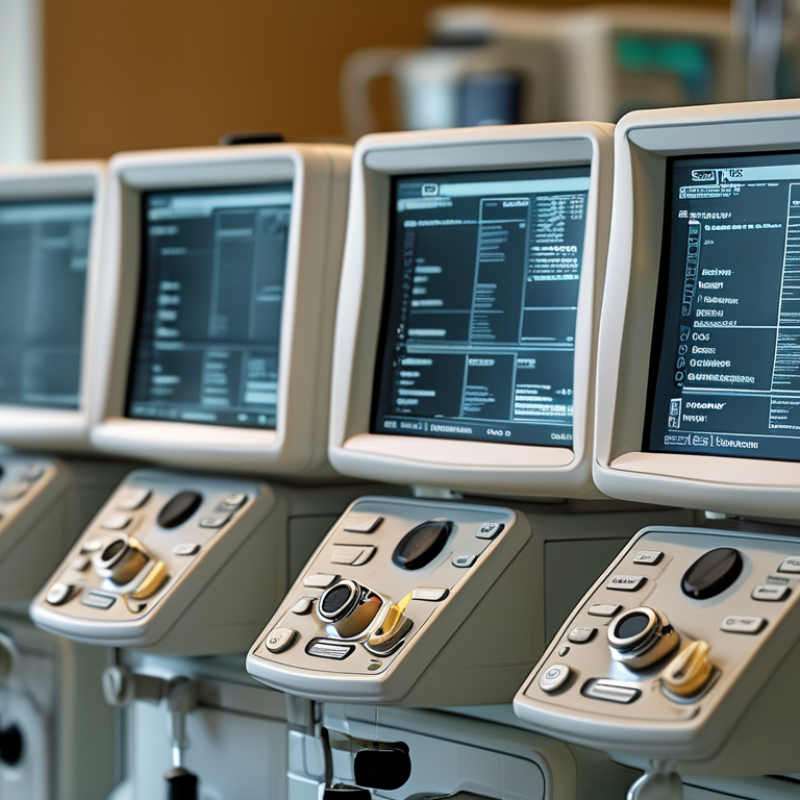
Choosing the right Comen Monitor is crucial for any medical facility. Dr. Jane Smith, a renowned expert in medical equipment, once stated, "A quality monitor ensures patient safety and effective treatment." This emphasizes the importance of selecting the right device for your needs.

Consider what specific features you require. Comen Monitors come with various functionalities. Assessing their accuracy and user-friendliness is essential. Each setup is unique, and so are patient requirements.

You may find that not all monitors are created equal. Some may lack certain features that are critical for your practice. It's important to reflect on your priorities. Investing your time in research might seem tedious but it can lead to better outcomes in patient care. A Comen Monitor can be an invaluable asset if chosen wisely.

How to Choose the Best Comen Monitor for Your Needs?

Understanding Monitor Types: LCD, LED, OLED, and Their Benefits

When selecting a monitor, understanding the various types is essential. LCD, LED, and OLED are the primary categories, each with unique benefits and drawbacks. LCD monitors are commonly used and deliver vibrant colors. However, they may struggle with deep blacks and contrast levels. These screens are often budget-friendly, making them a popular choice for general use.

LED monitors are an evolution of LCDs, featuring improved brightness and energy efficiency. They provide better visuals due to enhanced backlighting. Yet, the overall experience can vary based on the panel type used. A lower-quality LED might not impress. OLED monitors excel in color accuracy and contrast, offering stunning visuals. They produce true blacks and exhibit a wider viewing angle. Still, they can be pricier and may face concerns about screen burn-in over time.

Choosing the right monitor involves weighing these factors carefully. Each type suits different needs and preferences. Reflecting on your specific usage can help clarify which technology aligns with your requirements. Are you gaming, editing photos, or just browsing? Your answer will guide your decision-making process.

Key Specifications: Resolution, Refresh Rate, and Response Time Explained

When selecting a Comen monitor, key specifications matter significantly. Resolution determines clarity. Higher resolution provides sharper images, especially for detailed tasks. A 4K monitor displays more pixels than a Full HD model. Consider your usage when choosing. Casual users might find Full HD sufficient. Gamers often prefer 1440p or 4K for immersive experiences.

Refresh rate is another vital specification. It indicates how many frames per second the monitor can display. A higher refresh rate leads to smoother visuals. For gaming, a rate of 120Hz or more is ideal. This reduces motion blur and enhances responsiveness. Meanwhile, for everyday tasks, 60Hz may be adequate.

Response time impacts how quickly a pixel can change color. This is crucial for fast-moving images. A response time of 5ms or lower is preferable for gaming and action movies. However, for office tasks, a slower response time might not be an issue. Take time to examine these details. Your choice will affect your overall experience.

Assessing Size and Screen Ratio: Finding the Right Fit for Your Space

When assessing size and screen ratio for your monitor, it's vital to consider your specific needs. The right screen can enhance productivity and comfort. Industry reports suggest that monitors between 24 to 27 inches are most popular among professionals. They provide a good balance between real estate and desk space. Choosing a 16:9 aspect ratio is standard, as it is ideal for video content and multitasking.

Consider your workspace. A larger monitor might overwhelm a small desk, leading to discomfort. For instance, a 32-inch monitor requires about 30 inches of desk space for optimal viewing. Research indicates that users benefit from monitors placed at eye level. This reduces strain on the neck and eyes, enhancing overall well-being.

While larger screens can seem appealing, they may come with trade-offs. Increased screen size might lead to issues with pixel density. A 1080p resolution on a 27-inch monitor may result in a less sharp image compared to a 24-inch display. Also, the distance from your eyes to the screen changes. This can affect how you perceive content, impacting focus and productivity. Making an informed choice means weighing these factors carefully.

Color Accuracy and Calibration: Importance for Gamers and Designers

Color accuracy and calibration are essential for gamers and designers. For gamers, accurate colors can enhance immersion. The right hues bring realism to gaming environments. When colors are off, it can break the experience. For instance, a game with poor color accuracy may render skies green instead of blue. This can be distracting and reduce enjoyment.

Designers also rely heavily on color. Accurate displays ensure that the intended shades appear as they should. In graphic design, a color used for branding must look the same on different devices. An uncalibrated monitor could lead to significant errors in projects. A slight difference in shade can impact the design's effectiveness. Additionally, time spent correcting colors is wasted. Calibration tools are necessary to maintain consistency.

Choosing a monitor with good color accuracy should consider your work or play style. Look for monitors with high color range and precision. Serious users often opt for professional calibration tools. However, even with these, results can vary based on environmental factors. Lighting and viewing angles can affect perception. Regular re-calibration is vital, but many overlook it. A monitor is an investment in your craft; don’t take shortcuts.

Budget Considerations: Balancing Cost with Features and Longevity

When selecting a monitor, budget considerations are crucial. The right balance between cost and features can be challenging. Many individuals prioritize price, only to regret limitations later. Investing in a monitor often means assessing long-term usability. Cheaper models may save money initially but could lead to dissatisfaction due to poor performance.

Features like resolution, refresh rate, and connectivity are vital. Higher specifications tend to increase prices, but they can significantly enhance the user experience. Evaluating these aspects can lead to better choices. Longevity should also factor into your decision. A well-built monitor may cost more upfront but save money in the long run.

It's easy to get caught up in high-tech features. You might overlook your actual needs. Sometimes, simpler options are more practical. Reflecting on what you truly require can guide better choices. A clear understanding of your usage will aid in making informed decisions.