

News

Miro: A New Standard in Responsible Innovation

Miro: A New Standard in Responsible Innovation The Miro monitor arm is setting new benchmarks in sustainability. It offers a high-performance solution without compromising on environmental responsibility. Designed with careful material selection, local sourcing, and longevity in mind, Miro’s responsible approach to design and unique manoeuvrability set it apart from the competition. Sustainable Choices Miro is crafted from energy-efficient materials with a lower carbon impact....

Read more
HSE Advisor

Role Purpose Support in the development, implementation and maintenance of the company’s Health, Safety & Environmental policies, processes, operational procedures, and standards.  Ensuring best practice and championing a continually improving HSE culture within the business. Key Responsibilities Liaise with and provide support to all areas of the business to eliminate, mitigate or reduce identified HSE exposures. Partner with the production management team and team leaders,...

Read more
CMD Ltd LAUNCHES 48-HOUR TURNAROUND ON BETATRAK® RAPID ORDERING SERVICE

CMD Ltd, the specialist in power distribution systems, workstation power and monitor arms, has launched a rapid ordering service for its Betatrak® underfloor powertrack distribution systems and accessories, with a commitment to delivering within 48-hours of an approved purchase order*. The service enables customers to order up to 50 lengths of Standard or Clean Earth (C/E) low noise Betatrak, along with up to 25 feed...

Read more

CMD INVESTS £1/4 MILLION IN NEW MACHINE AS PART OF FACTORY UPGRADE

We have invested in a new £1/4m TRUMPF CNC metal punch as part of an asset renewal strategy for our UK manufacturing capability. The new machine will be used in the production of a wide variety of our power distribution systems and workstation power products at our Rotherham factory. Suitable for handling sheet metal between 0.9mm and 3.0mm thick, the new machine will replace one...

Read more

CMD CATALOGUE PROVIDES TECHNICAL POWER DISTRIBUTION GUIDE

CMD Ltd has released a new catalogue, providing an easy to follow technical guide to our power distribution systems and plug and play desk modules. Detailing CMD’s full range of UK-manufactured power distribution systems and plug and play desk modules, the catalogue will be a helpful source of information to M&E engineers and contractors alike to understand how our power distribution systems connect together and...

Read more

Power Distribution Catalogue
CMD Ltd PLAYS ESSENTIAL ROLE IN ELECTRICAL FIT OUT AT LONDON’S PRESTIGIOUS OFFICE DEVELOPMENT

CMD Ltd, specialist in workplace connectivity and ergonomic solutions, has provided a flexible and high-quality power distribution network for The Ray, a prestigious office development in London’s Farringdon. Well-known for being the former site of The Guardian newspaper, The Ray now stands as an 83,000ft² office development characterised by a modernised warehouse aesthetic, with level two now occupied by a global social media company. The...

Read more

The Ray
CMD plugs in to european opportunity with Schuko Capsule unit launch

CMD Ltd, the specialist in power and connectivity solutions for commercial environments, has launched a Schuko version of its popular fixed format Capsule workstation power module for export to mainland Europe and beyond. A popular on desk power module comprising two sockets and dual USB (type A and C) chargers, CMD’s Capsule unit is already widely specified in the UK as an off-the-shelf workstation power...

Read more

CMD White Schuko Capsule Desk Power Module
CMD LTD EXTENDS MONITOR ARM RANGE WITH THE LAUNCH OF REACH PLUS

CMD Ltd, the specialist in ergonomic and connectivity solutions for commercial interiors, has completed its Reach monitor arm range with the launch of the Reach Plus. Available in single or dual screen options, the Reach Plus has been designed to provide an ideal solution for both single and dual screen workstation configurations, or can be used with next generation of large format curved screens. Suitable...

Read more

CMD Ltd DEMONSTRATES THE ART OF POWER DISTRIBUTION AT THE UNIVERSITY OF WARWICK

CMD Ltd, the specialist in workplace connectivity and ergonomic solutions, has provided Betatrak busbar power distribution and a range of electrical accessories for two major capital investment projects at the University of Warwick. Designed by Fielden Clegg Bradley Studios, the £33 million Faculty of Arts building is a showpiece development comprising four interconnected structures set around a central atrium, which will enable inter-disciplinary collaboration across...

Read more

University of Warwick
CMD BRINGS HARMONY TO COVENTRY UNIVERSITY RESEARCH FACILITIES

CMD Ltd, the specialist in power distribution solutions and workstation power and ergonomics, has provided under desk and on desk power modules for the refurbishment of three Coventry University research buildings. Located on Coventry University Technology Park, a business park designed to encourage collaboration between the university and knowledge-based businesses, the three buildings are being repurposed as office accommodation for university research teams. The refurbishment...

Read more

Coventry University

How to Choose the Best USB Extender for Your Needs?

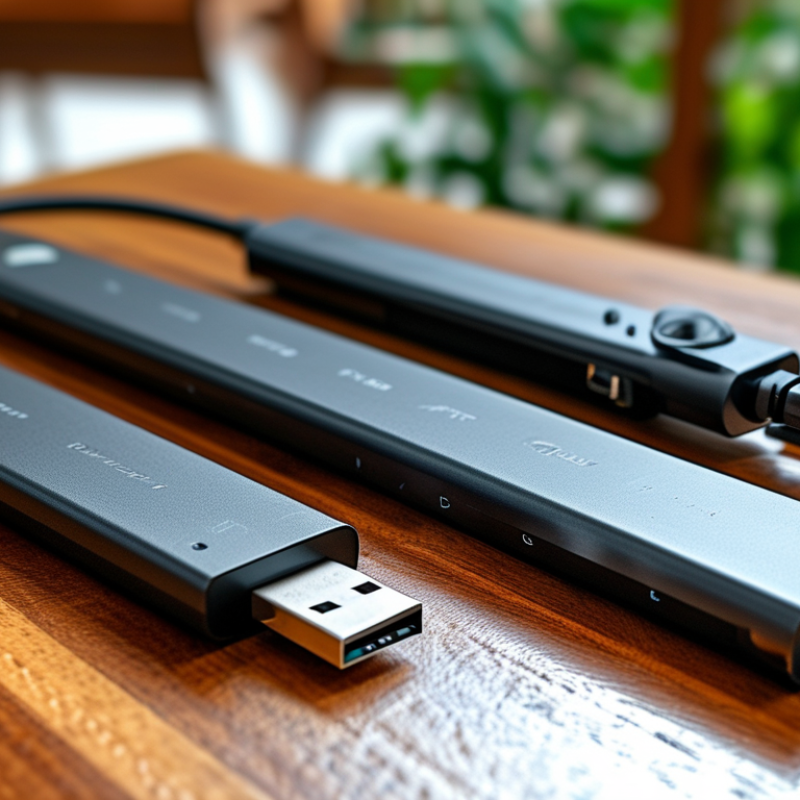
Choosing the right Usb Extender can significantly enhance your digital experience. A USB extender allows you to extend the reach of your USB devices beyond the standard cable limit. With various options available, understanding your specific needs is crucial.

Many factors influence your choice. Consider the distance you need to cover. Some extenders support long ranges, while others cater to shorter distances. Think about the data speed as well. Not all USB extenders offer the same transfer rates. Some may cause delays, which is frustrating.

Reliability is essential, especially for professionals. Faulty extenders can lead to data loss or connection issues. Reading reviews and checking brand reputation can guide you. Emphasizing these details can prevent unwanted surprises down the line. Ultimately, selecting the best USB extender requires careful thought and patience. Take the time to analyze your requirements before making a decision.

How to Choose the Best USB Extender for Your Needs?

Understanding USB Extenders: Types and Technology

USB extenders are essential tools for increasing the reach of USB devices. They help connect devices beyond standard cable limitations. This is crucial for home offices and professional settings where distance can be a barrier. Understanding the various types of USB extenders is key.

There are two main types: active and passive. Passive extenders simply extend the cable length but are limited to a distance of 5 meters for USB 2.0. On the other hand, active extenders use powered solutions to maintain signal strength over longer distances. According to a recent market report, the demand for active solutions has increased by 20% in the last year due to their advantages in maintaining reliability.

When selecting a USB extender, consider the technology being used. Look for extenders that support your specific USB version—USB 2.0, 3.0, or even 3.2. This ensures compatibility with connected devices.

Tip: Always check for the maximum length specifications before purchasing.

Distance isn’t the only factor; quality matters too. Well-made extenders might cost more but will save headaches later. Inadequate quality can lead to data loss or connectivity issues.

Tip: Invest in extenders with feedback mechanisms for optimal performance.

Choosing the right extender can be daunting, but understanding types and technology helps simplify this. Researching product specifications can guide you toward making the best choice for your setup.

Key Factors to Consider When Choosing a USB Extender

When selecting a USB extender, several key factors come into play. First, consider the distance. USB cables have a limited range. Standard USB 2.0 can extend up to 5 meters without signal loss. For longer distances, USB extenders using Ethernet or fiber optic are necessary. These options offer greater range while maintaining data integrity. Therefore, assess the setting where the extender will be used.

Another critical aspect is speed. USB versions differ significantly in data transfer rates. USB 3.0 and 3.1 offer faster speeds than 2.0. If your devices require high bandwidth, opt for the latest technology. Keep in mind, however, that both your devices and the extender must support these speeds to achieve optimal performance.

Tips: Always check the power supply requirement for your USB devices. Some extenders require external power for reliable operation. Also, compatibility is vital. Ensure the extender aligns with your hardware and the specific USB protocol. This alignment guarantees seamless functionality. When unsure, reading product reviews can offer additional insights before making a choice.

Evaluating Distance and Signal Quality Requirements

When evaluating distance and signal quality for a USB extender, understanding your specific needs is crucial. USB signals can degrade over long distances, typically exceeding five meters. If you're working in a large space, high-quality extenders can help maintain strong signals. Different types of extenders are available, including active and passive options. Active extenders boost the signal and can work over greater distances. Passive extenders, while simpler, may struggle with signal loss.

Consider your devices and their data transfer requirements. Devices needing high-speed data transfers, like cameras or external drives, require more reliable extenders. In contrast, low-speed devices like keyboards or mice might not need as robust a solution. Testing different extenders in your setup can provide insight into their performance. In some cases, even the best extender may not work well due to obstacles or interference. Be prepared to adjust your solutions as needed, focusing on achieving the best balance between distance and signal integrity.

Comparing Active vs Passive USB Extenders

When selecting a USB extender, understanding the difference between active and passive types is essential. Active USB extenders use power to boost the signal. This option is ideal for long-distance setups, often exceeding 30 feet. They ensure reliable data transmission, making them suitable for devices like printers and webcams. Users typically experience fewer dropouts and faster transfer rates due to the signal enhancement.

On the other hand, passive USB extenders rely on the inherent strength of the USB signal. They are simpler and do not require external power. While they are cost-effective for short distances, typically under 15 feet, they can suffer from signal degradation. This may lead to slower speeds and occasional connectivity issues. For those who don’t need extended distances, passive extenders might suffice, but buyers should be aware of their limitations.

Choosing the right extender requires careful consideration of your specific needs. Evaluate the distance you need to cover and the type of devices being used. Sometimes, users underestimate their requirements and struggle with signal loss later. It’s crucial to weigh the trade-offs between cost and performance. Each scenario is unique, making a one-size-fits-all solution impractical.

Assessing Compatibility with Devices and Operating Systems

When selecting a USB extender, compatibility is key. Check if it works with your devices—PCs, laptops, and consoles. Different devices may have unique USB standards, such as USB 2.0 or USB 3.0. Ensure the extender supports the correct version. Inadequate compatibility can lead to slow data transfer rates or connectivity issues.

Consider the operating systems you're using. USB extenders should function smoothly across various platforms, such as Windows, macOS, and Linux. Some extenders may only offer partial support or require additional drivers. It’s essential to read the specifications closely. Many users find they encounter problems with older or less common operating systems.

Assessing compatibility can sometimes be tricky. Users often overlook the importance of firmware updates. These updates can significantly impact performance. If an extender doesn’t work out of the box, it could be due to outdated software. Always check manufacturer resources for support and recommendations before making a purchase. Your needs may evolve, so consider future compatibility as well.

USB Extender Compatibility Assessment